
Overview Is it worth it? FAQ
What Abby Is and What It Does?
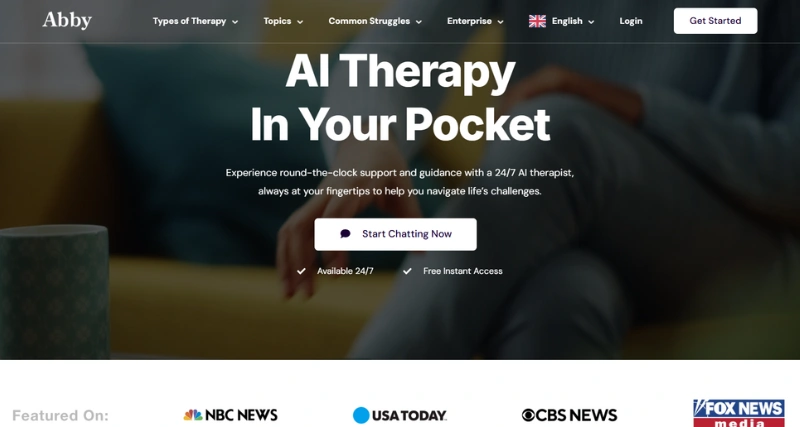
Abby is a state-of-the-art digital helper that aims to simplify your daily tasks, boost productivity, and improve personal or work-related processes. This adaptable tool mixes AI-powered features with an easy-to-use interface to assist users in organizing, automating, and carrying out various activities . Abby serves as a smart companion that helps save time and increase focus, whether you need to handle deadlines, sum up content, or get suggestions.
Standout Features/Capabilities
AI-Powered Task Automation: Abby has the ability to automate routine tasks, including scheduling, data entry, and content research, with great speed and precision.
Customizable Workflows: People can adjust Abby’s workflows to match their requirements, for personal or team projects.
Smart Content Summarization: Abby does a great job of condensing long documents or articles pulling out main points to help users save time on reading.
Intelligent Reminders: Built-in reminders and alerts make sure users don’t forget deadlines and key events.
Seamless Integrations: Works with well-known tools such as Google Calendar, Microsoft Teams, Slack, and others to provide a unified experience.
How It Works
Abby uses AI and machine learning algorithms to study user input, get to know preferences, and carry out tasks based on commands and set rules. The tool uses natural language processing (NLP) to talk with users answering prompts in a chat-like way. Users can work with Abby through its website, Chrome add-on, or iPhone app. Also, video guides and demos help new users get started .
Use Case
Abby suits anyone who wants to boost productivity. It’s helpful for professionals with packed schedules, students tackling research-heavy work, or teams working together on tricky projects. If you’re a freelancer trying to save time or a busy executive dealing with endless meetings, Abby adjusts to fit your specific needs.
Best For
Business professionals and executives.
Freelancers and entrepreneurs.
Students and researchers.
Teams collaborating on projects.
Productivity fans looking for automation tools.
Pros
Easy-to-use interface that makes sense.
Gets tasks done and sums up content well.
Fits right into how you already work.
Saves time and helps you get more done.
Gives personal tips and ideas just for you.
Cons
You need to pay to use some of the best features.
People new to AI tools might need some time to learn how to use it.
How well it works with other apps depends on regular updates.
Benefits
Saves time by doing boring or repetitive jobs.
Improves focus by cutting down on distractions and doing less important tasks .
Makes work better with smart reminders and useful tips.
Keeps people and teams in order and getting things done even when they’re busy with lots of things.
Browser/Platform Compatibility
Web-Based: You can use it on any big browser.
Chrome Extension: You can get to it from the Chrome toolbar.
iOS App: You can use a special app on your iPhone when you’re out and about.
Available Pricing
Free Version: You get basic stuff like making tasks, getting reminders, and simple ways to handle content.
Paid Plans: You can pay for better options like changing things to fit you fancy AI features, and connecting with other tools starting at $9.99 each month.
Is It Worth It?
For people and teams who want to cut down on time and make their work smoother, Abby is worth the money. You can try out its free plan to see how useful it is, while the paid options give you access to a bunch of strong features for more complex needs. Because it’s so efficient and flexible, Abby turns out to be a great tool for both personal and work use.
Q1. Can Abby work with my current tools like Google Workspace and Slack?
Yes, Abby works smoothly with several popular tools and platforms.
Q2.Can I get Abby on Android devices?
They're working on an Android app right now, but you can use the web version on your phone.
Q3. Can I try Abby for free before upgrading?
Yes! Abby offers a free version with basic features to get you going.