
Overview Is it worth it? FAQ
What AI Storyboard Generator Is and What It Does ?
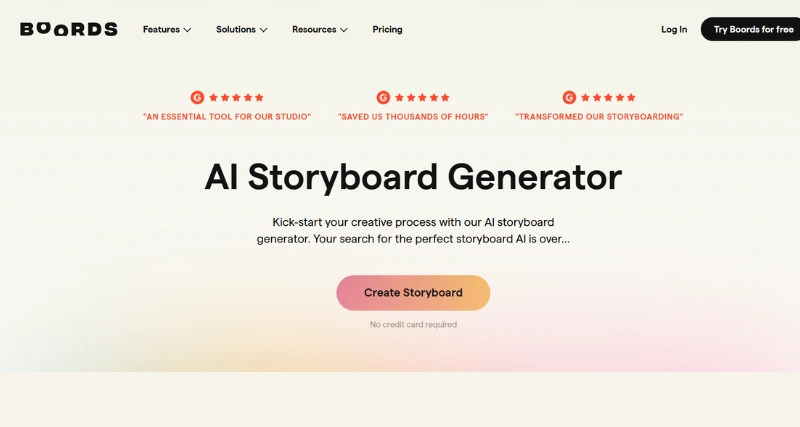
The AI Storyboard Generator is an innovative tool designed to streamline the creative process, enabling creators to bring their ideas to life efficiently. Whether you’re working on marketing campaigns, filmmaking, educational content, or storytelling, this tool uses artificial intelligence to generate professional-quality storyboards based on your concepts. By automating time-consuming tasks like scene outlining and visual sequencing, it empowers users to focus on shaping their narratives and enhancing creativity.
This tool analyzes user prompts and inputs, generating visuals and detailed descriptions in a structured storyboard format. From characters and settings to transitions and dialogue, the AI Storyboard Generator simplifies the entire process by creating a cohesive visual representation of your story in just minutes.
Standout Features/Capabilities
AI-Powered Scene Generation: Automatically creates professional-grade scenes based on your brief, saving hours of manual effort.
Customizable Templates: Offers a wide range of templates to fit various creative needs, including film scenes, ad scripts, and educational materials.
Visual Asset Integration: Supports integration with royalty-free image and video libraries for a complete storytelling experience.
Collaboration Tools: Provides real-time sharing and editing options for teams, fostering seamless collaboration.
Export Functionality: Allows users to export storyboards in multiple formats, including PDF, JPEG, and video presentations.
Intelligent Suggestions: Provides recommendations for angles, color schemes, and layouts to improve creative output.
How It Works
To use the AI Storyboard Generator, users start by inputting their project details, such as the theme, characters, and type of story. The AI processes this information and generates a preliminary storyboard, complete with visuals and textual descriptions. For those who prefer to see the tool in action, a demonstration video or on-screen walkthrough can be accessed within the application, showing its ease of use.
Use Cases
Filmmaking: Plan your scenes meticulously before stepping on set.
Marketing Campaigns: Build visually compelling advertisements.
Content Creation: Design e-learning modules, explainer videos, or social media content.
Game Development: Lay out story arcs or level designs for greater clarity.
Education: Simplify complex topics with visual aids for students.
Best For
The AI Storyboard Generator is ideal for marketers, filmmakers, instructional designers, educators, game developers, and anyone who needs to convey visual narratives effectively. Hobbyists looking to experiment with storytelling will also find it an accessible and inspiring tool.
Versions/Models
At present, the AI Storyboard Generator is available as a single, versatile platform with premium features that can be unlocked based on subscription tiers.
Web-Based Application – Accessible from any browser for convenience.
Chrome Extension – Integrate it with Google Chrome for seamless usage.
Mobile App (iOS) – Use it on the go with an intuitive app for iOS devices.
Pros
Automates and accelerates storyboard creation for faster project kickoffs.
Easy to use, even for beginners with no design or technical background.
Includes an intuitive, drag-and-drop interface for quick edits.
Helps inspire creativity with AI-generated ideas and storyboard elements.
Saves costs by eliminating the need for hiring professional storyboard artists in many cases.
Cons
Limited customization compared to manual storyboard creation with advanced software.
Results may occasionally lack nuanced artistic detail or emotional depth.
Heavily reliant on AI input, which may not fully match specific creative visions.
May require a stable internet connection for optimal performance.
Benefits
Drastically reduces the time needed to develop and organize ideas.
Enhances storytelling through structured visual sequencing.
Encourages team collaboration with real-time updates and feedback.
Makes professional-level storyboarding accessible to creators at all levels.
Browser/Platform Compatibility
The AI Storyboard Generator is web-based and works smoothly on major browsers like Chrome, Firefox, and Safari. It is also available as a Chrome extension and mobile app for iOS users.
Available Pricing
The AI Storyboard Generator offers a range of pricing options to suit different needs and budgets.
Free Version – Includes basic features for small projects.
Premium Plans – Add advanced capabilities such as collaboration tools, enhanced export options, and library integrations; starts as low as $9.99/month.
Is It Worth It?
For anyone working regularly with visual storytelling, the AI Storyboard Generator is a worthwhile investment. While its AI-driven approach may not replace human artistry in high-end productions, its time-saving qualities and accessible interface make it invaluable for most creative projects.
1. Can I use the AI Storyboard Generator without prior design experience?
Absolutely! The tool is designed with an intuitive UI, enabling even beginners to create professional-quality storyboards.
2. Are the storyboards customizable?
Yes, you can tweak templates, characters, and visuals to fit your specific needs.
3. Does the free version include collaboration tools?
Collaboration features are limited to the Premium Plans.
Currently, an active internet connection is required to access the tool and harness AI features.