
Overview Is it worth it? FAQ
What AIEASE Is and What It Does?
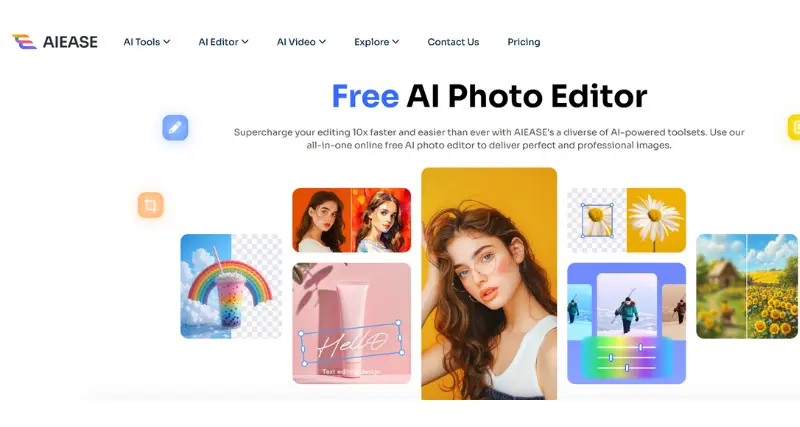
AIEASE is a smart AI tool that makes your work easier, faster, and better, whatever job you’re doing. It doesn’t matter if you’re writing emails boiling down long reports, sorting out tasks, or coming up with new ideas – AIEase uses AI to help you get things done quicker and more . The folks behind AIEase built it with you in mind so it works for people in all kinds of jobs by adjusting to what each person needs, while still keeping things professional.
Standout Features/Capabilities
AI-Powered Content Creation: AIEase creates top-notch relevant content for blogs and work emails without breaking a sweat.
Task Automation: It takes care of boring jobs like formatting, checking, or summing up, freeing up your time and energy.
Language Versatility: It works in many languages, so people all over the world can use it.
Customization: You can tweak what it produces to match the tone, length, or style you want.
Advanced Summarization: It boils down articles, briefs, and documents into short key points so you can grasp them .
Seamless Integration: It fits right in with popular tools like Gmail, Slack, Microsoft Word, and Google Docs.
Real-Time Help: Provides instant support via a Chrome add-on or built-in smartphone apps.
How It Works
Using AIEASE is easy and simple. You can access the platform through the web, Chrome extension, or mobile app. Just type your query or instructions in plain text—like asking the tool to write an email, sum up a document, or come up with a creative idea. The AI processes what you input and gives you custom results in no time. You can see how advanced features work such as task automation or integrations, in a live demo or by watching pre-recorded video guides on its platform.
Use Case
Business Professionals: Writing work emails, making presentations, writing up meeting notes.
Content Creators/Marketers: Coming up with ideas for writing blogs or social media posts, and editing content.
Students and Academics: Summing up textbooks, writing essays, checking assignments for errors.
Everyday Users: Handling personal to-do lists, writing resumes or cover letters, and planning schedules.
Best For
AIEase works great for anyone who wants to make their work easier and get more done. It’s good for:
Busy workers who need to save time.
Freelancers who need to create good content .
Students who need help with research.
Regular folks managing day-to-day tasks.
Versions/Models
AIEase has these versions:
Free Version: Gives you basic features like content creation and summarizing with a limit on use.
Pro Version: Includes top-tier features such as higher use limits better AI output, and faster support.
Enterprise Version: Made for groups and companies with tools to work together, options to connect with other software, and plans built just for you.
Pros
Boosts productivity and cuts down on time.
Easy-to-use design works for newbies and experts.
Outputs can be tweaked to fit exact needs.
Works on many systems: web, phones, and browser add-ons.
Comes in free and paid versions to match different budgets.
Cons
Might need some hands-on tweaks now and then to polish outputs.
You have to pay to unlock better AI models or use it more each month.
Needs the internet to work at its best.
Benefits
Cuts down workload by doing tasks .
Makes content more accurate and better quality.
Gives results making you more productive.
You can use it anywhere with mobile support and browser add-ons.
Browser/Platform Compatibility
Web-Based: You can use it on desktop browsers for smooth performance.
Chrome Extension: Easy to use while browsing the web.
iOS App: Works well on iPhones, with plans to add support for Android phones.
Available Pricing
Free Plan: Core features with capped monthly use. Great for newcomers and occasional users.
Pro Plan: Costs $9.99/month to start giving you better features higher usage caps, and smarter AI tools.
Enterprise Plan: Pricing made to fit what teams or organizations need just ask for details.
Is It Worth It?
AIEase is a useful tool for people who want to save time and boost their productivity. You can use it for many things, both in your personal life and at work, thanks to its strong AI technology. It works well in different industries and offers affordable premium plans, which makes it even more attractive. But whether you should get it depends on what you plan to use it for. If you often deal with boring, time-consuming tasks, this tool is a good investment.
1. Do you need an internet connection to use AIEase?
Yes, AIEase uses AI in the cloud so you need to be connected to the internet.
2. Can AIEase work with different languages?
AIEase supports many languages for creating and editing content.
3. What kind of help can customers get?
AIEase gives round-the-clock support to Pro and Enterprise users, while Free users get basic help.
4. Can I try the Pro plan before buying?
New users can test Pro features with a 7-day free trial.