
What Airtable Is and What It Does?
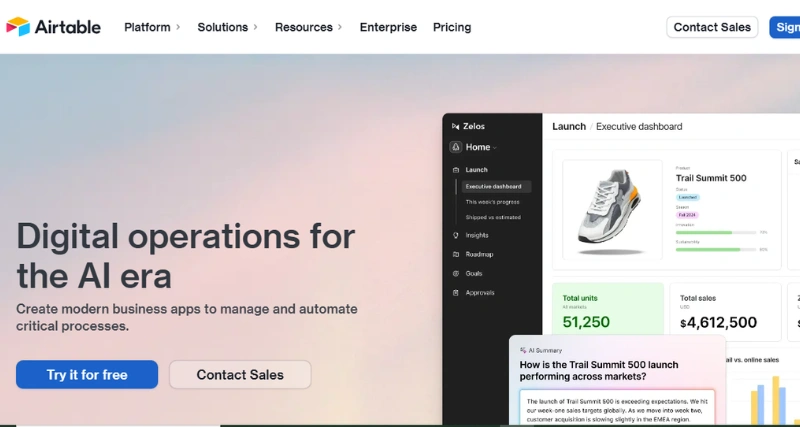
Airtable is a simple cloud-based application that blends the plain-looking appearance of a spreadsheet with the power beneath a database. It helps individuals, teams, and businesses streamline and personalize workflows, data, and projects. It adjusts to fit tasks like event planning, content management, inventory tracking, and running daily business operations making it useful across industries and team sizes.
Standout Features/Capabilities
Airtable stands out because of the useful tools it provides attracting those in need of an adaptable organization platform. Here are its key highlights:
User-Friendly Layout: It looks like a spreadsheet, which helps new users get started .Meanwhile, it also has more advanced features for those with a bit more experience.
Ready-Made Templates: It provides numerous pre-designed templates to employ in areas like marketing, event planning, and design work.
Flexible Fields: You can set field types as per your requirement.
Different Data Views: It offers viewing options like Grid, Kanban, Calendar, or Gallery so you can display information how you like.
Workflow Automation: Automations save effort by handling notifications assigning tasks, and making updates without manual input.
Team Collaboration: It supports live teamwork with tools like shared comments, activity logs, and synchronized project updates.
Integration Choices: It is integrated with used applications such as Slack, Google Drive, and Dropbox. It provides both built-in integrations and access through Zapier.
How It Works
Getting started with Airtable is easy. You just create an account, pick a template or make a new base, and adjust the fields to fit what you need. It’s got drag-and-drop features, table linking, and automation tools that help you handle tricky workflows and datasets without much difficulty. To learn more, you can watch their demo video or check out their step-by-step tutorials.
Use Case
Airtable works well in many situations. People use it to plan marketing campaigns, keep track of event schedules, manage inventory, organize customer data, or run software development sprints. It can fit into personal and work-related tasks making it useful to people like startups, teachers big companies, and content creators.
Best For
Teams or individuals handling complicated tasks.
Marketers and content creators needing clear project organization.
Businesses, from small ones to big ones needing tools to make custom databases.
Fields like education, healthcare creative work, and non-profits.