

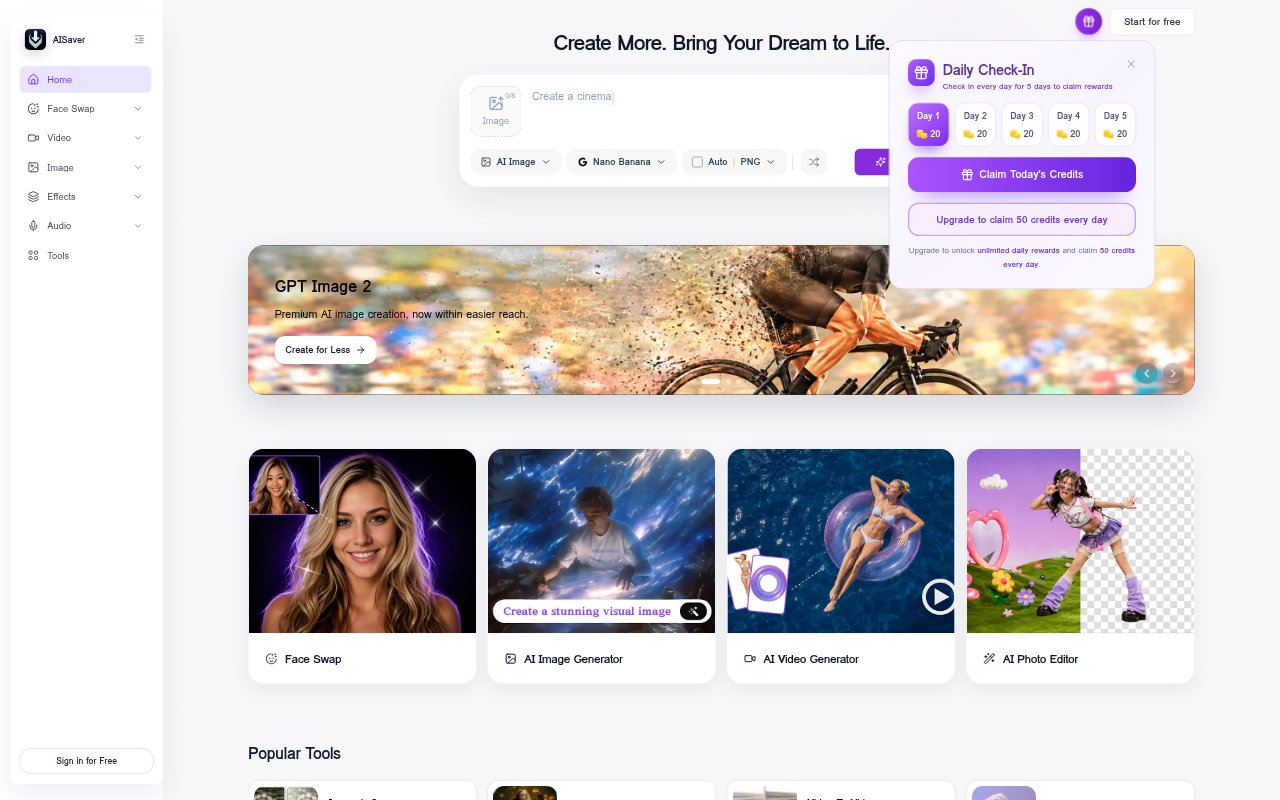
What is AISaver?
AISaver is an online creation and editing platform for images and videos, aimed at creators and people who want to make visual content without using separate tools for each task. It combines face swaps, image and video generation, photo editing, enhancement, and other video utilities. Users can also generate visuals with models including Nano Banana, Kling AI, and Seedance. The service uses credits, with free daily credits and one-time credit purchases available.
AISaver Features:
Face Swaps: Swap faces in photos, videos, and GIFs, with tools for single subjects as well as multiple faces in one image or video.
Batch Swapping: Batch face swap tools support creating multiple face-swapped results, while multiple-face options handle group scenes.
Image and Video: Turn still images into animated clips, restyle existing video, or use image-to-image tools to create a new visual from a reference.
Video Generators: Create themed clips from photos with kiss, twerk, and bikini video generators, which add animated movement to still images.
Image Editing: Generate images from text, change clothing, edit photos, and improve image clarity with the platform’s image tools.
Video Utilities: Enhance video clarity and lighting or remove video watermarks, text, and logos with dedicated processing tools.
AI Models: Choose from models including Nano Banana, Nano Banana Pro, Kling AI, Seedance AI, and Seedance 2.0 for image and video creation.
AISaver Benefits:
Fewer Separate Tools: Keeping image creation, video editing, and face swapping in one service can simplify a creator’s routine and reduce app switching.
Faster Experiments: Online workflows let users try visual ideas without installing complicated editing software or building every result by hand.
More Reusable Media: Turning a still image into a clip gives creators another format to share from material they already have.
Flexible Spending: Daily free credits offer a way to try the platform, while one-time credit purchases avoid a recurring subscription.
Accessible Editing: Straightforward upload-and-create workflows make common visual edits more approachable for beginners as well as experienced creators.
Use Cases:
Social Media Clips: Create short animated posts from photos or produce themed clips for social channels and online sharing.
Group Photo Swaps: Make playful edits to team pictures or group portraits by swapping several faces in the same image.
GIF Reactions: Adapt an animated GIF with a face swap to make a personalized reaction for a chat or social post.
Visual Prototyping: Generate an image from a text prompt or reference to explore a concept before using it in a creative project.
Video Cleanup: Improve the clarity of everyday or low-quality footage, or remove a watermark before preparing a polished video.