

What is Askaboard?
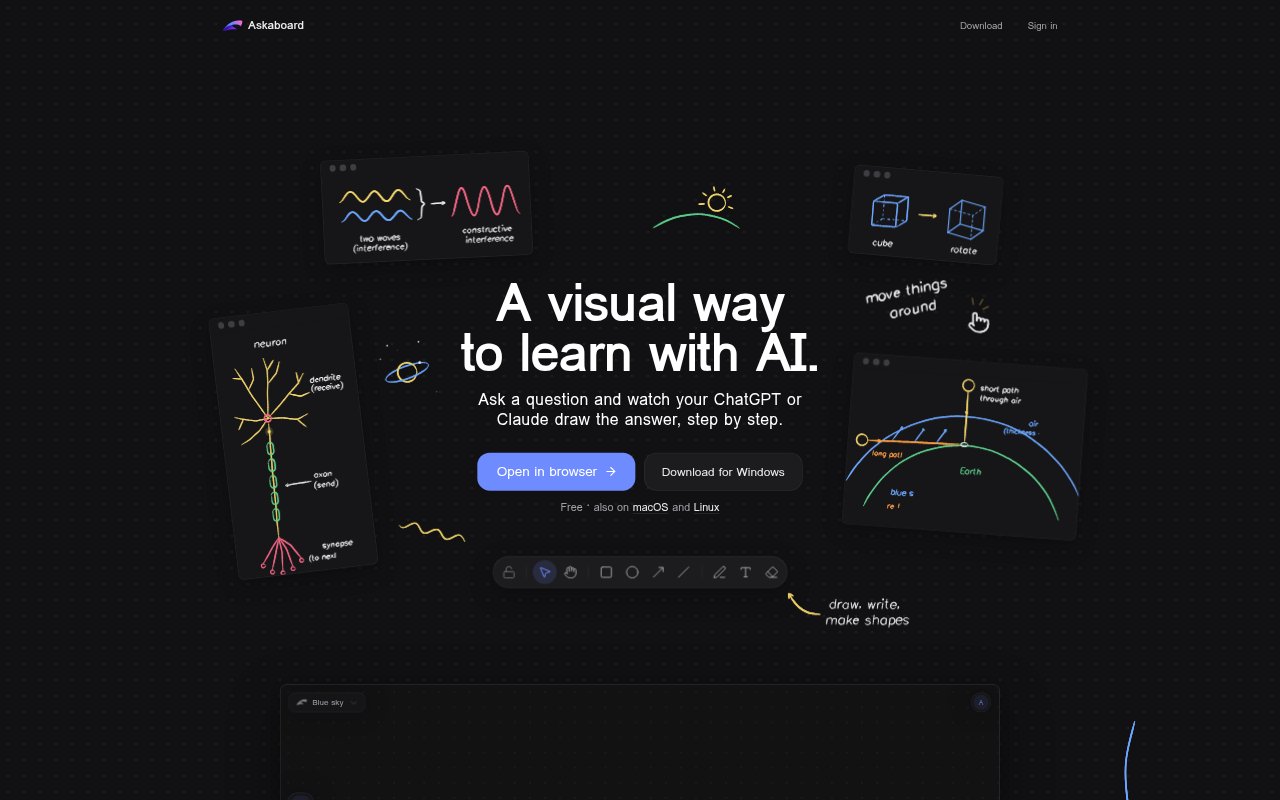
Askaboard connects an AI assistant to a digital board, where it can draw answers step by step, explain them aloud and respond to what you write or sketch. It is for learners who want more than a text response, including people studying subjects such as biology, chemistry, physics, maths and engineering. Use it in a browser or desktop app with ChatGPT, Claude or a compatible AI app; the desktop app can run Claude Code or Codex.
Askaboard Features:
Board Drawings: Ask a question and the AI can draw a visual answer on the board, including graphs, waves, orbits and 3D models.
Animated Explanations: The AI can animate an explanation step by step, with examples such as a beating heart, light waves or a rainbow forming.
Spoken Steps: Explanations are spoken as the AI draws, and you can pause, replay a step or ask a follow-up question.
Handwriting Recognition: Write equations, notes or rough sketches on the board, and the AI can read them and answer in the same space.
Work Checking: The AI can review work on the board, point out an error and show a correction, such as expanding a squared expression.
Web and Desktop: Use Askaboard in a browser or on Mac, Windows and Linux, with boards syncing between the web and desktop app.
Askaboard Benefits:
Clearer Concepts: Seeing an idea take shape can make relationships, processes and abstract concepts easier to follow than a text-only answer.
Learn at Your Pace: Pausing and replaying individual steps lets you spend more time on difficult parts without starting the explanation over.
Useful Feedback: Having your written work checked on the same board helps you spot where your reasoning went off track.
Fewer App Switches: The desktop app brings the AI conversation and its visual answer together, so you can work without opening a separate chat app.
Flexible Access: Boards work across browser and desktop, and you can use a keyboard and mouse or write with a pen or touch on a tablet.
Use Cases:
Study a Science Topic: Ask how a process works, such as how light scatters in the sky or how a neuron passes a signal, and follow the drawn explanation.
Work Through Maths: Write an equation by hand, ask for help, and use the board to see which part of a solution needs correcting.
Explore Physics: Request a visual explanation of waves, orbits or electric fields when a diagram or animation would help clarify the idea.
Review Engineering: Use a board to explore a technical concept with sketches, graphs or a 3D model rather than relying only on written descriptions.
Learn Independently: Ask follow-up questions while studying a subject on your own, replaying spoken steps when you need to revisit part of an explanation.