
What is Axoris?
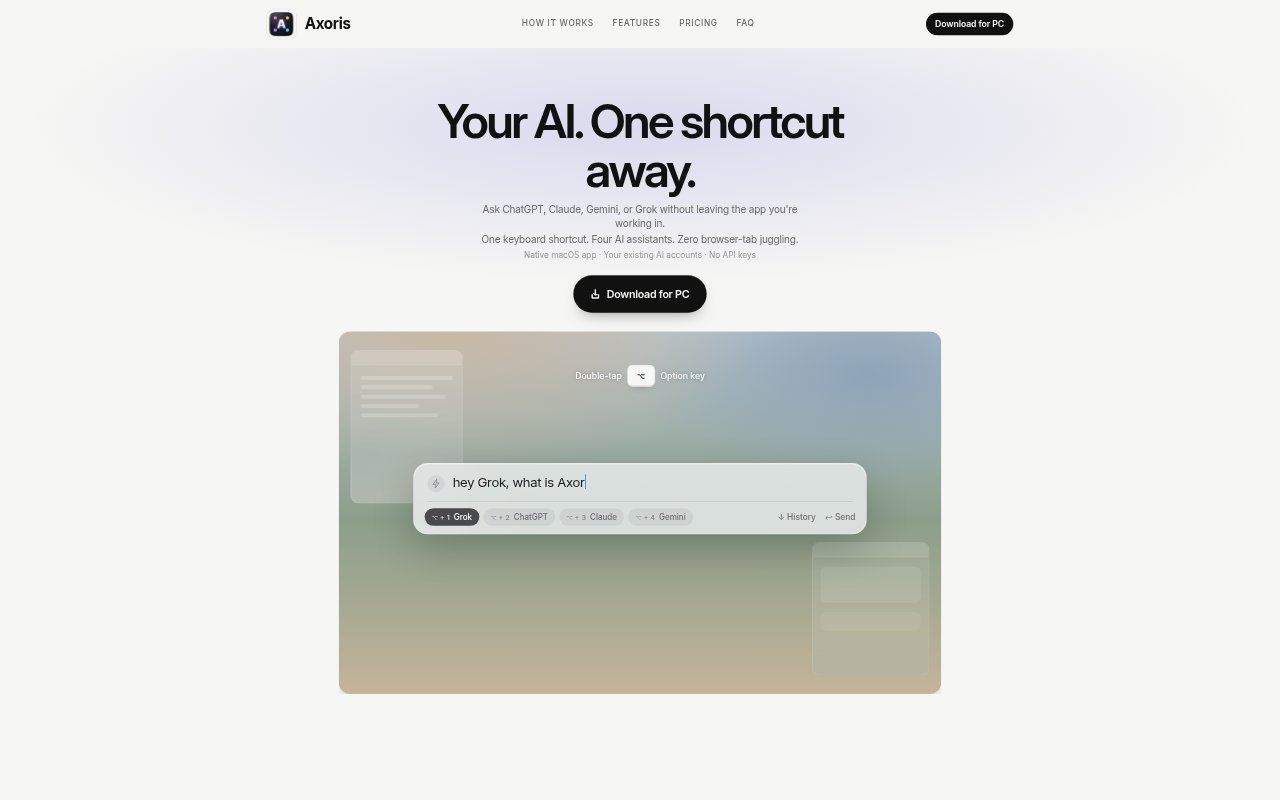
Axoris is a native macOS app for opening ChatGPT, Claude, Gemini, or Grok from the app you are already using. A global keyboard shortcut brings up a prompt, and a second shortcut selects the assistant; each new conversation opens on that service’s website. Axoris is designed for people who use several AI assistants and want keyboard-first access without keeping their sites open in separate browser tabs. It uses existing accounts and does not require API keys.
Axoris Features:
Quick Prompt: Double-tap the Option key to bring up a prompt window over your current work.
Assistant Selection: Choose ChatGPT, Grok, Claude, or Gemini using Option plus a number from one to four.
Website Sessions: Axoris opens the selected service’s actual website, where you sign in with your existing account.
Menu Bar App: The native macOS app lives in the menu bar and is available when you need it.
Custom Shortcuts: Change the global keyboard shortcut in Settings to avoid conflicts with other apps.
No API Keys: Use the AI services through their websites without setting up API keys or a separate Axoris cloud account.
Axoris Benefits:
Fewer Tab Switches: Open an assistant from your current app instead of searching through browser tabs or switching between separate windows.
Less Window Clutter: Keep AI services out of your regular workspace until a prompt is needed, rather than leaving several sites open.
Familiar Workflows: Continue using each service’s familiar website interface and the features available to your account.
Simpler Setup: Avoid configuring API access or learning a replacement interface for the AI services you already use.
Direct Sign-In: Keep sign-in and conversations with the AI providers instead of sending them through an Axoris account or server.
Use Cases:
Design Work: While working in Figma, bring up an assistant to ask a question without leaving the design app to find a browser tab.
Prompt Comparison: Send a similar prompt to different assistants when you want to compare their responses for a task.
Everyday Research: Open a preferred AI service to explore a question while keeping your current app in view.
Account Features: Use the AI websites’ available account features, such as Custom GPTs or Gemini Canvas, through their familiar interfaces.
Keyboard-First Access: Reach an assistant with a shortcut during work when opening and managing another browser window would interrupt your flow.