
What is barn?
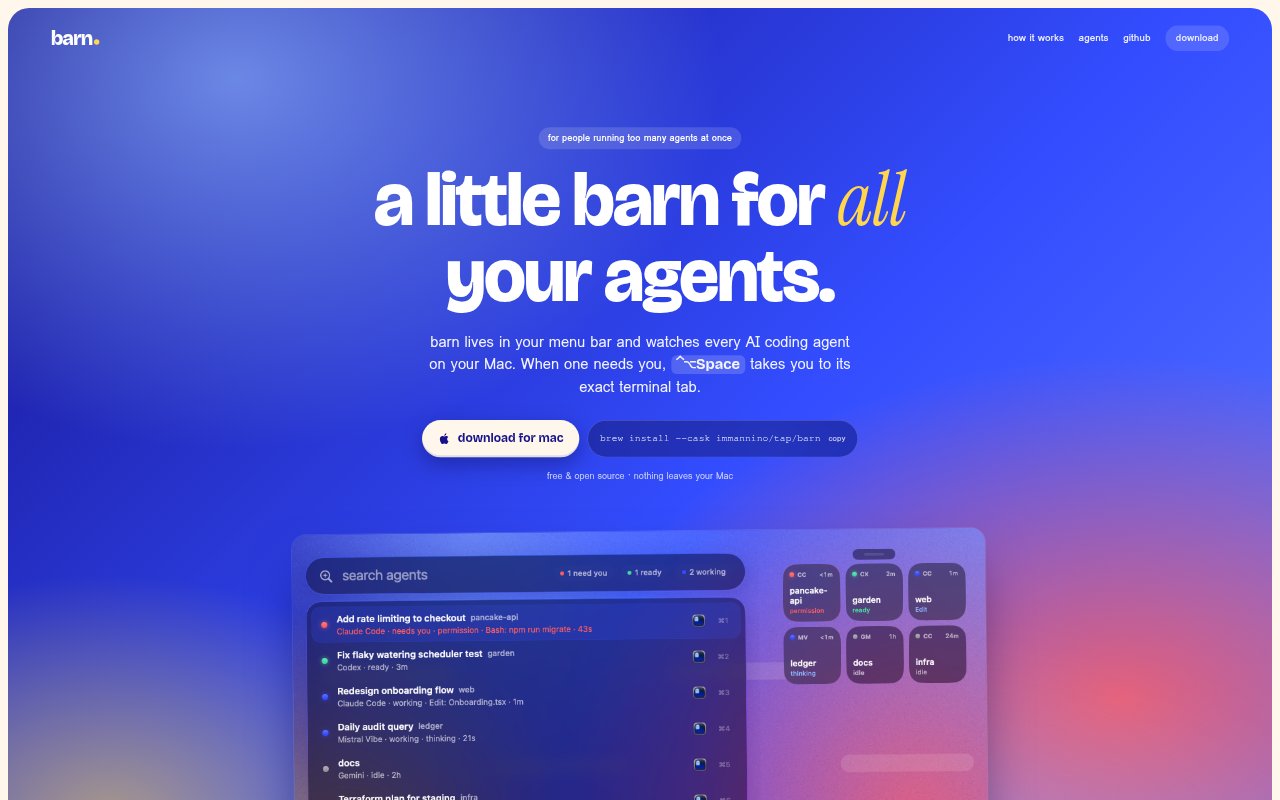
barn is a free, open-source macOS menu-bar app for people running multiple AI coding agents. It monitors agents on the Mac, shows whether they are working, waiting or done, and alerts you when one needs attention. When you switch to an agent, barn can bring its specific terminal tab, editor window or tmux pane to the front, so you can work with agents launched in the tools you already use.
barn Features:
Agent Monitoring: barn detects supported coding agents from the Mac’s process table and reads local session files to track their state.
Status Indicators: A menu-bar dot for each agent shows its status, with coral marking agents that need your attention.
Exact Tab Focus: The app can focus the relevant Ghostty, iTerm or Terminal tab or split, VS Code window, or tmux pane.
Attention Notifications: When an agent presents a permission prompt or asks a question, barn sends a notification that takes you to it.
Agent Switcher: A Spotlight-style switcher lets you filter agents by typing, puts urgent ones first, and supports keyboard shortcuts.
Custom Agent Hooks: You can add agents of your own and send state through a hook or a small JSON file.
barn Benefits:
Fewer Missed Prompts: Notifications make it easier to catch questions and permission requests before an agent sits waiting unnoticed.
Less Tab Hunting: Going directly to the agent’s specific tab or pane avoids searching through terminal and editor windows.
Clearer Workload: Seeing which agents are working, waiting or done helps you decide where to turn your attention.
Keep Existing Setup: Agents can be started in the terminal or editor you already use, without changing how you launch them.
Local Operation: With no account, telemetry or analytics, agent monitoring stays on your Mac rather than requiring a cloud service.
Use Cases:
Parallel Coding Tasks: Monitor Claude Code, Codex or other supported agents while they work on separate coding tasks on one Mac.
Permission Requests: Keep track of agents that may pause for approval while you are focused on another terminal or editor.
Terminal Switching: Jump to the correct split or tab when several agents are running across Ghostty, iTerm, Terminal or tmux.
Editor Workflows: Bring the relevant VS Code, Cursor, Windsurf or Zed window forward when you want to inspect an agent.
Custom Agent Tracking: Add an agent that barn does not detect automatically and report its state through a hook or JSON file.