
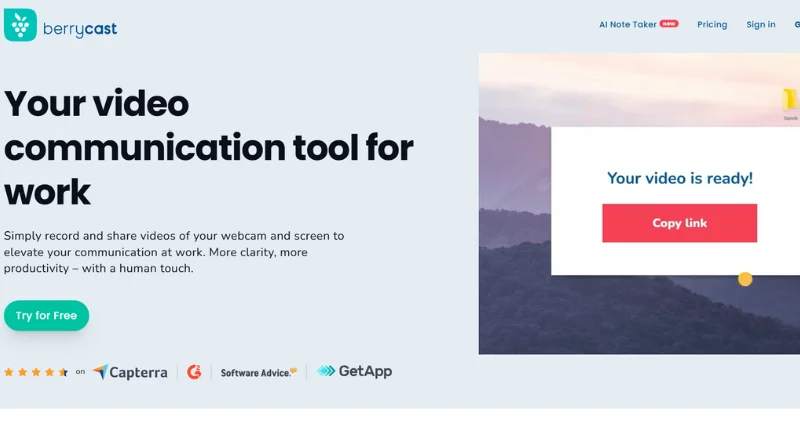
What is Berrycast?
Berrycast is a versatile screen recording and sharing platform designed to streamline communication and collaboration in various settings. It offers a range of features, including one-click recording, microphone and webcam support, annotations, integrations with popular tools, password protection, and video trimming. With these capabilities, users can create engaging content for marketing, sales, product development, UI/UX design, customer support, software testing, employee onboarding, teaching, and personal use.
Berrycast Features:
One-click recording: Capture your screen effortlessly with a single click.
Microphone and webcam support: Record audio and video simultaneously, including your voice and webcam feed.
Annotations: Enhance your recordings with text, arrows, and shapes.
Integrations: Seamlessly connect with popular tools like Microsoft Teams, Gmail, Asana, Figma, and Didacte.
Password protection: Secure your recordings with password protection to control access.
Video trimming: Trim your recorded videos to remove unnecessary sections and focus on the essential content.
Berrycast Benefits:
Improved communication and collaboration: Streamline your workflow by sharing visual content easily.
Increased productivity: Save time by capturing and sharing content quickly and efficiently.
Enhanced engagement and impact: Create compelling content that resonates with your audience.
Greater flexibility and adaptability: Adapt your content to different contexts and purposes.
Use Cases:
Marketing and Sales: Create product demos, promotional videos, and sales presentations.
Product and Engineering: Share software demos, bug reports, and feature explanations.
UI/UX Design: Capture and share design prototypes, user flows, and usability testing sessions.
Customer Support: Provide visual instructions, troubleshooting guides, and personalized support.
Software Testing: Record and share software testing sessions, bug reproductions, and QA feedback.
Employee Onboarding: Create training videos, onboarding materials, and welcome messages.
Teaching and Education: Share educational tutorials, lectures, and instructional content.
Personal Use: Capture memories, create video messages, and share experiences with friends and family.
Want to try Berrycast AI tool?