
Overview Is it worth it? FAQ
What is Blackbox AI and What Does It Do?
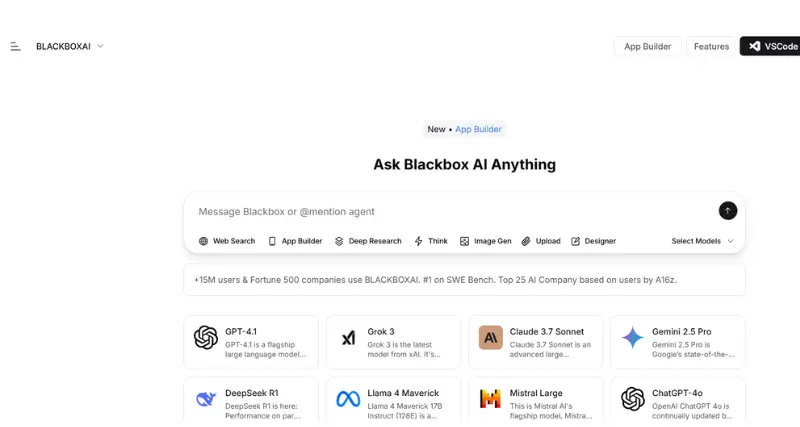
Blackbox AI is an advanced coding assistant aimed at increasing coders’ and coding hobbyists’ productivity. Blackbox AI uses artificial intelligence to give prompt code recommendations, enhance the writing speed of code, and facilitate coding in multiple languages. This AI integrates effortlessly into numerous coding interfaces to speed up development phases, ease coding, and reduce time.
The tool is perfectly suited for activities like autocompletion of codes, debugging, and even testing code snippets of public repositories, wiped out endless work manually. Whether you build web applications, mobile apps, or any software project, This AI is a companion that makes coding processes easier while ensuring errors to a minimum.
Standout Features/Capabilities
AI-Powered Code Autocomplete: Blackbox AI offers smart code suggestions, allowing developers to input lines of code more precisely and at a quicker pace.
Multiple Language Support: It supports almost all computer programming languages like Python, JavaScript, Java, C++, HTML, and many others, which makes it a complete solution for all developers.
Code Snippet Search Engine: The feature enables users to search among billions of code snippets and libraries from GitHub and other open-source repositories from within the interface.
Seamless Integration: Blackbox AI integrates with nearly all popular development environments and IDEs, including Visual Studio Code, to augment workflow without interrupting the user’s existing workflow.
Chrome Extension & Platform Flexibility: Blackbox’s Chrome extension can be utilized by developers in order to embed its features inside their browser for live code suggestions.
How It Works
Blackbox AI is an accompanying tool that is designed to integrate with your preferred IDE coding environment. Install the IDE extension, app, or plugin and begin coding. It uses advanced machine learning algorithms to analyze your input and give accurate, appropriate code suggestions in real-time. For cloud users, it does the same using web integration to offer suggestions while coding in a browser or cloud IDE.
Use Case
Blackbox AI is targeted towards a range of developers such as:
Beginner Coders: Easy to learn with code examples and tutorials.
Freelance Developers: Offers longer turnaround time for projects and maintains quality.
Software Firms: Improves group performance by facilitating more efficient repetitive parts of coding.
Best For
Blackbox AI is suitable for software developers, students learning to code, tech entrepreneurs, and companies looking to optimize development costs. It bridges the gap between coding capabilities and efficiency for all users, independent of their expertise level.
Versions/Models
Blackbox AI is available in multiple forms to cater to different user setups:
Web-Based Solution: Delivered through a web-based interface for cloud development environments.
Browser Extension: Also comes in a Chrome Extension to easily add while browsing or coding on the web.
Mobile Application: There is an iOS application for coding on site.
Pros
Improves coding effectiveness by automating repetitive tasks.
Saves time with smart code recommendations and open repository links.
Supported by many programming languages and platforms.
Simple to install and set up, even by inexperienced users.
Offers a free plan alongside paid plans for heavy users.
Cons
Fewer features for the free version.
Moderate overdependence on AI suggestions can decrease creativity for experienced programmers.
May have a learning curve to integrate completely into complex workflows.
Benefits
Improved Productivity: Less time spent on redundant code work.
Error Minimization: Reduce debugging time with AI-verfied code recommendations.
Code Optimization: Enjoy access to high-quality, optimized code blocks that allow for faster application performance.
Browser/Platform Compatibility
Compliant with standard IDEs (e.g., VS Code, Atom).
Works as a Chrome extension for browser-based integration.
Supports iOS for mobile access.
Available Pricing (Free Vs Paid)
Blackbox AI offers both free and premium subscription plans:
Free Plan: Offers basic features appropriate for beginners and occasional users.
Paid Plan: Pro Plan: $7.99/month and up
Business Plan: Begins at 29.99/month
Ultimate Plan: Begins at 99.99/month
Is It Worth It?
For programmers seeking to save time and lower coding mistakes, Blackbox AI is an investment well made. Its features will appeal to hobbyists and professionals, and the freemium option lets customers try basic features before upgrading to a paid subscription. The tool provides outstanding ROI for customers who care about quality, efficient code output.
1. Is Blackbox AI capable of working offline?
No, Blackbox AI needs to have an internet connection for accessing up-to-date AI inputs and code snippet repositories.
2. Can I use Blackbox AI in group projects?
Yes, Blackbox AI works very well with collaboration-based development environments.
3. Does it only support GitHub repositories?
No, although GitHub integration is a feature, it also supports other open-source libraries and assets.