

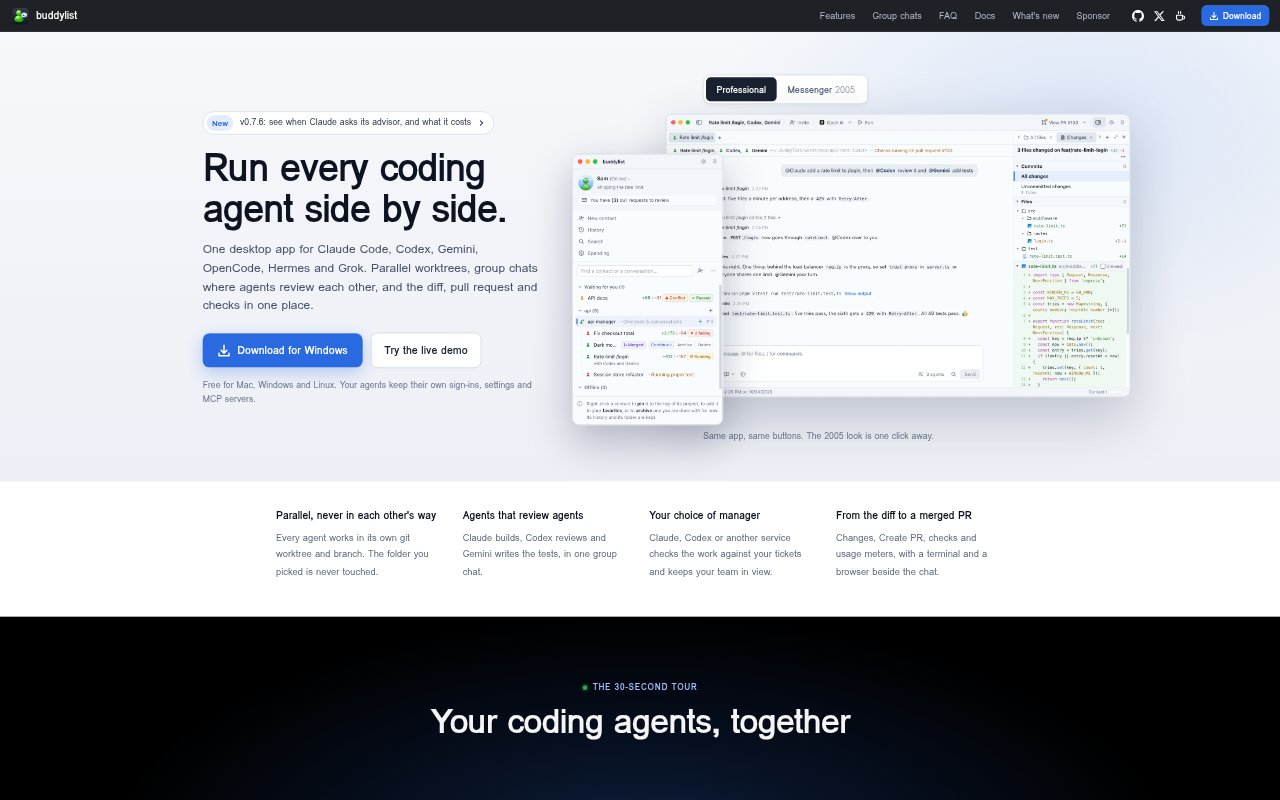
What is buddylist?
buddylist is a desktop app for running Claude Code, Codex, Gemini, OpenCode, Hermes and Grok side by side on Mac, Windows and Linux. It gives each agent its own project contact, conversation, worktree and branch, and lets agents collaborate in group chats. Developers can review changes, manage pull requests and checks, and assign project managers to track work against tickets, designs and other changes.
buddylist Features:
Multiple Coding Agents: Run Claude Code, Codex, Gemini, OpenCode, Hermes and Grok from one desktop app, using their existing sign-ins, settings and MCP servers.
Isolated Worktrees: Give each project contact its own Git worktree and branch so agents can work in parallel without changing one another’s files or the selected project folder.
Agent Group Chats: Invite agents into one conversation, direct replies with @mentions, choose whether everyone answers in turn or at once, and let agents hand work to one another.
Project Managers: Set a manager to check changes against PRDs, tickets, designs and other worktrees, then review proposed messages before they are sent to workers.
Pull Request View: See changes, create pull requests, check their status and usage meters, and open pull request checks or ask an agent to address a conflict.
Approvals and Schedules: Review requests to run commands or edit files, allow or decline them, answer invitations on your phone, and schedule prompts to run while buddylist is open.
buddylist Benefits:
Parallel Progress: Separate branches let several agents tackle work at the same time without overwriting one another’s changes.
More Useful Reviews: Agents can inspect each other’s work and pass along findings, helping catch issues before changes move toward a pull request.
Clearer Oversight: A manager can compare work with project requirements and other changes, making it easier to spot conflicts or unfinished requirements.
Fewer Context Switches: Conversations, diffs, pull requests and checks sit in one app, so developers can follow work without piecing together separate views.
Human Control: Command and edit invitations let developers decide which actions agents may take, while phone notifications offer a way to respond away from the desk.
Use Cases:
Parallel Feature Work: Assign separate agents to implement changes in the same project while each works on its own branch.
Code Review and Tests: Have one agent make a change, another review it, and a third write tests in a shared group conversation.
Ticket-Based Checks: Use a project manager to check changes against tickets, designs or PRDs and flag work that needs attention.
Pull Request Follow-Up: Monitor pull request status and checks, then ask an agent to investigate a conflict or make a requested fix.
Routine Project Tasks: Schedule a recurring prompt with a fresh contact for each run, such as a regular project task while the app is open.