

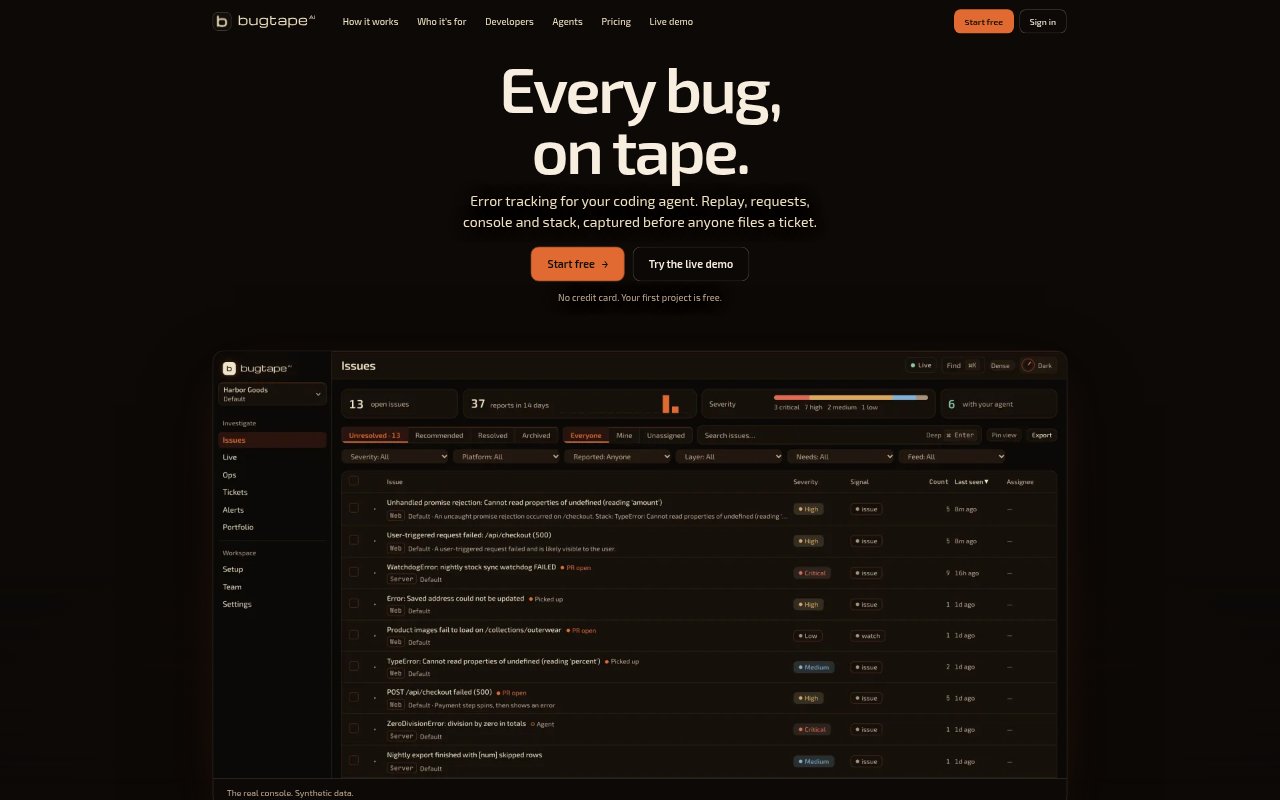
What is BugTape?
BugTape is an error-tracking tool for teams that want to give coding agents concrete evidence about bugs in their apps. It captures supported browser errors and failed requests, along with replay, console output and stack details, then groups repeated reports into issues. Developers can inspect the reports themselves or let an authorized coding agent read them over MCP and propose a change for review.
BugTape Features:
Browser Replay: For web apps, BugTape reconstructs up to ten minutes of captured page activity before an error from DOM events, rather than recording screen video.
Error Evidence: A browser report can bring together the failed request, console output, error and stack frames, and the activity leading up to the failure.
Duplicate Grouping: Repeated reports of the same failure appear under one issue, while each occurrence keeps its own time, platform, release and captured evidence.
Server Capture: Node.js and Python capture server error context, while server reports do not include browser replay and may require relevant metadata to be sent explicitly.
User Reports: An optional report button lets users provide a title, description and severity alongside captured context, including for bugs that do not throw an error.
Agent Access: Coding agents can read bug evidence over MCP, including through clients such as Claude Code, Cursor, Codex and ChatGPT.
BugTape Benefits:
Less Guesswork: Developers can start investigating with a failure’s surrounding activity and technical details instead of relying on a vague report or trying to reproduce it from scratch.
Fewer Repeats: Grouping recurring failures makes it easier to focus on distinct bugs and understand how often each one has occurred.
Clearer Priorities: Occurrence details and reported user IDs can help a team judge who is affected and decide which issue needs attention first.
Reviewable Fixes: Agents receive evidence to investigate and propose changes, while developers retain the decision about whether a fix is ready to ship.
Privacy Choices: Configurable capture modes and default masking of typed input help teams choose how much browser context to collect.
Use Cases:
Checkout Failures: Investigate a customer’s failed checkout by reviewing the browser activity, request failure, console output and stack captured with the report.
Agent Bug Triage: Give a coding agent the evidence for a newly captured issue over MCP, then review the change it proposes before deciding what to merge.
Recurring Errors: Use grouped reports to track repeated failures as one issue and inspect the evidence from individual occurrences when diagnosing the cause.
User-Found Bugs: Let customers describe a visual or workflow problem through the optional report button when the app does not produce an automatic error.
Server Exceptions: Capture Node.js or Python server errors with route or other relevant context when a problem occurs outside the browser.