

What is Busymail?
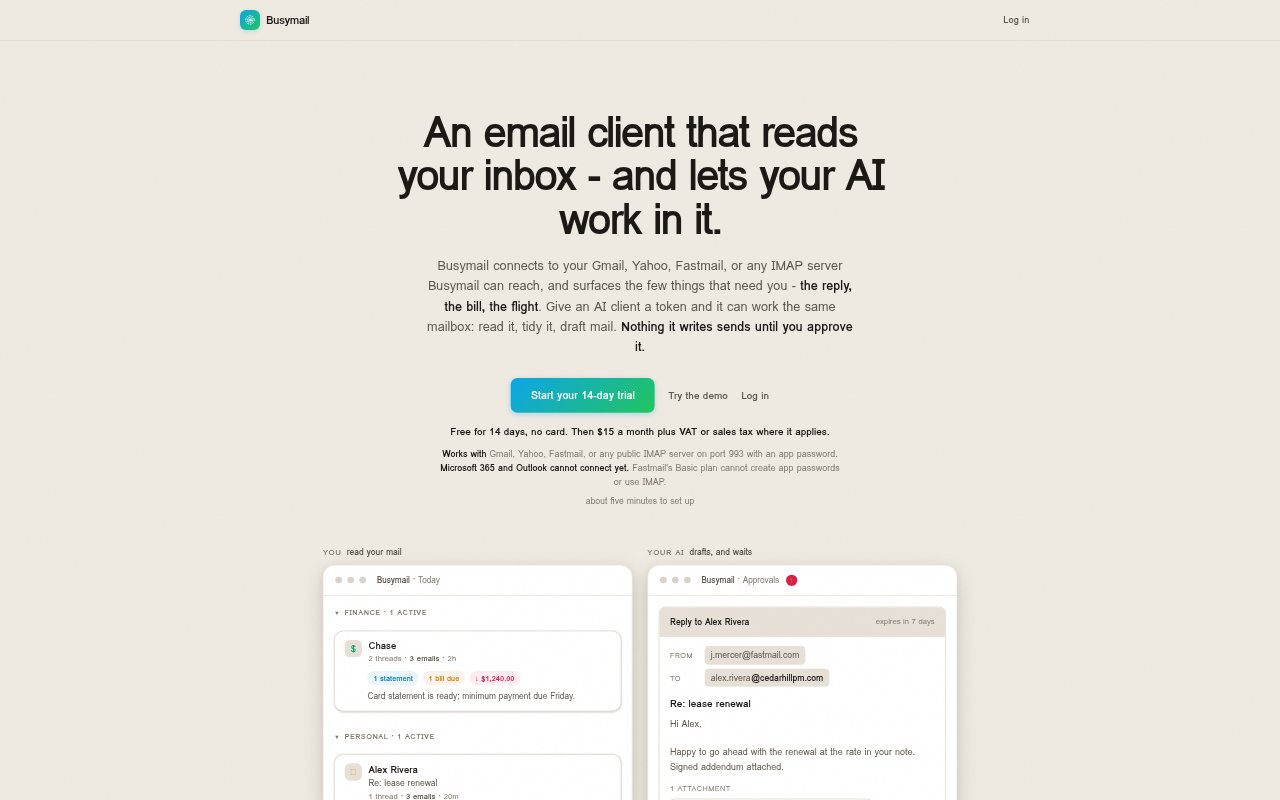
Busymail is an AI email client for people who want an inbox organized around messages that need attention. It connects to Gmail, Yahoo, Fastmail and reachable IMAP servers, then groups messages and extracts details such as dates, amounts and requested actions. AI clients can also work with the mailbox when you grant them a token; messages they draft wait for your approval. The service has a 14-day free trial, then costs $15 per month plus applicable tax.
Busymail Features:
Inbox Grouping: Messages are sorted into categories such as finance, travel, code, security and personal, with dates, amounts and actions pulled from the mail.
Mailbox Connections: Connect Gmail, Yahoo, Fastmail or another public IMAP server reachable over TLS on port 993 with an app password.
AI Mail Access: Give Claude or another MCP client a token to read conversations, search mail, archive or pin messages, and draft replies or new mail.
Draft Approvals: Drafted messages wait in an approval queue, where recipients, subject, body and attachments are shown before you approve or reject them.
Search and Apps: Search across mail and attachments, pin messages, and use Busymail on macOS, Windows, Linux or Android.
Busymail Benefits:
Quicker Triage: See which threads call for a reply or action without opening each message, making it easier to focus on the inbox items that matter.
More Context: Dates, amounts and requested actions surfaced from messages make it easier to understand what a thread needs at a glance.
Safer Sending: Because an AI token cannot send or approve mail, you stay in control of whether a drafted message reaches its recipients.
Keep Existing Mail: Your accounts stay with their current providers, so you can use Busymail without moving to a new mailbox.
Reversible Access: Choose what an AI client can do and revoke its token when needed, while settings and account management remain under your control.
Use Cases:
Daily Inbox Review: Scan a busy inbox for messages that need replies, bills that need attention or travel details such as flight information.
AI-Assisted Replies: Ask an MCP client to draft a response to a conversation, then review the full message and attachments before approving it.
Mailbox Cleanup: Use an AI client to archive or pin messages while keeping the mailbox organized in the email apps you already use.
Cross-Device Email: Review and organize connected mail from Busymail apps on a desktop or Android device.
Attachment Search: Search mail and inspect the contents of attached files when looking for information across conversations.