

What is cactus-needle?
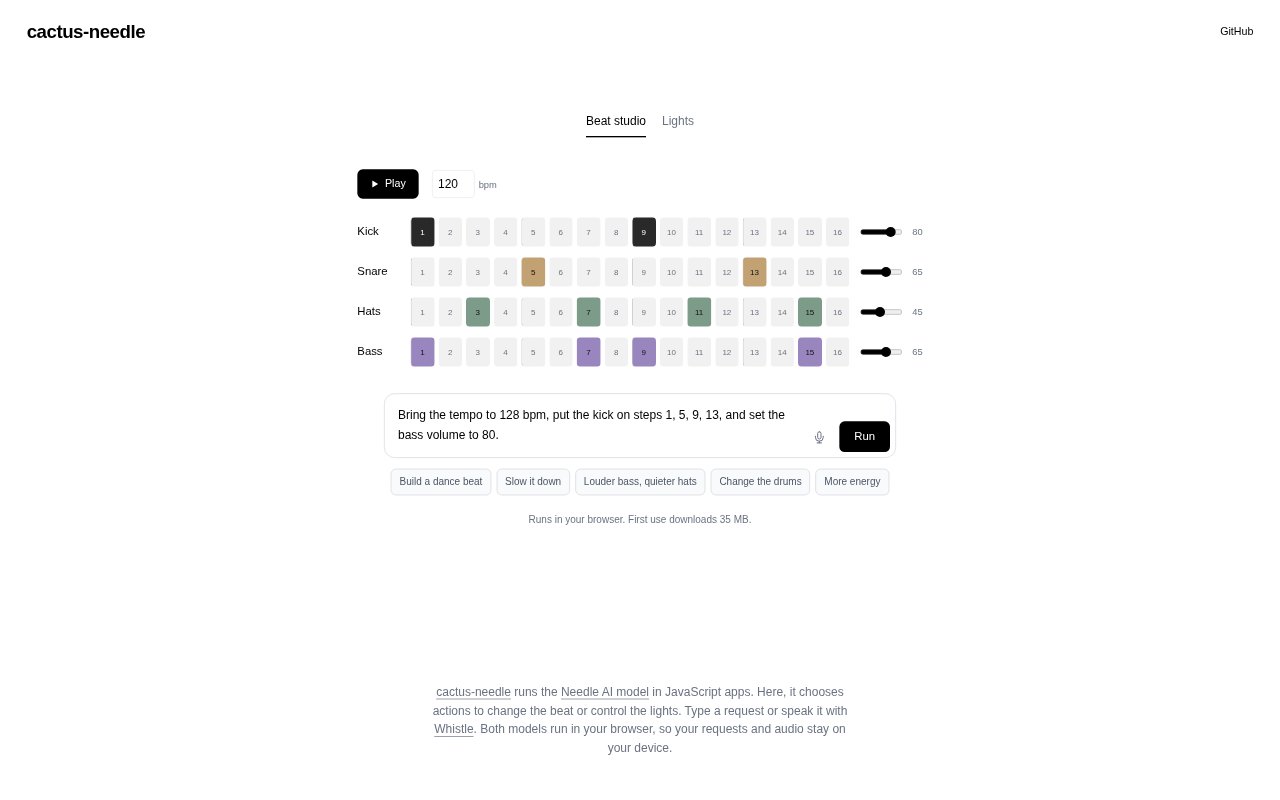
cactus-needle is a browser-based demo and JavaScript model runner for Needle AI, designed to turn typed or spoken requests into actions. The demo uses those actions to change a beat or control lights, while the models run on the device. It is suited to people exploring local, model-driven interactions and developers working with Needle in JavaScript apps. The first use downloads 35 MB.
cactus-needle Features:
Browser Inference: The Needle AI model runs in the browser, without sending requests to a separate server.
JavaScript Runtime: cactus-needle runs Needle in JavaScript apps, providing a way to use the model in browser-based projects.
Typed Requests: Users can type a request for the model to choose an action in the demo.
Voice Input: Requests can also be spoken using Whistle, which runs in the browser alongside Needle.
Beat Actions: The demo lets the model choose actions that change the beat in response to a request.
Light Control: The model can also choose actions to control lights from a typed or spoken request.
On-Device Processing: Requests and audio stay on the device, and the first use downloads 35 MB.
cactus-needle Benefits:
Private Interaction: Keeping requests on the device lets users experiment without sending their prompts elsewhere.
Local Audio: Spoken requests stay on the device, so users can try voice control without sending audio away.
Tangible Results: Beat changes and light control make the model's chosen actions visible or audible during experimentation.
Flexible Input: Choosing between typing and speaking lets users make requests in the way that suits their current activity.
Browser Testing: Running the demo in a browser offers a direct way to explore Needle's actions without building a separate interface.
Hands-On Learning: Trying requests against beat and light actions helps users explore how a model can respond through real-world controls.
Use Cases:
Beat Experimentation: Try typed requests that ask the demo to change a beat and observe the action the model chooses.
Voice Beat Control: Speak a request through Whistle to explore using voice input for model-directed beat changes.
Light Control: Use a typed request to have the demo choose an action for controlling lights.
Spoken Light Requests: Try speaking a request for a light action when exploring voice-based interaction with the demo.
JavaScript Prototyping: Use Needle in a JavaScript app when exploring browser-based applications that respond to model-selected actions.
Local Model Trials: Test typed and spoken requests in the browser when evaluating on-device model interactions.