

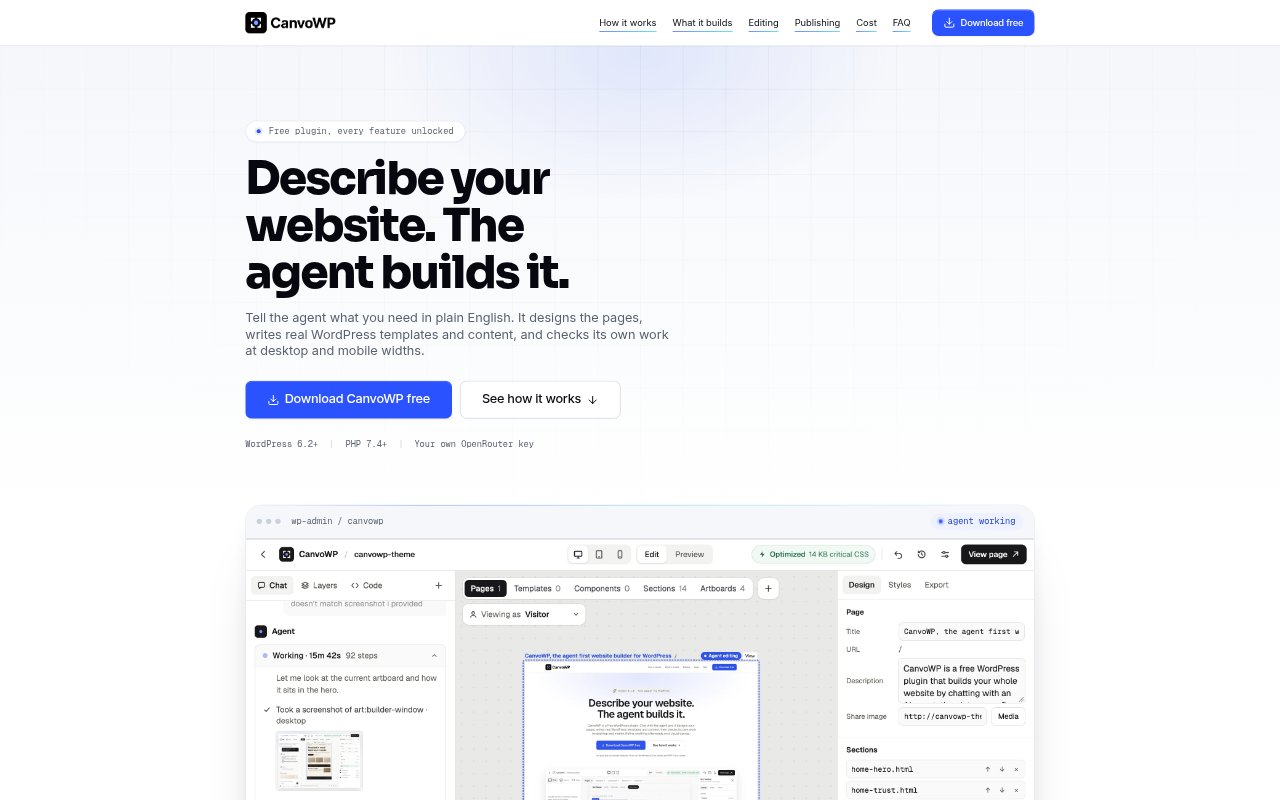
What is CanvoWP?
CanvoWP is a WordPress AI website builder for people creating or updating a WordPress site. Describe the site in chat, and its agent creates pages, templates and content as files in WordPress, then lets you refine the result on a visual canvas. You can preview changes before publishing and edit the generated code directly when needed. The plugin is free and requires WordPress 6.2 or later, PHP 7.4 or later, and your own OpenRouter key; AI usage is paid to OpenRouter and costs vary.
CanvoWP Features:
Prompt-Based Building: Describe the site in plain English and attach images for the agent to use as it creates pages, styles, components and templates.
WordPress Templates: Generate templates for posts, archives, search results, single pages and custom post types, following the WordPress template hierarchy.
Custom Content: Create custom post types, taxonomies and fields, along with reusable components such as cards, testimonials and pricing blocks.
Canvas Editing: Select page elements to adjust layout, spacing, size, alignment, text styling and images, or ask the agent to change a selected element.
Draft Publishing: Changes are saved as drafts and versions, with previews at desktop, tablet and mobile widths before you publish or restore an earlier version.
Layout Checks: After changes, the agent captures desktop and mobile screenshots and reports issues such as overflow, clipped text and small tap targets.
Speed Rebuilds: Publishing rebuilds speed optimizations, including critical CSS, preloading for the largest above-the-fold image and above-the-fold fonts.
CanvoWP Benefits:
Faster Site Creation: Starting from a description and generated page files can reduce the amount of manual setup involved in building a WordPress site.
Editable Output: Because the generated HTML, CSS, JavaScript and PHP are ordinary files, you can inspect and change the work outside the visual editor.
Safer Reviews: Keeping edits in a draft until you publish helps prevent unfinished changes from appearing on the live site.
Fewer Layout Surprises: Checks at desktop and mobile widths can help you catch visible layout problems before visitors encounter them.
Existing Tools: Keeping WordPress plugins in place lets you build pages while continuing to use existing SEO, form, shop and search plugins.
Use Cases:
New Business Site: Create a multi-page site with a shared header and footer, then preview the pages and publish them when they are ready.
Blog Templates: Build layouts for blog posts, archives and search results while keeping content in the normal WordPress editor.
Custom Content: Set up a site that organizes entries with custom post types, taxonomies and fields such as dates, images or related posts.
Form Pages: Add a supported form plugin shortcode to a page and check its appearance on the canvas before publishing.
Page Revisions: Refine an existing draft by selecting a heading, section or other element, checking it across screen sizes and restoring a prior version if needed.