

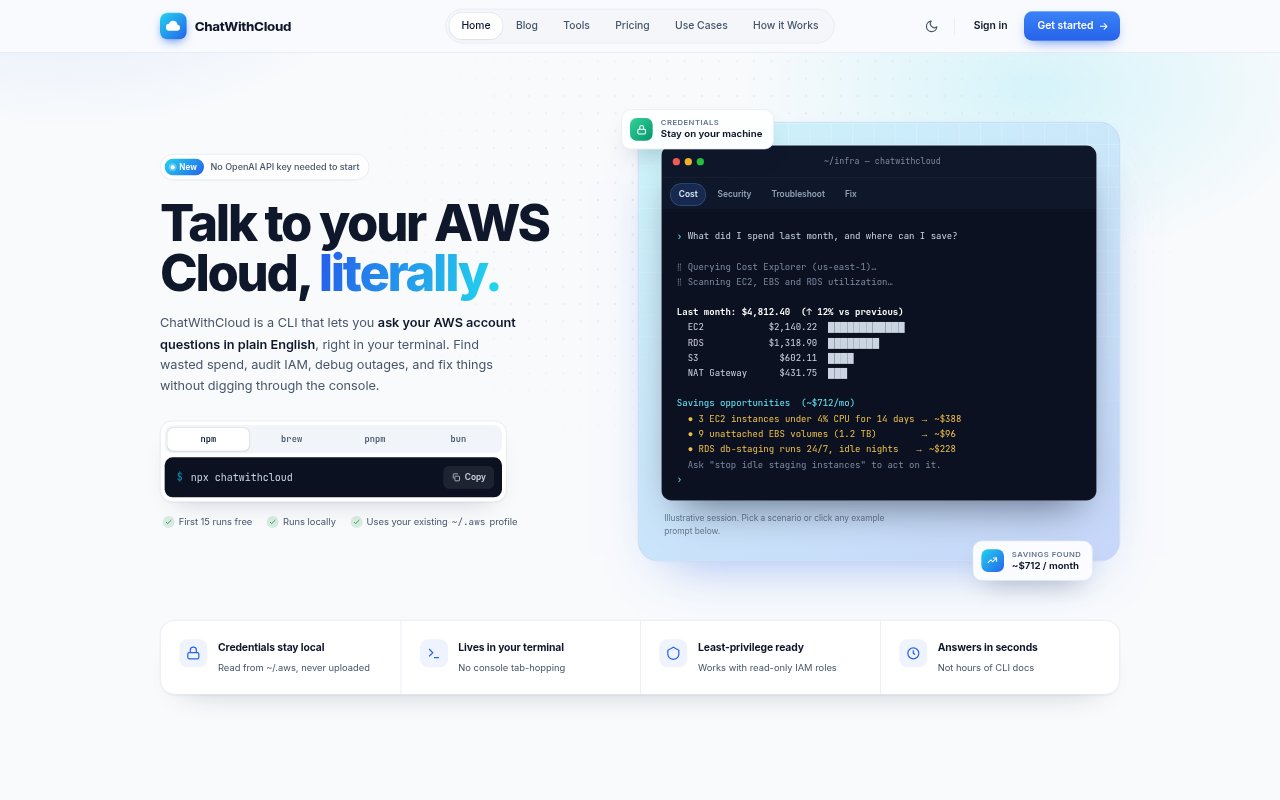
What is ChatWithCloud?
ChatWithCloud is a command-line assistant for asking questions about an AWS account in plain English. It turns prompts into AWS SDK code, runs the calls locally using a selected AWS profile, then explains the results. It is for AWS operators and teams handling cost reviews, security checks, troubleshooting, or infrastructure changes from a terminal. A 15-run free trial is available, followed by managed monthly or yearly subscriptions or a lifetime license that uses your OpenAI API key.
ChatWithCloud Features:
Plain-English Queries: Ask about your AWS environment in everyday language, and ChatWithCloud generates JavaScript using the AWS SDK to answer.
Local Execution: AWS calls run on your computer with credentials from your AWS configuration, so your AWS keys stay on your machine.
AWS Profiles: Choose an existing AWS profile, with support for IAM Identity Center sign-in and profiles that assume roles.
Cost Analysis: Query Cost Explorer and EC2, EBS, and CloudWatch APIs to examine spending and investigate the resources behind it.
Security Checks: Inspect account resources, IAM policies, and security settings to look for access or exposure concerns.
Troubleshooting and Changes: Investigate infrastructure issues and create, update, or delete resources or start and stop instances when permissions allow.
Follow-Up Questions: Continue a conversation with questions about earlier results, such as narrowing a resource list to items in production.
ChatWithCloud Benefits:
Less Console Navigation: Ask about account data from the terminal instead of manually moving through AWS console pages and assembling results.
Account-Specific Answers: Get explanations based on live resources and API results from your environment rather than generic guidance about AWS.
Simpler Cost Reviews: Investigate spending and its possible resource-level drivers in one conversational workflow, without building a report first.
Faster Issue Triage: Use questions and follow-ups to focus an investigation on relevant infrastructure and possible causes.
Permission-Based Control: Use a read-only IAM role to prevent changes, or grant broader permissions when you want the CLI to modify resources.
Use Cases:
Monthly Bill Review: Break down last month’s AWS spend by service and compare it with the previous month to investigate changes in the bill.
Idle Resource Checks: Find EC2 instances with low average CPU, unattached EBS volumes, or Elastic IP addresses that are not associated with instances.
Pre-Audit Inventory: Review account resources and access settings before an audit or after taking responsibility for an unfamiliar AWS account.
Outage Investigation: Ask what is wrong with infrastructure during an incident and use follow-up questions to narrow down the investigation.
Infrastructure Changes: Start or stop instances, or create, update, and delete resources from the terminal when the selected AWS role permits it.