

What is CircleIt?
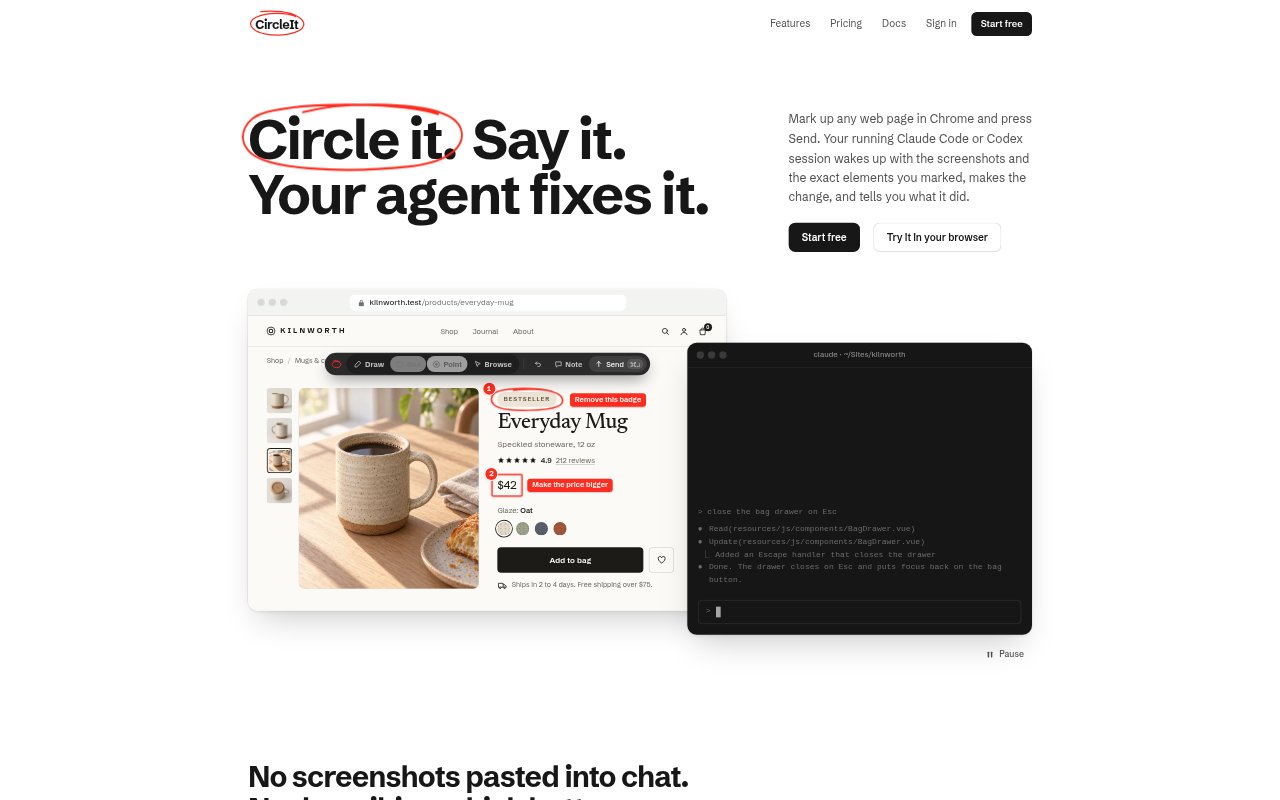
CircleIt is a browser extension for sending visual feedback on a web page to a running Claude Code or Codex session. Developers and the people reviewing their work can mark up pages, add comments, and send screenshots alongside details about the elements they marked. The agent can use that context to make code changes and report back. It works on local development, staging, and live pages, and is free for individual use.
CircleIt Features:
Page Markup: Draw, box, or pin a mark on a page, select words to rewrite them, or add a note that applies to the whole page.
Element Context: For each mark, CircleIt records details such as the CSS selector, visible text, computed styles, HTML, and available source-file hints.
Targeted Screenshots: On send, the extension captures the marked areas with numbered labels and comments, rather than sending a picture of the entire screen.
Agent Handoff: Feedback goes to the Claude Code or Codex session working on the site, and can also be copied as a prompt for another agent.
Client Approvals: Feedback from selected people or sites can wait for an owner or approver to review it before it reaches a developer.
Shared Inbox: Teams can review feedback, screenshots, marked elements, and history in one inbox, with delivery and resolution statuses.
CircleIt Benefits:
Less Guesswork: Developers get the location and page details behind a request, reducing the need to infer which element a reviewer means.
Fewer Handoffs: Reviewers can send changes from the page itself instead of turning each observation into a separate ticket or annotated document.
Clearer Reviews: Numbered marks and attached comments help keep multiple requested changes distinct and easier to address.
Visible Progress: People who send feedback can follow its status and read the agent’s response without leaving the page.
Controlled Requests: Teams can screen selected feedback before it reaches development, helping owners manage client or site review.
Use Cases:
Staging Review: A client reviewing a staging site can mark a button, image, or headline and describe the change directly on the page.
Local Testing: A developer can point out layout or content changes on a localhost or .test page and send them to the coding session for that project.
Copy Changes: A marketer or editor can select existing page text and provide replacement wording for the developer’s agent to apply.
Design Refinement: A designer can identify several visual adjustments on a live page, such as changing a price style or removing a badge.
Client Signoff: An agency can invite clients to submit page feedback and require approval before selected requests go to the developer.