

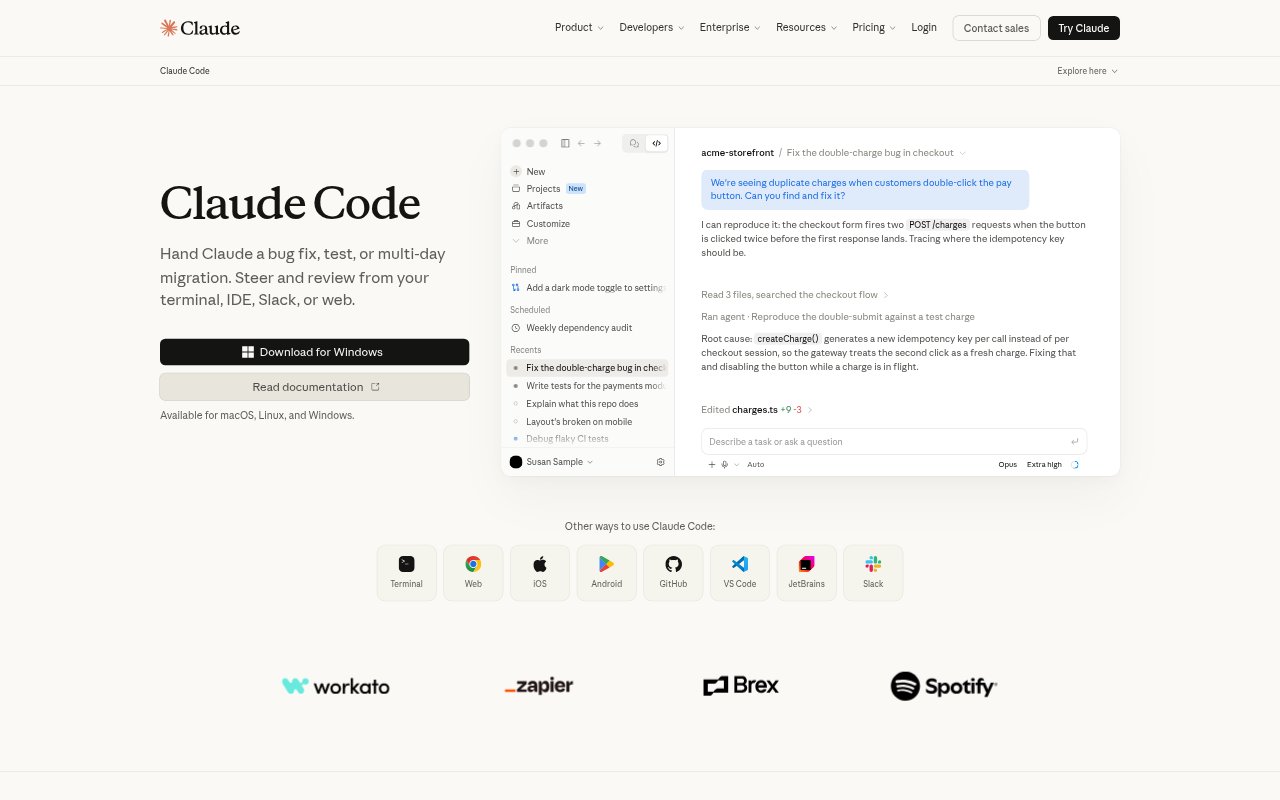
What is Claude Code?
Claude Code is an AI coding agent for developers who want to delegate work across a codebase while directing and reviewing the result. It plans tasks, asks clarifying questions, writes code, runs tests, and can open pull requests. It works from a terminal, supported IDEs, web, desktop, mobile, or Slack, and is available on macOS, Linux, and Windows. It handles routine fixes as well as longer refactors and new features.
Claude Code Features:
Codebase Mapping: Claude Code searches a repository to understand its structure and dependencies without requiring developers to select context files manually.
Issue to Pull Request: It can read issues, write code, run tests, and open pull requests using GitHub, GitLab, and command-line tools.
Long-Running Work: It can plan and continue refactors, migrations, and other tasks that may run for hours or days, following imports and responding to test failures.
Command-Line Tools: It works in the terminal alongside command-line tools such as Git, and can extend its capabilities through MCP servers.
Editor and Chat Access: Developers can use Claude Code in VS Code, JetBrains IDEs, a browser, desktop or mobile app, and Slack.
Local Permissions: When run in the terminal, it operates locally and asks permission before changing files or running commands.
Claude Code Benefits:
Less Context Setup: Repository search can reduce the time developers spend locating relevant files and explaining a project's structure before starting work.
Fewer Workflow Handoffs: Issue handling, coding, testing, and pull request creation can happen within one delegated task rather than requiring each step to be carried out separately.
More Review Control: Developers can set the direction, answer questions, and review work from the coding environment or communication channel they already use.
Existing Tools Stay Useful: Working alongside current editors and command-line tools lets developers add coding assistance without replacing their preferred workflow.
Safer Local Changes: Permission prompts give developers a chance to approve file changes and commands before they run.
Use Cases:
Explore a New Codebase: Ask for an explanation of a repository's structure and dependencies when joining a project or preparing to make an unfamiliar change.
Fix a Reported Bug: Delegate investigation of a reproducible issue, then review the proposed code changes and test results.
Turn Issues Into PRs: Use a repository issue as the starting point for implementation, testing, and a pull request.
Run a Migration: Hand off a multi-stage migration and have Claude Code follow dependencies and continue through test failures.
Build a New Feature: Describe a feature, answer clarifying questions, and review the implementation and tests as the agent works.