

What is Claude Code Status Line Builder?
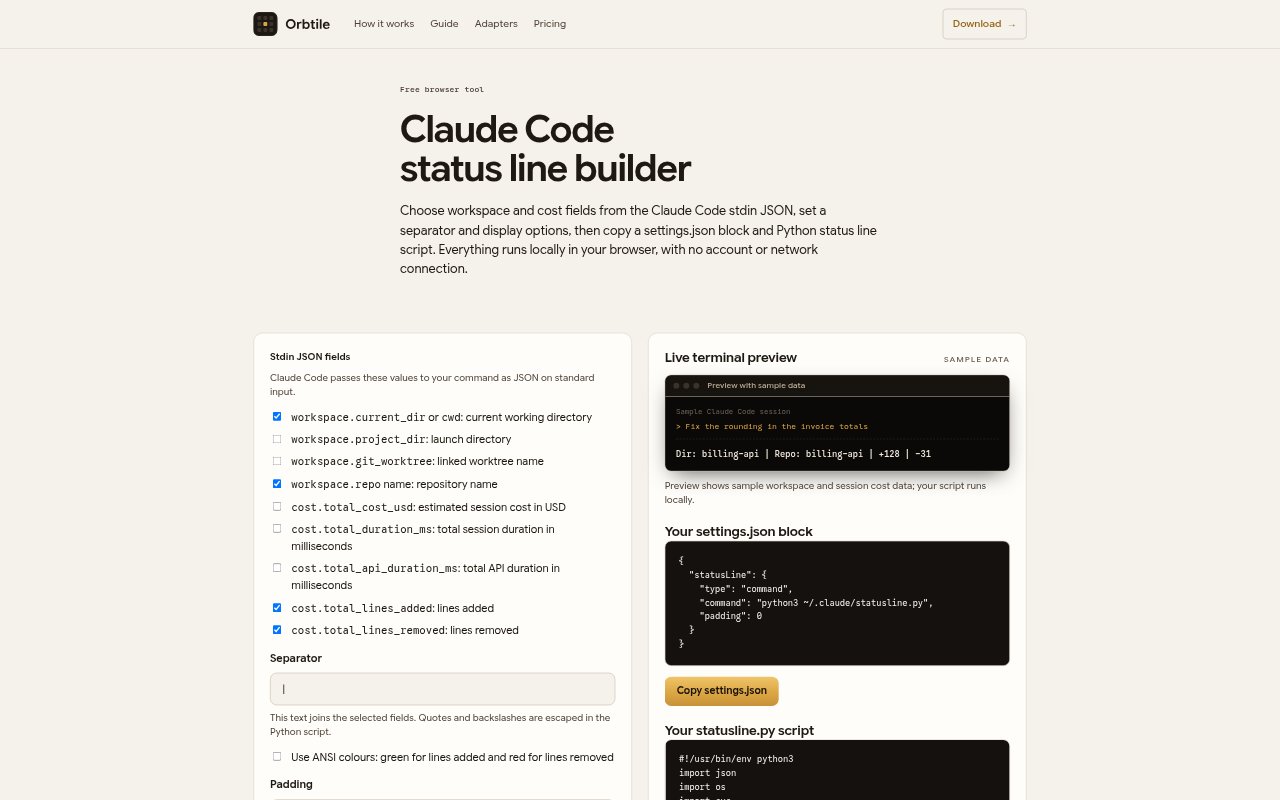
Claude Code Status Line Builder is a browser-based configuration tool for people who want to customize the status line in Claude Code. Choose fields from Claude Code’s stdin JSON, set how they appear, and generate a settings.json block with a Python script to render the line. A sample preview shows workspace and session-cost data. The builder runs locally in your browser without an account or network connection.
Claude Code Status Line Builder Features:
Field Selection: Choose workspace and cost fields from the JSON data that Claude Code passes to the status line script.
Display Options: Set a separator and display options to arrange the selected information in the terminal line.
ANSI Colours: Use ANSI colours to style the status line’s terminal output.
Live Preview: Check a preview with sample values for a directory, repository, additions, removals, and session cost.
Configuration Output: Generate a settings.json block and a Python script that you can copy to your computer.
Missing Field Defaults: The generated script reads stdin JSON and uses defaults when expected fields are missing.
Claude Code Status Line Builder Benefits:
Faster Setup: Get a starting configuration and script without writing the status line code from scratch.
Relevant Context: Choose which workspace and cost details to show, so the line can focus on information useful during a coding session.
Fewer Surprises: Preview sample output before installing the script to see how the chosen display options come together.
Safer Updates: Keep existing Claude Code settings in place by merging the generated block instead of replacing the whole configuration.
Local Control: Build and copy the configuration without creating an account or sending the builder session over a network connection.
Use Cases:
Workspace Identification: Configure a status line that shows directory or repository details while switching between Claude Code projects.
Cost Awareness: Include session cost fields in the terminal display when you want that information visible during a coding session.
Terminal Styling: Set separators and ANSI colours to make a custom status line easier to distinguish in your terminal.
First-Time Setup: Generate the Python script and settings block when adding a custom status line to a Claude Code installation.
Existing Configuration: Create a status line for a project or computer that already has Claude Code settings you need to preserve.