

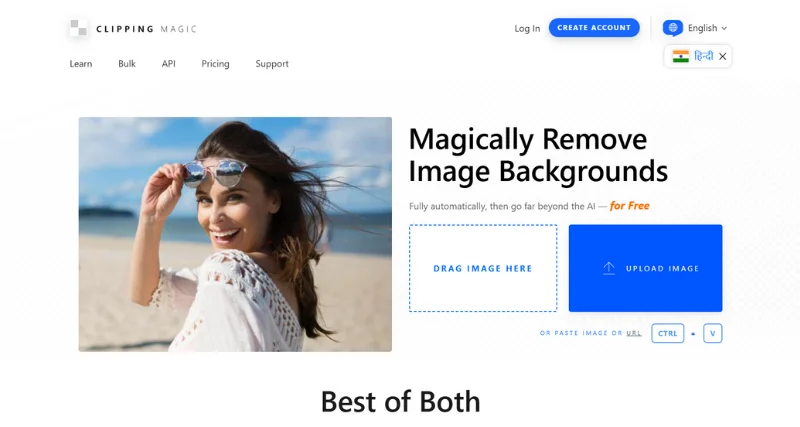
Clipping Magic is an advanced, web-based photo editing tool specifically designed to simplify the process of removing backgrounds from images. It is widely regarded for its intuitive, user-friendly interface and robust functionality, making it accessible to both beginners and professionals. Clipping Magic provides a seamless, automated solution for image background removal while offering additional customization options, catering to a broad range of creative needs.
What Does Clipping Magic Do?
At its core, Clipping Magic specializes in precise background removal from images. Using cutting-edge algorithms, the tool allows users to quickly and easily isolate objects or subjects within a photo while removing or replacing the background. Its AI-powered technology detects edges accurately, providing efficient and high-quality results. By minimizing the manual effort typically required for background removal in conventional design software, Clipping Magic saves time and enhances productivity.
Standout Features/Capabilities
AI Precision Cutting: Using advanced AI, Clipping Magic identifies the subject in an image and removes the background with remarkable accuracy.
Edge Refinement Tools: It provides users with tools to smooth, sharpen, or manually tweak edges, ensuring a polished finish.
Hair Tool: Special features for handling fine details like hair or fur make it ideal for images with intricate elements.
Instant Preview: Real-time previews allow users to see changes as they make them, ensuring control over the editing process.
Background Customization: Replace removed backgrounds with solid colors, gradients, or even custom images directly in the tool.
Automatic and Manual Editing Modes: Users can rely on AI automation or take a hands-on approach with manual controls for precise results.
Pros
User-friendly and intuitive interface suitable for both beginners and professionals.
High-quality output even for detailed and complex subjects like hair or translucent objects.
No need for heavy-duty software downloads; everything works seamlessly online.
Time-efficient, with quick results delivered in real-time.
Supports multiple input formats, including JPEG, PNG, and more.
Cons
Subscription plans may feel expensive for occasional users.
Larger or extremely high-resolution images may take longer to process.
Some advanced customization options may still require manual fine-tuning.
Versions/Models
Clipping Magic is a web-based tool and does not have standalone desktop versions or browser extensions. However, it is constantly updated with new features to enhance its functionality. While there isn’t a mobile app at present, the platform is accessible on most modern browsers, including mobile-friendly versions.
How Clipping Magic Works
Using Clipping Magic is simple and straightforward:
Upload your image to the platform.
Allow the AI to automatically detect and remove the background.
Use the manual tools to refine the edges and perfect your image.
Customize the result by replacing the background or leaving it transparent.
Download your finished image in your desired format and resolution.
Here’s an example of how it works in action!
Benefits
Saves time on tedious image editing tasks.
Delivers professional-quality results without requiring advanced design knowledge.
Can be used for e-commerce images, social media visuals, branding projects, and more.
Use Case
Clipping Magic is perfect for creating stunning visuals for online stores, marketing campaigns, product catalogs, or any design-related task requiring clean and polished images. It’s particularly useful for small businesses aiming to elevate their branding without a large budget for professional photographers or complex editing software.
Best For
E-commerce store owners who need professional-looking product images.
Social media managers and marketers requiring visually appealing content.
Graphic Design: Quickly remove backgrounds from images for design projects, saving time compared to traditional methods.
Photographers and designers looking to speed up their editing workflow.
Freelancers and small business owners who value cost-effective and easy-to-use tools.
Pricing
Clipping Magic offers a subscription-based pricing model:
Free Plan: Users can test the functionality, but downloads are watermarked and lower resolution.
Paid Plan ($3.99/month and up): Provides full access, high-quality downloads, and unlimited image processing (subject to plan limits). Various tiers exist for different volumes of usage.
Is It Worth It?
For those in need of quick and efficient background removal, Clipping Magic is a worthwhile investment. Its ease of use and powerful capabilities make it a cost-effective alternative to hiring a professional or using costly software. However, casual or sporadic users may find the subscription cost less appealing compared to pay-per-use alternatives.
FAQs
Do I need to install anything to use Clipping Magic?
No, Clipping Magic is entirely web-based and doesn’t require any software installation.
Can I process multiple images at once?
Yes, Clipping Magic supports bulk processing for paid subscribers.
Does it work on mobile devices?
The website is mobile-friendly and can be used on mobile browsers, but there isn’t a dedicated app.
Clipping Magic ensures that uploaded images are securely processed and deleted after a short period.
Does the tool support transparent backgrounds?
Yes, you can download images with transparent backgrounds in high resolution.