
What is Corgi?
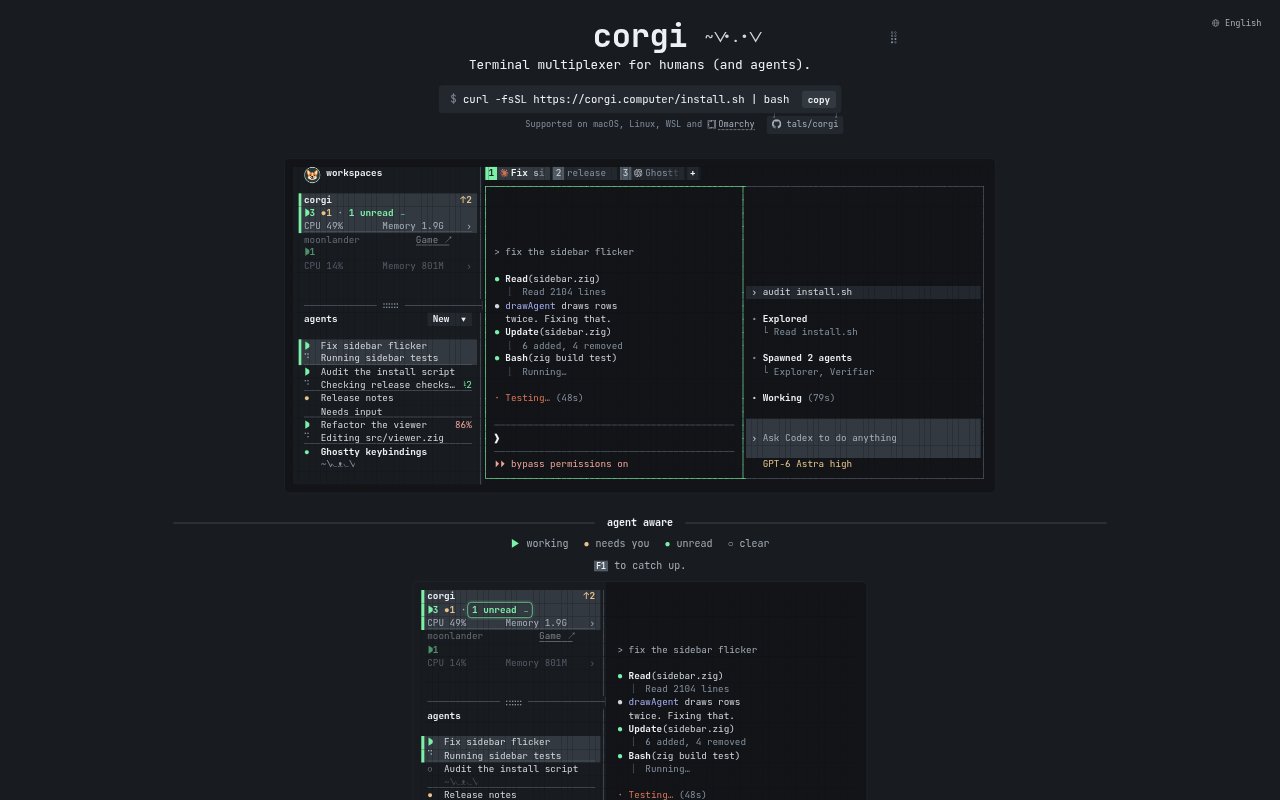
Corgi is a terminal multiplexer for people working with coding agents and terminal processes. It brings agent sessions and workspaces into one place, showing what agents are doing and which ones need attention. Corgi works with Claude Code, Codex, OpenCode, and omp, and lets you use your existing accounts. It is designed for keyboard and mouse use, with options for continuing work from the terminal.
Corgi Features:
Agent Status: Corgi marks agents as working, needing attention, finished, idle, unread, or clear, so their current state is visible across sessions.
Agent Support: The terminal multiplexer works with Claude Code, Codex, OpenCode, and omp, and lets you use your existing accounts with them.
Workspace Tabs: Use Ctrl-T to open a new tab or jump back into existing work, while Corgi organizes workspaces for you.
Change Review: See every file an agent touched in one scroll, and hover over an agent to inspect its activity.
Background Sessions: Agents and other processes keep running in the background, in the same way they do with tmux.
Resource Tracking: Corgi shows live resource usage for each workspace and provides a view of where tokens are going.
Terminal Controls: Drive Corgi from any terminal, teach agents to use it with corgi --skill, and undo closed tabs with Ctrl-Shift-T.
Corgi Benefits:
Faster Triage: A clear view of agent states helps you choose which session needs your attention without checking them one by one.
Less Lost Work: Background sessions let you step away or switch tasks without stopping the agents and processes that are still running.
Clearer Changes: A consolidated view of touched files makes it easier to understand the scope of an agent's work before reviewing it.
Resource Awareness: Workspace-level usage information helps you see where resources and tokens are being spent across your work.
Quick Recovery: Returning to previous work and undoing a closed tab can reduce the friction of moving between tasks.
Use Cases:
Multiple Agents: Keep track of several coding agents working at once and identify the sessions that are waiting for your input.
Change Review: Check the files an agent touched after a coding task to understand what changed before moving on.
Long Running Tasks: Leave agents or terminal processes running in the background while you switch to another workspace or step away.
Token Checks: Review resource and token usage by workspace when you want to understand where your active work is consuming resources.
Remote Terminal Work: Use Corgi over SSH and paste images with Command-V when running Ghostty 1.4.