
What is Craig?
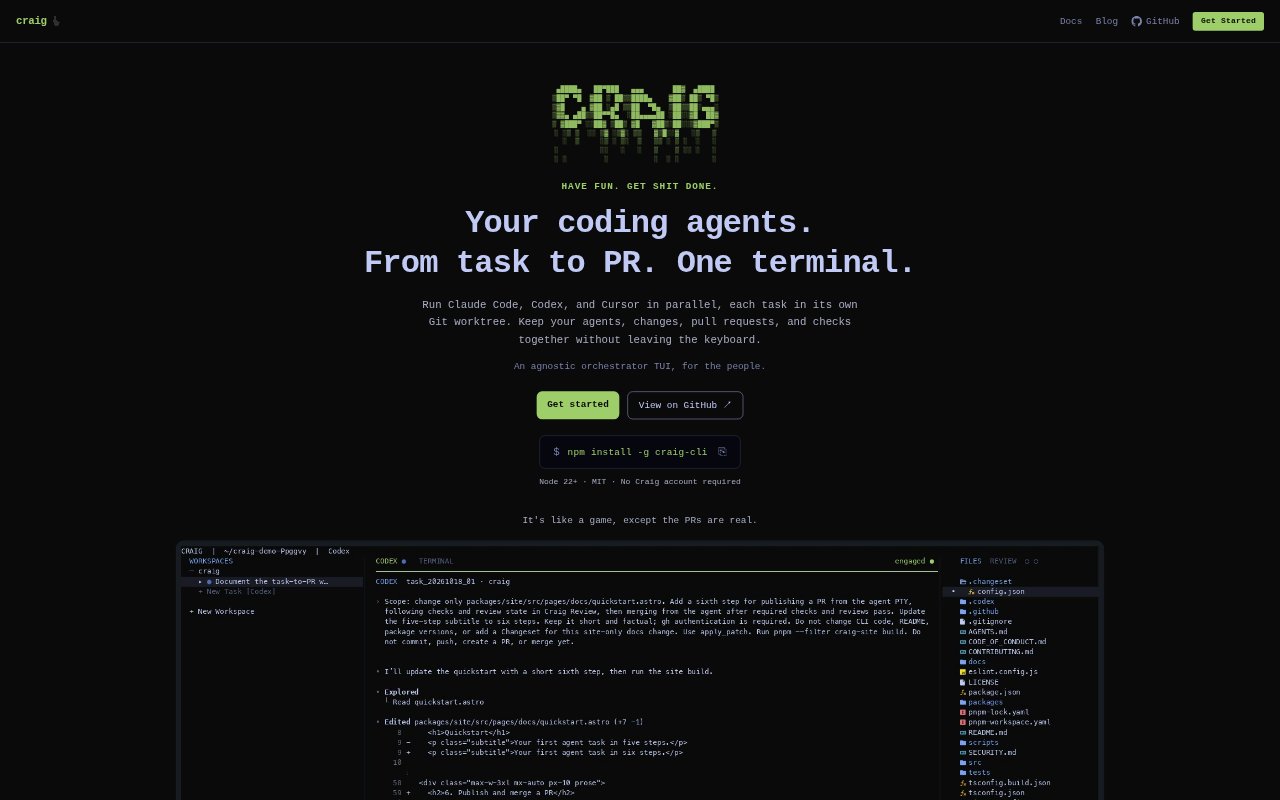
Craig is a local, keyboard-driven terminal workspace for coordinating coding agents from task setup through pull request review. It runs Claude Code, Codex, and Cursor in real terminal sessions, while organizing tasks, Git worktrees, changes, pull requests, and checks in one place. It is aimed at developers who want to run agents in parallel and keep using their existing agent CLIs, authentication, and terminal environment.
Craig Features:
Parallel Agent Tasks: Run Claude Code, Codex, and Cursor on separate tasks at the same time, with each agent operating in its own real terminal session.
Isolated Git Worktrees: Craig creates a branch and separate Git worktree for each task, giving agents distinct working directories for their changes.
Multi-Repo Workspace: Bring a frontend, API, and other repositories into one workspace, then switch between tasks using the keyboard.
Change Inspection: Inspect files and diffs from the workspace while keeping the corresponding task and agent context in view.
Pull Request Tracking: View pull request and check status, and ask an agent to commit changes, open a PR, or merge from the same terminal session.
Agent And Script Control: Use Craig's CLI to inspect task context, create tasks, and operate the workspace through the same task model as the TUI.
Craig Benefits:
Less Context Switching: Keeping tasks, diffs, pull requests, and checks together reduces the need to hunt across terminal tabs and separate views.
Parallel Progress: Separate worktrees let agents tackle distinct tasks side by side without sharing one working directory.
Familiar Agent Workflows: Because agents run in their native CLIs and real terminal sessions, developers can keep their existing prompts, tools, and authentication.
Local Control: Running on the developer's machine without a Craig account or hosted control plane keeps the workspace in the existing local environment.
Clearer Review Context: Seeing changes alongside task and pull request status makes it easier to follow work from implementation through checks.
Use Cases:
Parallel Bug And Feature Work: Assign an agent a bug fix and another a feature in the same repository, keeping their branches and working directories separate.
Frontend And API Changes: Coordinate agent tasks across a frontend repository and an API repository without leaving the shared terminal workspace.
Pull Request Follow-Through: Use the workspace to inspect an agent's diff, ask it to commit and open a pull request, then follow the check status.
Agent-Assisted Merging: When a change is ready, ask the agent to merge its pull request from the same session used to review the work.
Scripted Task Setup: Use Craig's CLI in scripts or agent workflows to create tasks, inspect their context, and operate the workspace.