

What is Curate Photo?
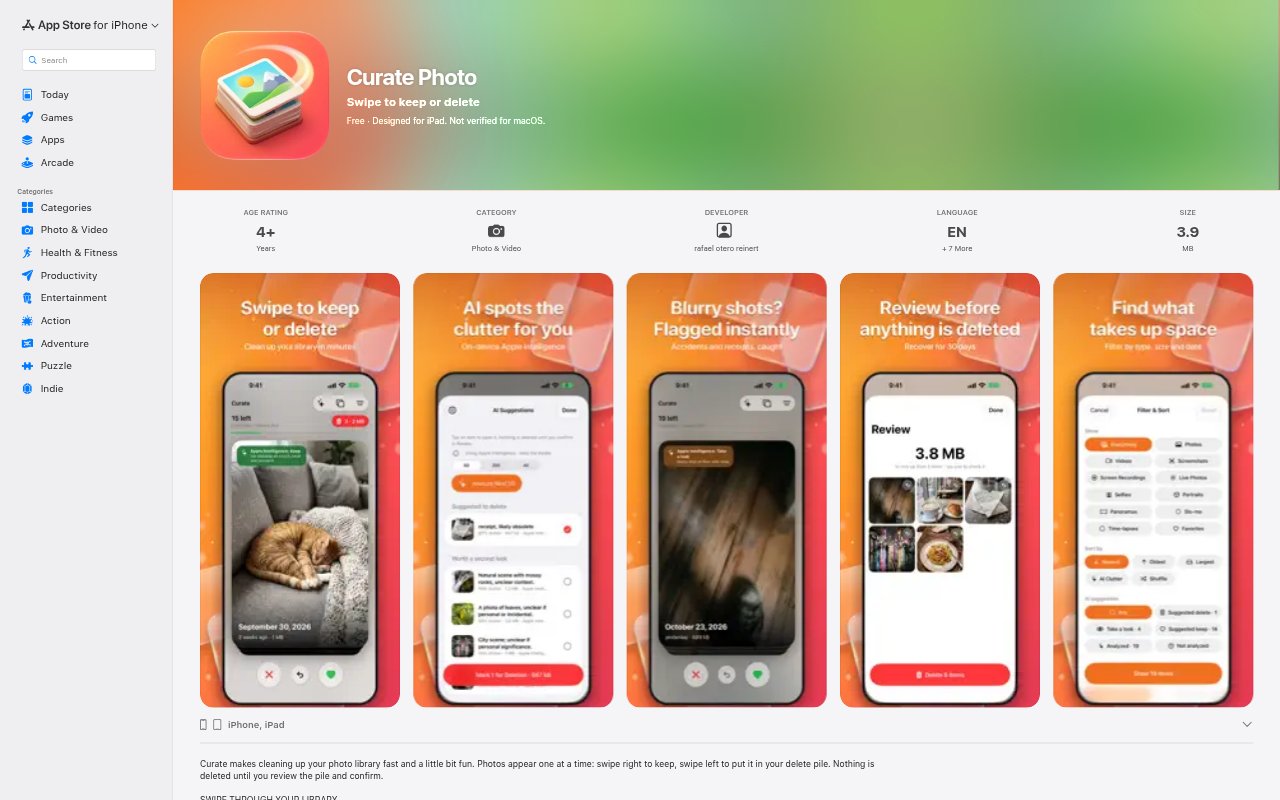
Curate Photo is an iPhone and iPad app for sorting through a photo library by swiping to keep or delete images. It offers filters for categories such as receipts, blurry shots, bursts, and saved or forwarded photos, and can identify duplicates to help compare similar images. AI suggestions adapt to a user’s swipes and can be reviewed or edited in settings. The app also supports videos, including items loading or downloading from iCloud.
Curate Photo Features:
Swipe Sorting: Review photos one at a time and swipe to mark each image to keep or delete.
Photo Filters: Filter images by categories including documents, receipts, whiteboards, slides, blurry photos, dark photos, bursts, and saved or forwarded items.
Duplicate Review: Compare duplicate photos, with the app selecting a suggested best shot based on sharpness, composition, and faces, and explaining its choice.
Learning Suggestions: AI suggestions can adapt to swipe choices, and users can inspect or edit what the app has learned in AI Settings.
Video Status: See when videos are loading or downloading from iCloud, and tap the play control to watch them.
Battery Prompt: The app asks before beginning work that uses a lot of battery.
Accessible Controls: VoiceOver, Voice Control, larger text, increased contrast, and other accessibility options support different ways of navigating the app.
Curate Photo Benefits:
Quicker Reviews: A swipe-based flow makes it easier to move through a large group of photos without opening each one in a separate editing view.
Less Photo Clutter: Sorting unwanted images and spotting duplicates helps users make room for the pictures they want to keep.
Focused Decisions: Category filters narrow a review to particular types of images, so users can tackle one kind of photo at a time.
Clearer Comparisons: A suggested best shot and its explanation give users more context when deciding which similar image to retain.
More Comfortable Use: Adjustable text, contrast, and voice navigation can make photo sorting more manageable for people with different access needs.
Use Cases:
Receipt Cleanup: Filter for receipts after a trip or expense period, then decide which records to retain and which to remove.
Blurry Photo Review: Find blurry or too-dark shots in a camera roll and sort through them without reviewing every clear photo.
Burst Selection: Review burst photos and choose which frames are worth keeping instead of leaving every similar shot in the library.
Duplicate Sorting: Compare duplicate images when a photo library contains several versions of the same moment.
Document Sorting: Gather documents, whiteboards, and slides into a focused review when cleaning up work or study photos.