

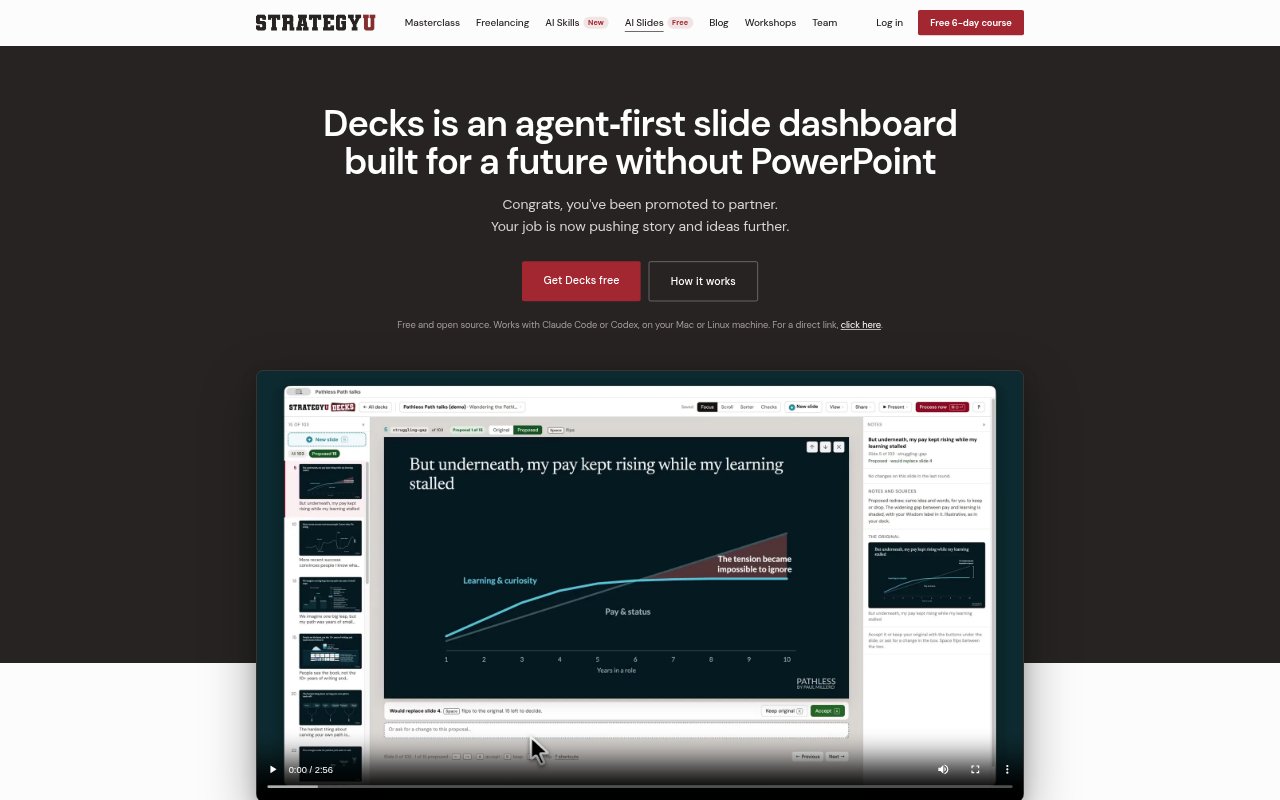
What is Decks?
Decks is a free, open-source slide-making app for people who use Claude Code or Codex on a Mac or Linux machine. It pairs a slide dashboard with an AI-agent workflow: users can comment on slides, ask their agent to make changes, and review the agent’s replies on the slides themselves. Decks also supports drafting presentations from a brief, checking slide structure and readability, and sharing editable review copies without requiring recipients to use Decks.
Decks Features:
Slide Comments: Add a change request beneath a slide or select its text to make a direct correction, then ask Claude Code or Codex to process the changes.
Agent Replies: The agent edits slides and responds on each one to confirm a change, ask a question, or explain why it left something as it was.
Slide Checks: Built-in tests assess whether a slide communicates quickly, whether titles tell a story, and whether the body supports the title.
Presentation Skill: A skill for Claude Code and Codex guides the agent to draft a storyline first, use action titles, and keep each slide focused on one idea.
Brief-Based Drafting: Create a brief with the audience, purpose, key takeaway, and visual direction, then give its prompt to the agent to build a first draft.
Local Deck Files: Each presentation is an HTML file stored on your machine with its own version history, and it can open in a browser, present full screen, or print to PDF.
Review Copies: Send a single HTML file for a client or teammate to comment on or edit in a browser, then import their changes back into your deck.
Decks Benefits:
Less Manual Formatting: Delegating requested edits to an agent means you can spend less time adjusting slide elements and more time shaping the argument.
Clearer Slide Story: Storyline and title checks help you spot gaps in the presentation’s logic before you spend time polishing individual slides.
Faster Review Rounds: Comments and replies on the slides keep requested changes and their status close to the material being reviewed.
Easier Collaboration: Clients and teammates can give feedback or correct text in a browser without installing Decks or using the same editing setup.
More Control: Keeping decks on your machine and choosing when to accept or reopen changes lets you manage files and feedback in your own workflow.
Use Cases:
Consulting Storylines: Build a consulting presentation by drafting its sequence of titles first, then developing slides that support the argument.
Client Proposals: Draft a proposal deck from a brief, review the slides with an agent, and send a browser-ready copy to a client for edits.
Workshop Presentations: Prepare a workshop deck, check that its slide titles carry the story, and use comments to refine sections that need work.
Executive Versions: Create an additional CEO or client version of a presentation when different audiences need a different deck.
Team Slide Reviews: Share a review copy with a teammate, collect slide-level comments or text changes, and bring the feedback back into the working deck.