

What is Delta MCP?
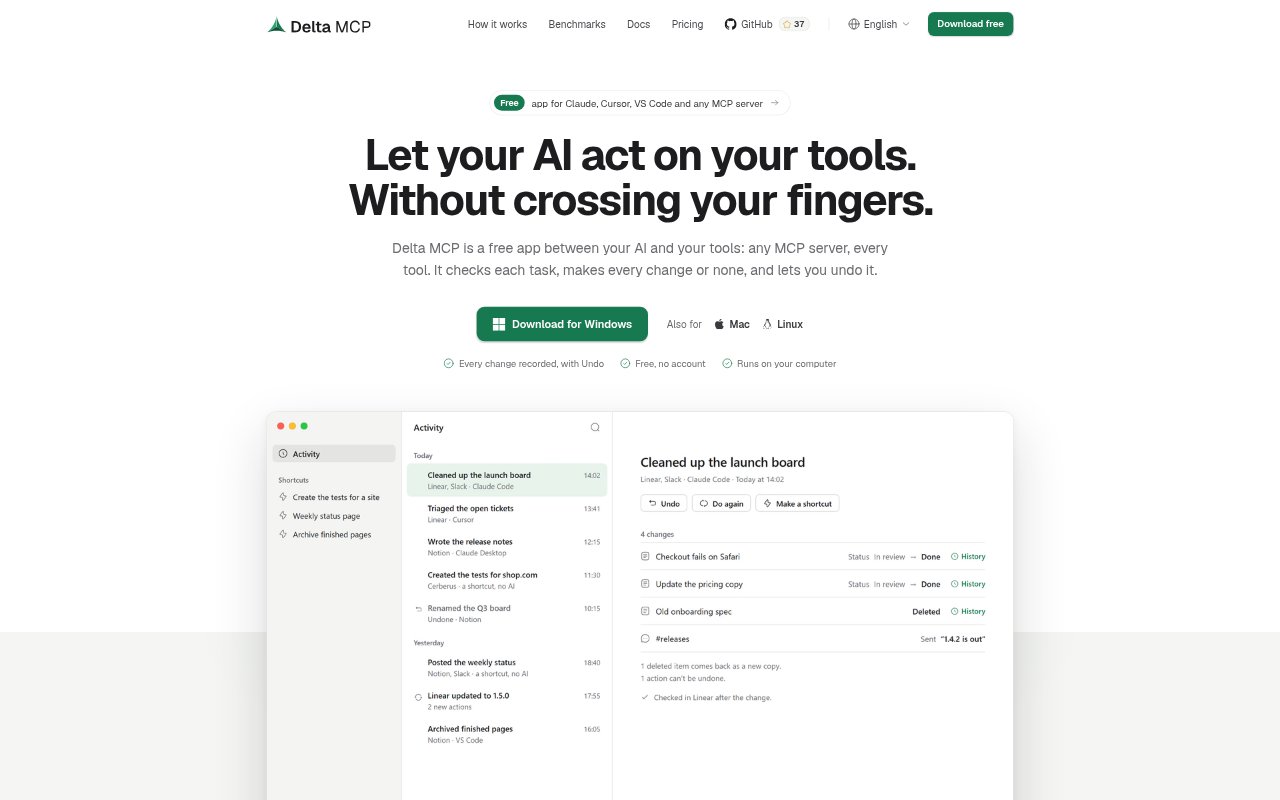
Delta MCP is a desktop app that sits between AI apps and MCP servers, checking AI-written tasks before they run and recording the changes they make. It is for people who use tools through MCP in apps such as Claude, Cursor, VS Code, Windsurf, or Gemini CLI and want more control over those actions. It runs on Mac, Windows, and Linux, works with any MCP server, and is free to use without an account.
Delta MCP Features:
Task Checks: The AI writes a task as one program, which Delta MCP checks before the first tool call and applies as a whole rather than step by step.
Permission Modes: Set a mode for each connector: allow changes, ask before deleting or sending, request approval for every change, or permit read-only access.
Change History: Activity records each change with before-and-after details, reading the result back from the connected service whenever that is possible.
Undo Changes: Undo a single step or a whole task, with actions run in reverse order and a warning about changes that cannot be reversed, such as a sent message.
Scheduled Automations: Create shortcuts that run on a schedule, such as daily, on weekdays, weekly, or hourly, and review every run in Activity.
Broad Compatibility: Use it with any MCP server and supported AI apps, while keeping original tools callable by name and leaving the servers themselves unchanged.
Delta MCP Benefits:
Fewer Surprises: Choosing approval rules ahead of time helps keep sensitive actions, such as deletions or messages, from happening without the review you want.
Clearer Reviews: Before-and-after records make it easier to understand what an AI task changed and check its results without relying only on the AI's account.
Easier Recovery: When a task makes a reversible change you did not intend, you can restore the prior state without manually rebuilding each affected item.
Lower Token Use: For multi-step work, handling a task as one program can reduce the repeated tool calls and model round trips that consume AI tokens.
Less Routine Work: Scheduled shortcuts can take care of recurring tasks on your computer without requiring an AI run when the task needs no analysis.
Use Cases:
Review AI Edits: Use Activity to inspect changes after asking an AI app to update records or other items through connected MCP tools, then undo changes that can be restored.
Protect Sensitive Actions: Set a connector to ask before sending or deleting when an AI assistant can access services where those actions deserve a final human check.
Prepare Team Reports: Schedule a routine to analyze the previous night's Grafana logs and send a report, with each run recorded for later review.
Track the Market: Set a shortcut to follow the market each morning, using an AI run when the routine requires analysis and a scheduled run time.
Close Finished Tickets: Schedule a Friday routine to close finished tickets, using an approval mode suited to how much autonomy you want the AI to have.