
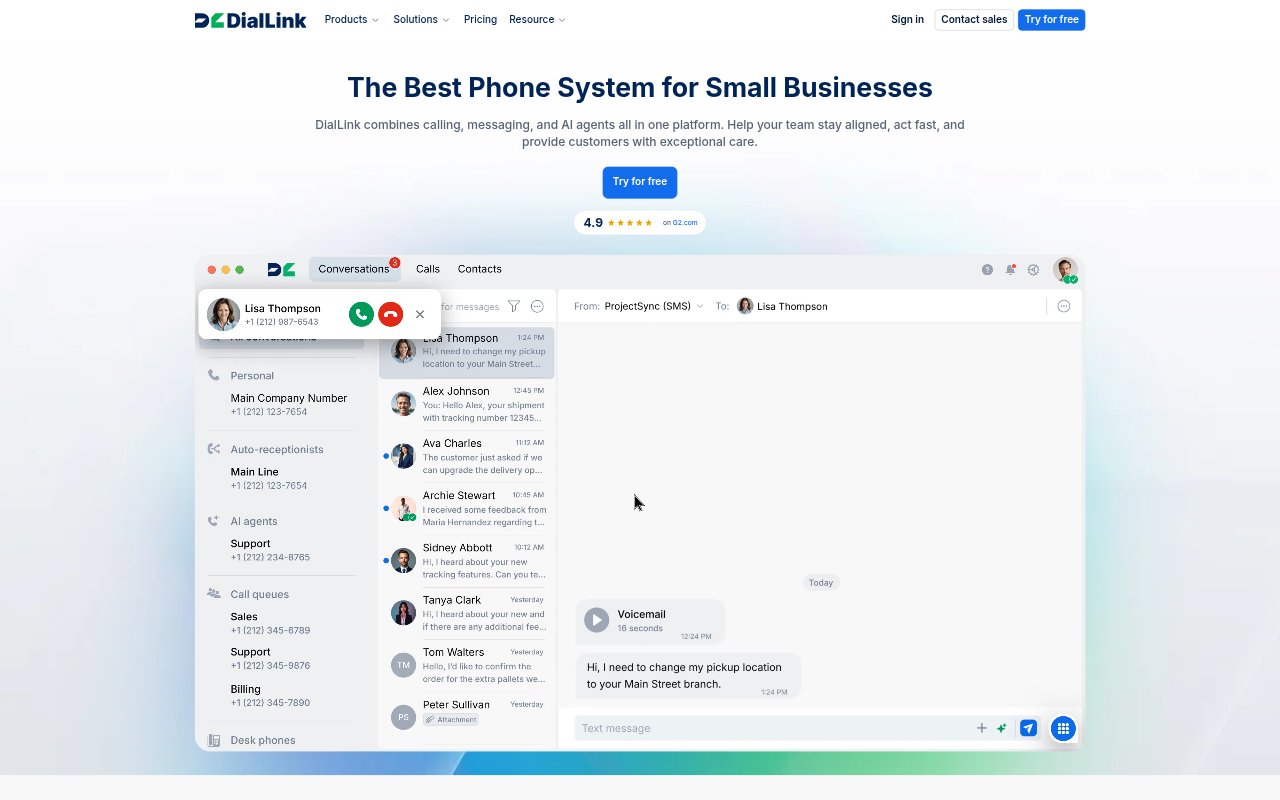
What is DialLink?
DialLink is a business phone and messaging platform for small businesses, startups, and teams that handle customer conversations. It brings calls, voicemails, SMS, MMS, and WhatsApp messages together, with call routing and AI tools for organizing conversations. Teams can also use AiVA AI agents to manage calls and messages, and access DialLink from desk phones, mobile apps, or a browser.
DialLink Features:
Unified Conversation Threads: Each contact has a shared thread that brings together inbound, outbound, and missed calls, voicemails, SMS, MMS, and WhatsApp messages.
Call Routing: Auto-attendants, IVR menus, queues, ring groups, forwarding, and business hours help direct incoming calls to the right person or team.
International Numbers: Businesses can use local or toll-free numbers in more than 100 countries, get a U.S. number with a plan, or port existing numbers.
AI Call Notes: AI can generate call summaries and transcripts, identify action items, tag calls by topic or intent, and analyze sentiment.
AiVA Agents: AiVA AI agents can manage calls, SMS, MMS, and WhatsApp for Business messages, with AI voice and messaging agents available.
Contact Management: Teams can share contacts, while DialLink suggests contacts by detecting names and numbers in conversations.
Team Integrations: Professional and Enterprise plans include native integrations such as Salesforce and Slack, alongside integrations with other business tools.
DialLink Benefits:
Less Manual Note-Taking: Summaries, transcripts, tags, and action items make it easier to review conversations and handle follow-up without replaying every call.
Fewer Missed Opportunities: Call queues, callbacks, routing, and AI agents give businesses more ways to respond when staff are busy or unavailable.
Shared Customer Context: A common conversation history and shared contacts help teammates pick up customer interactions with useful context.
More Consistent Service: Business-hour rules and caller routing help direct customers to the appropriate person or department, including outside normal hours.
Simpler Team Coordination: Keeping calls and messages in one platform makes it easier for teams to stay aligned across customer conversations.
Use Cases:
Inbound Support: Support teams can route busy incoming lines, organize inquiries across channels, and use call notes to support follow-up.
Sales Outreach: Sales teams can manage outbound calls, review conversation summaries, and use call tagging to organize prospect interactions.
Remote Work: Distributed staff can make and receive business calls and messages through mobile apps or a browser while away from the office.
Real Estate Leads: Real estate teams can manage property inquiries and keep calls and messages from prospective buyers or renters together.
Client Intake: Legal and professional services teams can route prospective client calls and organize intake conversations in a shared contact history.