

What is Docs?
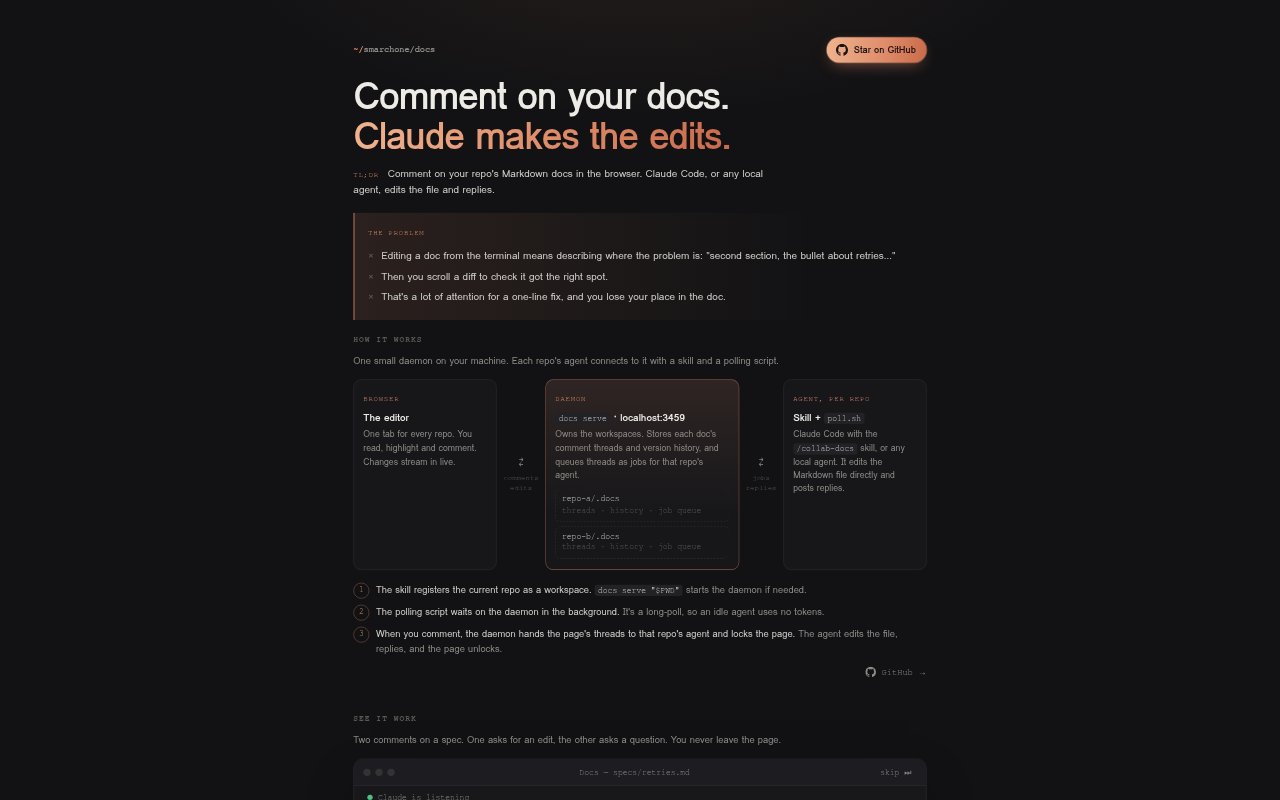
Docs is a local tool for reviewing and editing Markdown documentation through browser comment threads. You open a repository’s docs, highlight a passage, and leave a comment; Claude Code or another local agent makes the requested change in the file and replies in the thread. A small daemon connects the browser editor with agents working on registered repositories, keeping the document, discussion, and edit in one workflow.
Docs Features:
Browser Doc Review: Read repository Markdown files in a browser, highlight passages, and attach comments to the relevant parts of a document.
Repo Workspaces: Register repositories as workspaces so the daemon can route each document’s comment threads to the agent for that repo.
Comment Threads: Leave requests or questions in document threads, and receive the agent’s replies in place rather than switching to a separate discussion.
Agent Editing: Claude Code with the Docs skill, or another local agent, edits the Markdown file directly in response to queued threads.
Live Changes: Changes stream into the editor while the agent works, and the page unlocks after the agent has edited and replied.
Local Daemon: Run the docs serve daemon on your machine to manage workspaces, store comment threads and version history, and queue work for agents.
Docs Benefits:
Clear Edit Context: Pointing to a passage in the document avoids explaining its location with section names or descriptions of nearby text.
Fewer Review Hops: Keeping the request, resulting edit, and reply together makes it easier to check whether a change addressed the comment.
Preserved Place: Working in the page where the text appears helps reviewers stay oriented instead of leaving the document to inspect a separate diff.
Focused Collaboration: Edits and questions can be handled in their own threads, so a reviewer can request a change and ask for clarification in the same document.
Local Control: Running the workflow on your machine keeps documentation and agent activity within a local setup, with the product describing that nothing leaves it.
Use Cases:
Fixing Retry Guidance: Highlight a long or unclear explanation of retry behavior in a Markdown spec and ask an agent to revise it in the file.
Reviewing API Specs: Comment on guidance about backoff, attempt limits, or error handling while reading a repository’s technical documentation.
Asking Doc Questions: Leave a question beside an unfamiliar section and get the agent’s reply in the same thread without leaving the page.
Editing Repo Docs: Use a browser-based review flow when a small documentation fix is easier to point out on the page than to describe from a terminal.
Agent-Assisted Review: Route documentation feedback to Claude Code or another local agent that can edit the repository’s Markdown files.