

What is Doozy?
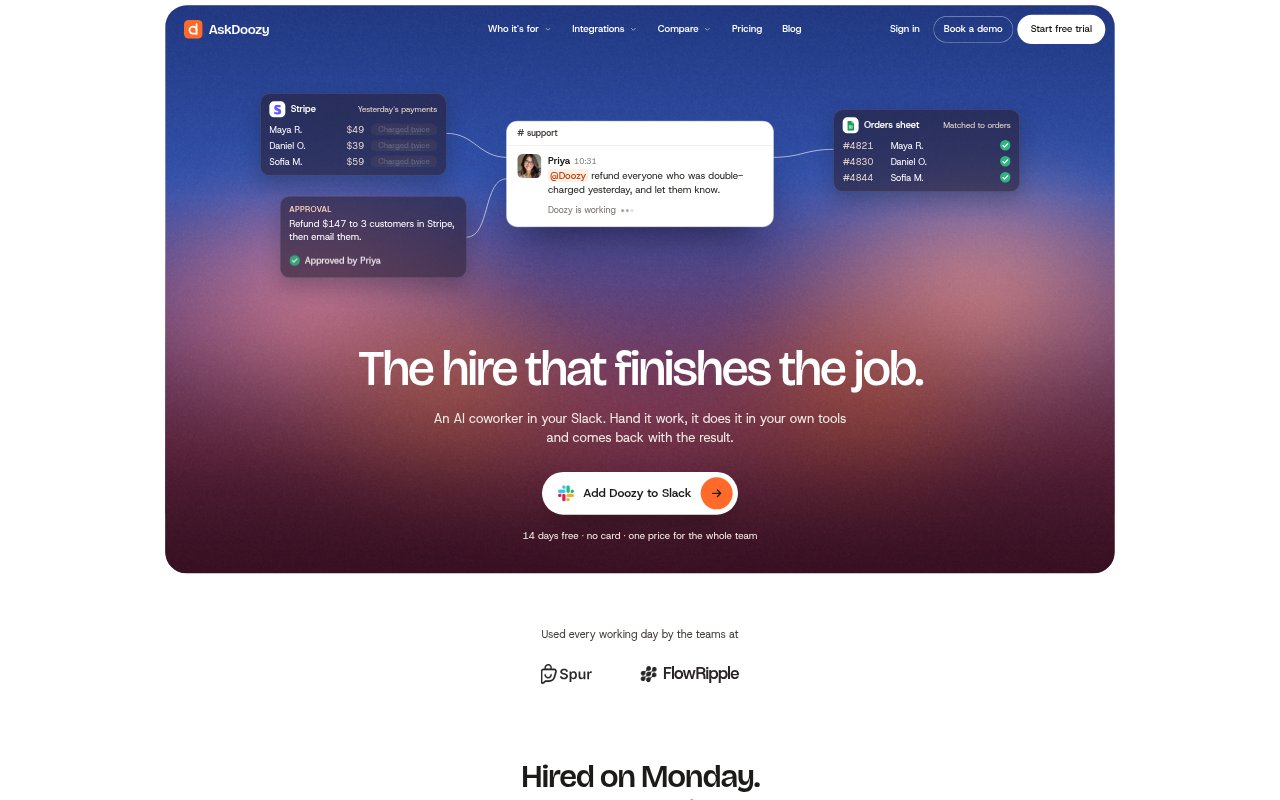
Doozy is an AI coworker that works from Slack threads for teams handling support, operations, sales, engineering, finance and product work. Team members assign it tasks in plain language, and it carries them out in connected tools before reporting back in the thread. It can follow saved team procedures and scheduled instructions, and each plan includes a 14-day free trial with no card required.
Doozy Features:
Slack Tasks: Mention Doozy in a Slack thread to assign work, then get its findings, updates or completed result in that conversation.
Tool Connections: Connect services including GitHub, Stripe, HubSpot, Linear, Notion, Gmail and Postgres, and choose what Doozy may access.
Saved Skills: Record how your team handles a recurring job once, so Doozy can follow those instructions on later requests.
Scheduled Work: Set recurring tasks in plain language, such as preparing an inbox digest or posting a queue summary on a set schedule.
Review Controls: Allow, block or require approval for individual tools, with risky actions waiting for a person before they proceed.
Isolated Workspace: Each job runs in its own temporary computer environment, while credentials stay outside the workspace.
Doozy Benefits:
Less Manual Work: Teams can hand off cross-tool checks and follow-through instead of spending time copying information, updating records and composing routine responses.
Shared Access: Workspace pricing is not per seat, so people across a team can ask for help in Slack without separate individual subscriptions.
Consistent Process: Saved team instructions give recurring work a repeatable approach, reducing the need to explain the same process each time.
Visible Decisions: Work and approval requests return to the Slack thread, making it easier for teammates to review what was done and what still needs a decision.
Controlled Access: Permission settings and approval requirements let teams limit access to connected systems and keep sensitive actions under human review.
Use Cases:
Billing Support: Review customer billing cases against payment records, identify duplicate charges and prepare a list of cases that still need attention.
Deploy Triage: Investigate errors reported after a release, connect findings to an issue and prepare a code change for an engineer to review.
Sales Follow-Up: After a prospect call, record notes in the CRM, update the deal stage and arrange a follow-up for the relevant people.
Payment Reconciliation: Compare payment processor payouts with finance records, identify discrepancies and document the reason for a mismatch.
Customer Feedback: Group incoming customer requests, identify common themes, connect them to product issues and share a summary with the team.