

What is Droidtty?
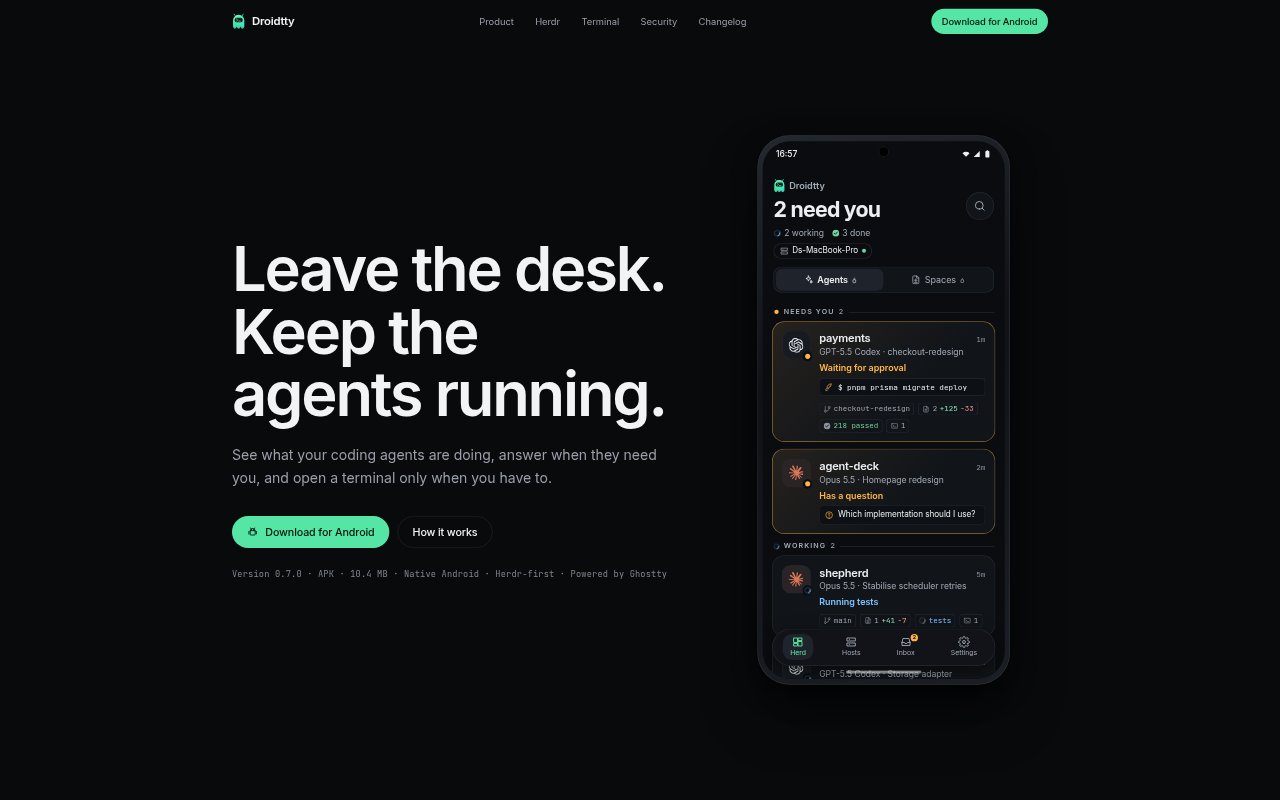
Droidtty is a phone app for keeping an eye on coding agents running in Herdr workspaces. It shows their activity and lets you respond to questions, approve commands, review changed files and diffs, or open a terminal when needed. The bridge runs alongside Herdr on a Mac or Linux machine, and the phone pairs with it by scanning a code. Droidtty supports Android and iPhone, with a direct phone-to-bridge connection.
Droidtty Features:
Agent Activity: View the state of agents Herdr detects, with notifications focused on moments that need your attention.
Agent Questions: Answer questions from coding agents on your phone instead of returning to the computer to respond.
Command Approvals: Review and approve permission requests with a tap, with exact approvals available for Claude Code and Codex.
Diff Review: Inspect changed files and their diffs in a native phone view before work proceeds.
Terminal Access: Open an agent's pane or a shell in the project in a real terminal powered by Ghostty.
Herdr Bridge: A bridge alongside Herdr reads agent state, session logs, and git data, then sends structured events to the phone.
Agent Timelines: See full timelines for Claude Code and Codex, while agents Herdr detects appear with their own mark.
Droidtty Benefits:
Fewer Interruptions: You can leave agents to read, edit, and test without checking on every step, then respond when they need a decision.
Faster Decisions: Handling questions and permission requests from a phone helps keep agent work moving when you are away from your desk.
Review With Context: Seeing changed files and diffs on the phone makes it easier to judge the result before the work continues.
Terminal When Needed: You can handle routine oversight without a shell and still access a real terminal for tasks that require one.
Direct Connection: The phone connects to the bridge on your computer rather than relying on a cloud relay for the connection.
Use Cases:
Away From Desk: Keep track of coding agents running in Herdr while you are away from your computer and handle requests that need your input.
Review Agent Changes: Check a coding agent's changed files and diffs on your phone before letting its work proceed.
Approve Agent Commands: Respond to a permission request, such as applying a development database migration, without opening a shell first.
Inspect Agent Sessions: Follow Claude Code or Codex timelines on a phone to understand what those agents have been doing.
Reach a Remote Bridge: Connect to the bridge through Tailscale when the phone and the Mac or Linux computer are not on the same local network.