

What is Drune?
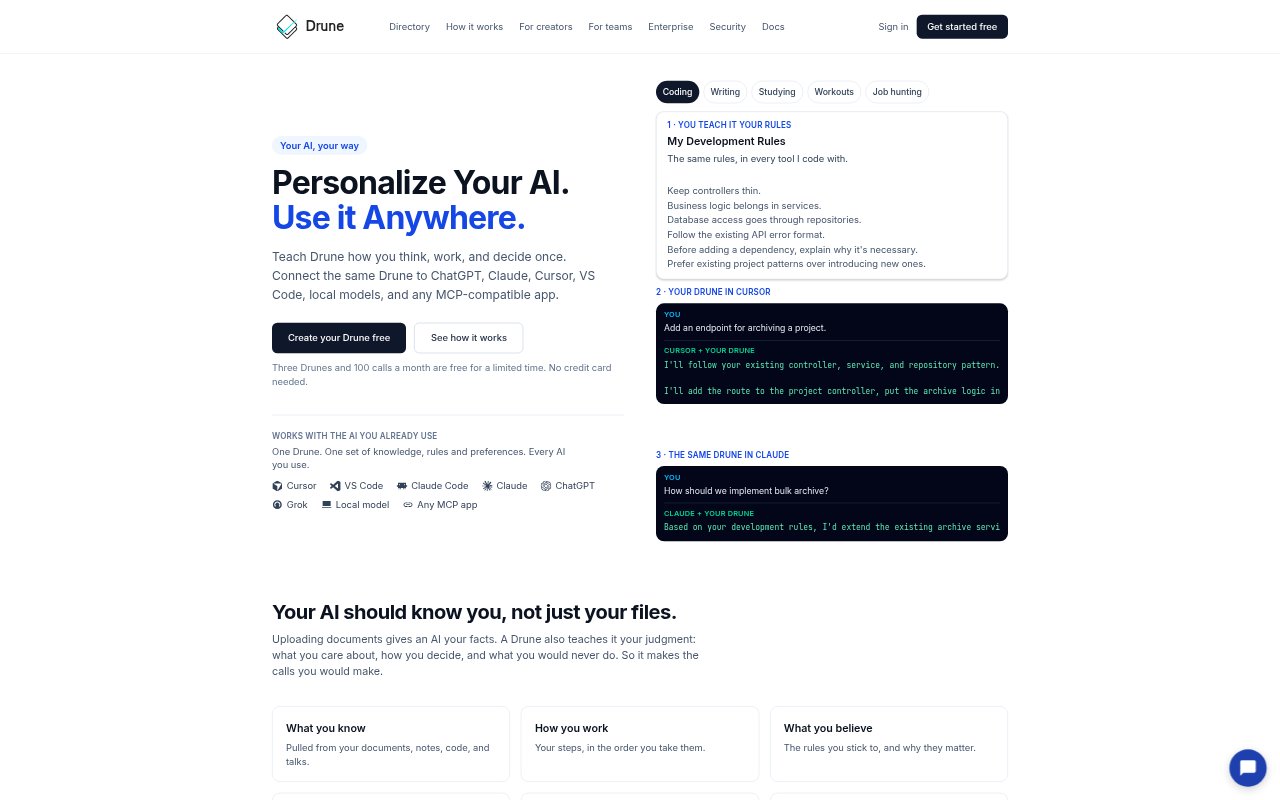
Drune is a reusable layer of personal or team know-how that connects to AI tools people already use. Users build focused Drunes from documents, links, code, recordings, examples of past work, and answers about their preferences and decisions. A Drune gives a connected AI relevant rules, working methods, judgment, and boundaries for a task, so the response follows a chosen approach across tools such as ChatGPT, Claude, Cursor, VS Code, local models, and MCP-compatible apps.
Drune Features:
Knowledge Capture: Build a Drune from documents, web links, code, images, recordings, past work, or direct answers about how you make decisions.
Personal Rules: Record preferences, work steps, beliefs, style, decision criteria, and boundaries so an AI can follow more than facts from your files.
Focused Context: For each task, Drune selects the relevant parts of its know-how and gives the connected AI an expert approach and a quick checklist.
Review and Test: Inspect what Drune learned, correct inaccurate details, and compare answers with and without it before relying on the result.
Cross-Tool Access: Connect a Drune with ChatGPT, Claude, Cursor, VS Code, local models, or other MCP-compatible apps and use it from those tools.
Share Expertise: Keep a Drune private, share it with a team, or let others license the expertise without giving them your files or notes.
Drune Benefits:
Consistent Responses: Your preferences can carry from one supported AI tool to another, reducing the need to restate your approach each time you switch.
Less Repetition: After teaching a Drune your rules and decision habits, you can reuse them across tasks instead of explaining them from scratch.
More Relevant Answers: Task-specific context helps an AI focus on the parts of your know-how that matter, rather than receiving the entire Drune.
Greater Oversight: Reviewing and correcting what a Drune learns gives you a chance to catch mismatches before using or sharing its guidance.
Reusable Expertise: Teams can draw on a shared approach without distributing the original files and notes used to teach it.
Use Cases:
Code With Team Rules: Use development conventions in Cursor or another connected AI when adding an endpoint or deciding how to implement a feature.
Draft Personal Emails: Apply your preferred tone and format when writing to a landlord, declining a meeting, or making a clear request.
Study With Guidance: Set up a study Drune to quiz you first, give homework hints rather than answers, and explain ideas with everyday examples.
Plan Workouts: Give an AI your equipment, schedule, and movement limits so workout suggestions reflect the training rules you choose.
Tailor Job Materials: Use a job-search Drune to shape resume lines around results and screen opportunities against location and salary preferences.