

What is FENGARDE?
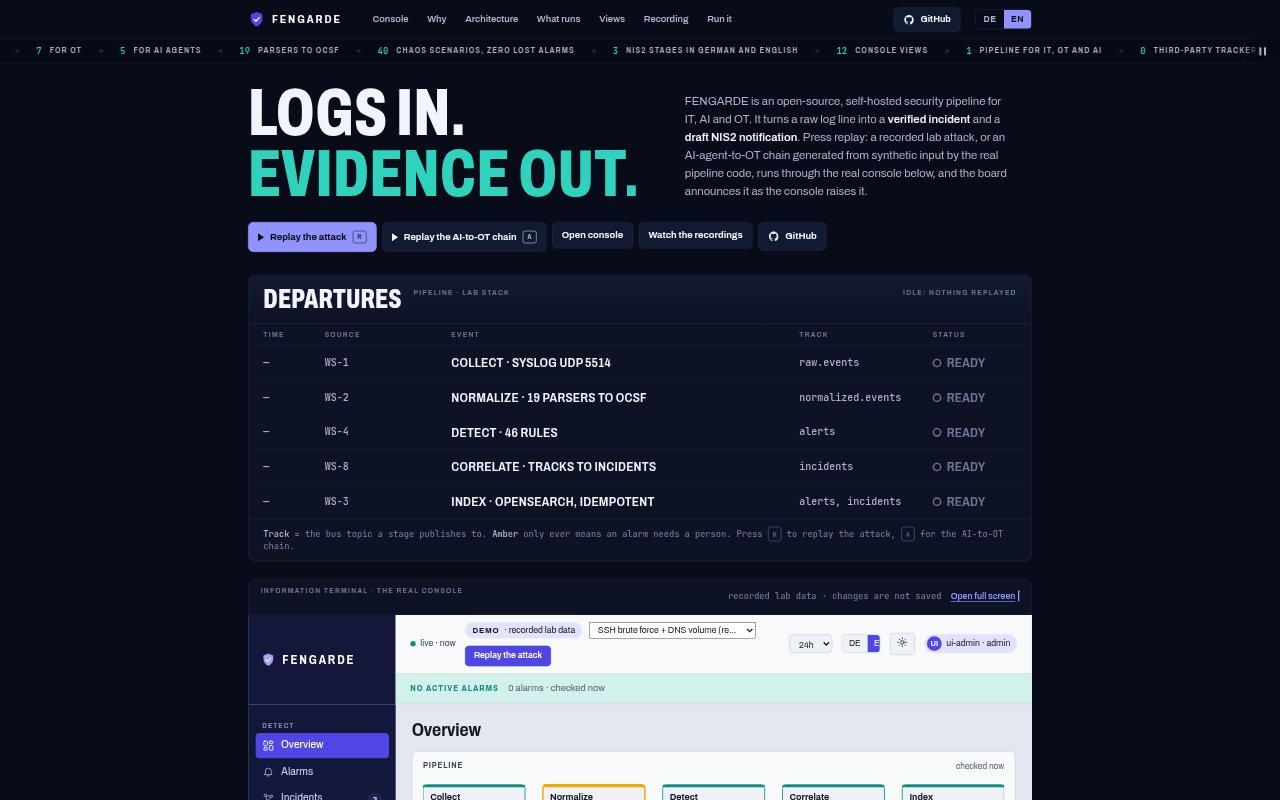
FENGARDE is an open-source, self-hosted security pipeline for teams working across IT, AI and operational technology. It takes raw log lines through a multi-service pipeline to produce verified incidents and draft NIS2 notifications. Its console includes views of recorded data, and a replay feature shows a lab attack or generated AI-to-OT chain passing through the system. The project is designed to run on Docker Desktop and is licensed under Apache-2.0.
FENGARDE Features:
Log Processing: FENGARDE takes raw log lines through a security pipeline and turns them into verified incidents and draft NIS2 notifications.
Service Bus: Nine services read and write topics on a shared bus rather than calling one another, and each service can be restarted, swapped or scaled independently.
Detection Rules: The project includes 46 rules, each with a listed level, title and MITRE ATT&CK, ATLAS or ICS tag.
Attack Replay: A recorded lab attack or generated AI-to-OT chain can run through the real console, with a departure board announcing its progress.
Console Views: The console provides twelve views, each of which can be opened to inspect the recorded data.
Syslog Input: A UDP syslog listener on port 5514 accepts events, including the SSH brute-force and DNS burst used in the recorded demonstration.
Install Preflight: A preflight check tests ports and system limits before startup, for deployments using Docker Desktop with enough memory for OpenSearch.
FENGARDE Benefits:
Reporting Starting Point: A draft NIS2 notification gives teams a prepared starting point for incident reporting instead of leaving them with a raw log line alone.
Visible Processing: Following a replay through the console makes it easier to see how an event moves through the pipeline than inspecting isolated service outputs.
Flexible Changes: Independent services let teams adjust or scale one pipeline stage without requiring every other service to be changed at the same time.
Reviewable Coverage: Rule titles, levels and framework tags make the detection set easier to inspect and discuss against familiar security references.
Local Operation: Self-hosting gives teams a way to run the security pipeline in their own environment rather than depending on a hosted service.
Use Cases:
Lab Attack Testing: Run a recorded lab attack through the console to examine how the pipeline handles events such as an SSH brute force or DNS burst.
AI-to-OT Review: Replay a generated AI-to-OT chain when exploring how events from an attack scenario appear across the pipeline.
Incident Triage: Process incoming log lines into verified incidents as a starting point for investigating activity across IT, AI or OT environments.
NIS2 Preparation: Use a draft NIS2 notification as an initial artifact when preparing to document a security incident.
Rule Inspection: Review the 46 listed rules and their framework tags when assessing detection coverage or explaining rule selection to a security team.