

What is Files Magic AI?
Files Magic AI is a Mac utility for organizing folders, naming files and reviewing items that may be taking up unnecessary storage. It works with folders you choose, such as Downloads, Desktop, project folders or synced local folders. Its organizing and cleanup actions are reviewable, while file renaming can run on-device or through Cloud AI, depending on the engine you select. It requires macOS 12 or later.
Files Magic AI Features:
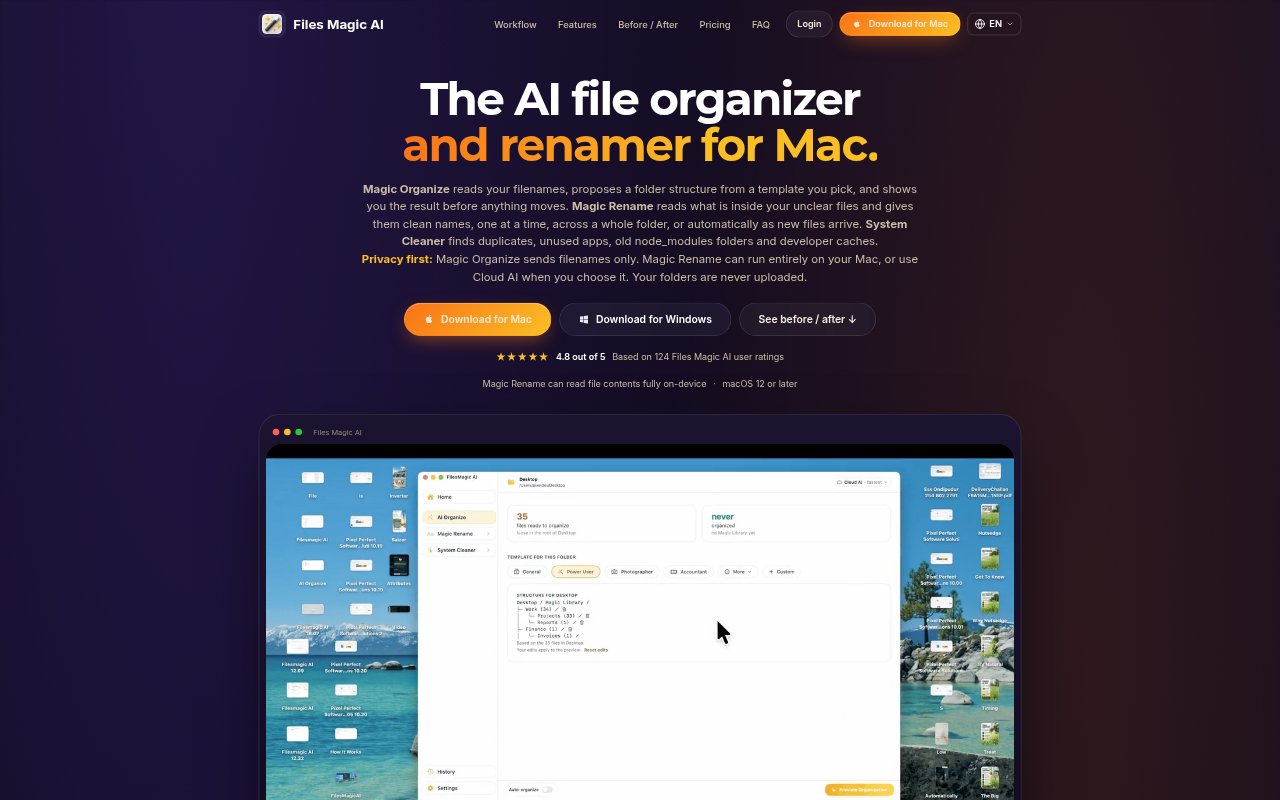
Folder Planning: Choose a template and Files Magic AI proposes a folder structure based on filenames, with options to use a custom prompt.
Organization Preview: Inspect the proposed destinations, rename or remove folders in the plan, and exclude files or folders before organizing.
Content-Based Rename: Magic Rename reads file contents, including PDF text, spreadsheet cells and text in receipt photos, to suggest descriptive names.
Rename Options: Rename individual files, apply rules across a folder, or use Magic Folders to name new files as they arrive.
Local And Cloud AI: Run Magic Rename on-device with Apple Intelligence or a built-in model, including offline, or choose Cloud AI.
System Cleanup: Review duplicate files, unused apps, installers, storage-heavy downloads and developer caches, including node_modules, Xcode, Flutter and Gradle.
Files Magic AI Benefits:
Less Manual Sorting: A suggested folder plan can reduce the repeated work of deciding where files belong and moving them one by one.
Fewer Guesswork Names: Names based on file contents make it easier to identify documents later without opening a run of vaguely named files.
Safer Changes: Preview, exclusions and undo options let you correct a first pass without having to accept every proposed change.
Clearer Privacy Choices: Organizing uses filenames rather than file contents, and on-device renaming gives sensitive documents an option that stays on the Mac.
More Informed Cleanup: Reviewing potential deletions first helps you decide what storage to reclaim while avoiding a blind cleanup.
Use Cases:
Downloads Triage: Sort a crowded Downloads folder into a more useful layout, checking the proposed destinations before files are moved.
Receipt Filing: Rename scanned receipts using details such as vendor and date, then find them by a more recognizable filename.
Project Folder Cleanup: Organize working folders and review developer leftovers such as node_modules or build caches when a project no longer needs them.
Client File Handling: Give unclear client documents descriptive names using on-device processing when you prefer their contents to remain on your Mac.
Incoming File Naming: Set up a Magic Folder for a chosen location so new files can be named as they arrive instead of waiting for a later batch.