

What is Flopper?
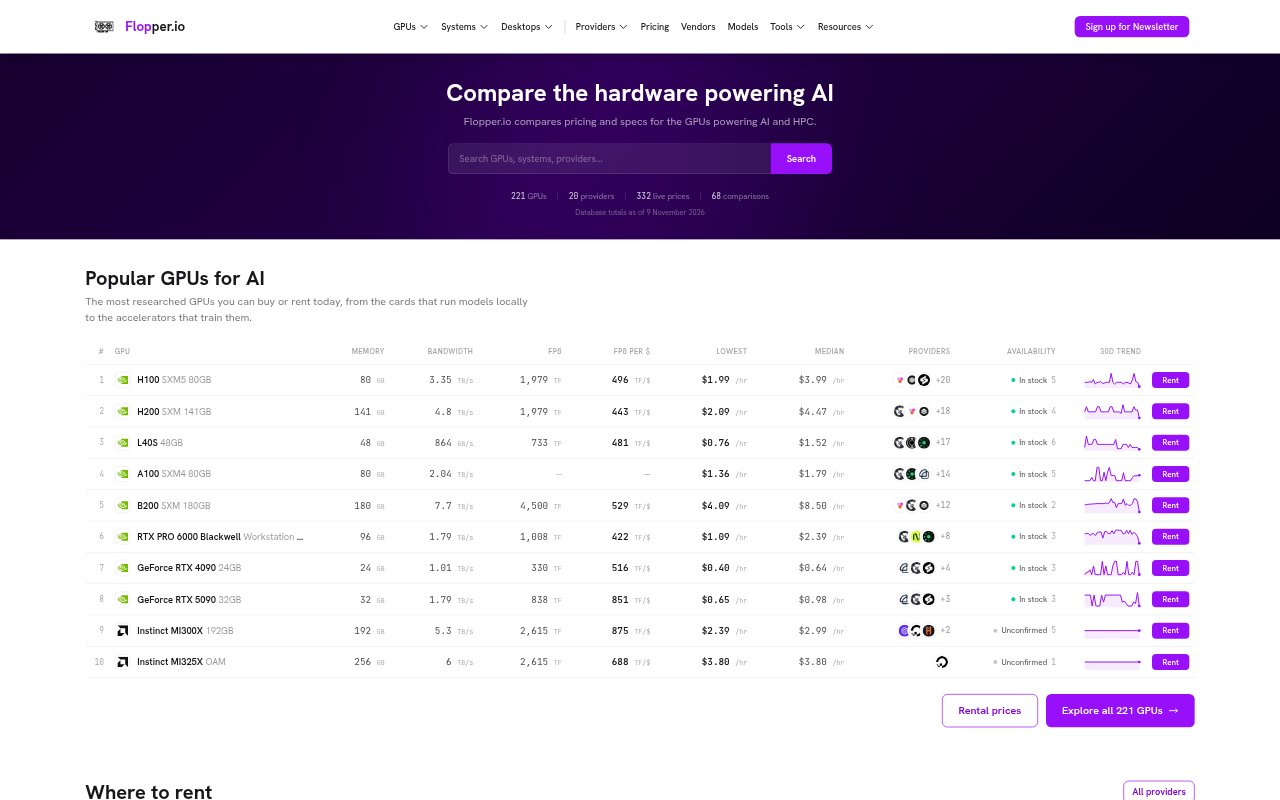
Flopper is a research and comparison site for GPUs and other accelerators used in AI and high-performance computing. It brings hardware specifications, rental prices from cloud providers, multi-GPU system data, and datacenter locations into one place. Engineers, infrastructure buyers, and teams choosing compute can compare vendor-normalized performance across precision formats, examine cloud rates, and estimate the performance and power needs of custom GPU configurations.
Flopper Features:
Accelerator Comparisons: Search and compare more than 316 GPUs by vendor, architecture, form factor, memory, and performance figures across precision formats from FP64 through FP4.
Normalized Specs: GPU specifications from NVIDIA, AMD, Intel, Google, and other vendors are converted to common TFLOPS baselines, with data points linked to their sources.
Cloud Price Listings: Compare per-GPU hourly rental rates from 20 providers, including median prices, price ranges, availability information, and selected 30-day changes.
FLOPS Calculator: Build a custom GPU configuration to calculate aggregate TFLOPS, power draw, and memory across its accelerators.
AI System Catalog: Review multi-GPU systems from vendors including NVIDIA and AMD, with aggregate performance and estimated hourly costs based on tracked GPU rates.
Datacenter Map: Explore a map of 786 GPU datacenters worldwide, with operator and location data and GPU counts tied to accelerator specifications.
Flopper Benefits:
Quicker Hardware Research: Comparing specifications in one place reduces the need to cross-reference vendor datasheets when building a GPU shortlist.
Workload Fit: Performance figures across precision types help teams evaluate hardware using the formats their training, inference, or HPC workloads require.
Rental Cost Checks: Per-GPU rates and provider price ranges make it easier to spot potentially lower-cost rental options before checking availability directly.
Capacity Planning: Configuration totals for performance, memory, and power give infrastructure teams a clearer basis for assessing system requirements.
Location Context: Mapped facilities and associated GPU counts help teams see where compute infrastructure is located when researching capacity.
Use Cases:
Choosing GPUs: Shortlist accelerators for an AI or HPC workload by comparing memory, vendor specifications, and performance at relevant precision levels.
Selecting a Cloud: Compare providers’ listed hourly rates for a GPU model before deciding where to rent compute for a project.
Sizing a Cluster: Estimate aggregate performance, memory, and power for a proposed multi-GPU configuration during infrastructure planning.
Budgeting Training Runs: Review GPU rental prices and system cost estimates when evaluating the compute budget for model training.
Finding Datacenters: Research mapped GPU facilities and their operators when looking into where AI compute capacity is located.