

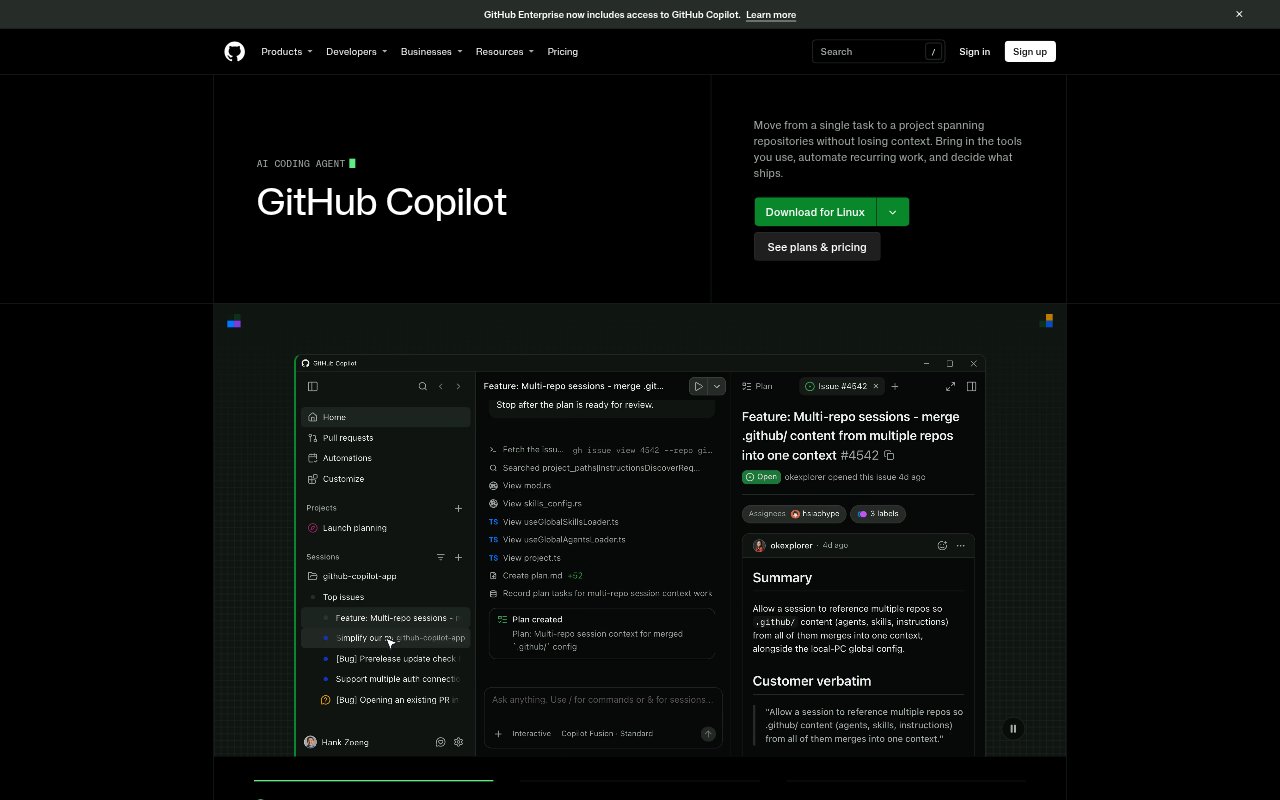
What is GitHub Copilot?
GitHub Copilot is an AI coding agent for developers who want help writing, understanding, reviewing, and shipping software. It can work with repository code and history, issues, pull requests, and automations, supporting tasks from exploring a codebase through planning and implementation to review and merge. Developers can use it in supported editors, the terminal, a desktop app, on GitHub, and on mobile, then continue a session on another surface.
GitHub Copilot Features:
Code Suggestions: Copilot provides code completions and next-edit suggestions, and can assist with understanding code and planning project work.
Task Context: Start a session from an issue or pull request with its discussion and repository context connected.
Parallel Sessions: Run separate tasks in parallel and track their progress from a single view.
Recurring Tasks: Set reusable agent tasks to run on demand, on a schedule, or from supported triggers.
Code Review: Review local changes for code quality and security issues, then ask Copilot to address selected findings.
Model Options: Let Copilot select models for a task, choose a model directly, or connect supported cloud and local models.
Repository Guidance: Add repository instructions and skills for coding standards and workflows, and connect services or selected tools.
GitHub Copilot Benefits:
Fewer Context Switches: Working with issues, code, and pull requests in the same development workflow can reduce the need to move task context between separate tools.
Steadier Progress: Continuing sessions across the editor, terminal, desktop app, GitHub, and mobile helps developers return to work where they left off.
Earlier Feedback: Reviewing local changes before opening a pull request gives developers a chance to address selected quality or security findings sooner.
Less Repeated Setup: Reusable tasks and repository guidance can reduce the effort of restating standards and repeating routine work.
Flexible Control: Choosing a model or letting Copilot choose gives developers a way to adjust model selection to the task.
Use Cases:
Issue Implementation: Open a coding session from an issue so the task discussion and repository are available as work begins.
Routine Automation: Schedule a reusable agent task or trigger it when supported events occur in a repository workflow.
Local Change Checks: Check work in progress for code quality and security concerns before creating a pull request.
Pull Request Follow-Up: Use code review feedback to identify follow-up changes and delegate selected work to the cloud agent.
Codebase Exploration: Ask for help understanding a repository or planning a project before deciding how to implement a change.