

What is Grafista?
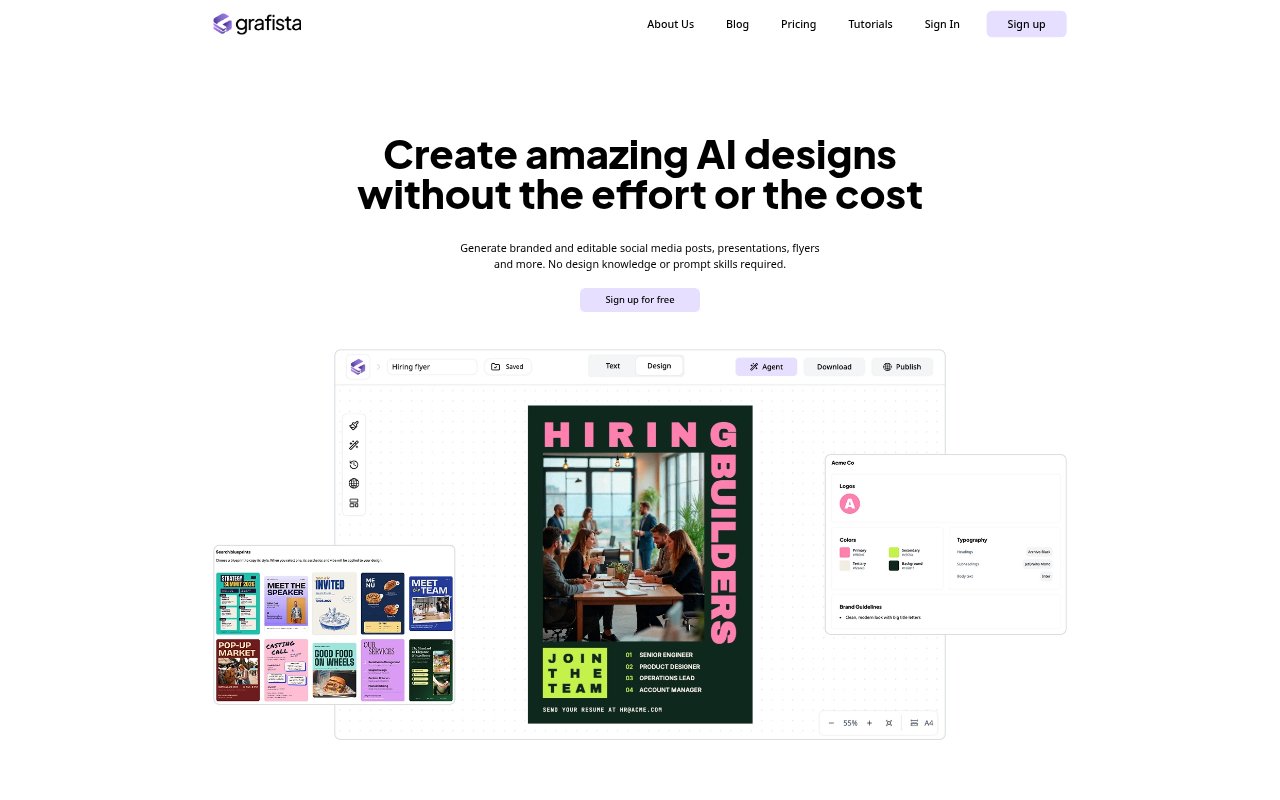
Grafista is an AI graphic design platform for people and teams that need marketing materials, presentations, and other designed documents without specialist design skills. Users provide text, images, and branding, then choose a size and visual direction or select a Blueprint for the system to recreate around their content. Designs can be edited manually or refined by asking its Agent for changes.
Grafista Features:
Content Inputs: Start with text and images you write or import, or use AI to generate content before turning it into a design.
Design Generation: Choose a size and give instructions or select a Blueprint, then Grafista arranges the content into a complete design.
Blueprint References: Blueprints guide the look of a new design, which Grafista recreates using your content rather than asking you to edit a fixed template.
Manual and Agent Editing: Refine generated designs yourself or ask the design Agent to make changes, with layout, spacing, and decoration handled during generation.
Multilingual Design: Create documents and designs in almost any language, including text-heavy materials such as brochures.
Team Roles: Invite users to an organization as admins, editors, or viewers so they can create documents and designs or view other members’ work.
Grafista Benefits:
Less Design Setup: People without design knowledge can produce finished materials without having to manage layout, spacing, and decorative details themselves.
Content First: Starting with existing copy and images helps keep the design centered on the information a campaign or document needs to communicate.
Faster Iteration: The option to revise designs manually or through the Agent makes it easier to adjust a draft as content or direction changes.
Consistent Team Access: Shared organization documents let colleagues see one another’s work, while roles provide different levels of access for team members.
Flexible Language Work: Support for nearly any language makes the same design workflow available for materials aimed at different language audiences.
Use Cases:
Social Media Posts: Create branded posts for a business or campaign by supplying the copy and images and choosing the desired visual direction.
Flyers and Ads: Prepare promotional flyers or ads for an event, offer, or product without building each layout from scratch.
Presentations and Reports: Turn written material into a designed deck or report when a team needs to present information in a more visual format.
Restaurant Menus: Create a menu from its item names and descriptions, including materials that need to be produced in a particular language.
Brochure Production: Lay out text-heavy brochure content as a complete design while keeping the supplied copy and images at the center.