

What is HardwareOS?
HardwareOS is a hardware design workbench for turning a device idea into a practical build plan. Users describe the intended outcome in plain language, then work through parts, connections, code, and design tradeoffs in one project. It is aimed at makers, students, teachers, founders, engineers, and research teams who want help moving from an initial brief to a build they can test on real hardware.
HardwareOS Features:
Catalog Parts: HardwareOS selects boards and components from a hardware catalog and grounds recommendations in parts, pins, libraries, and source facts.
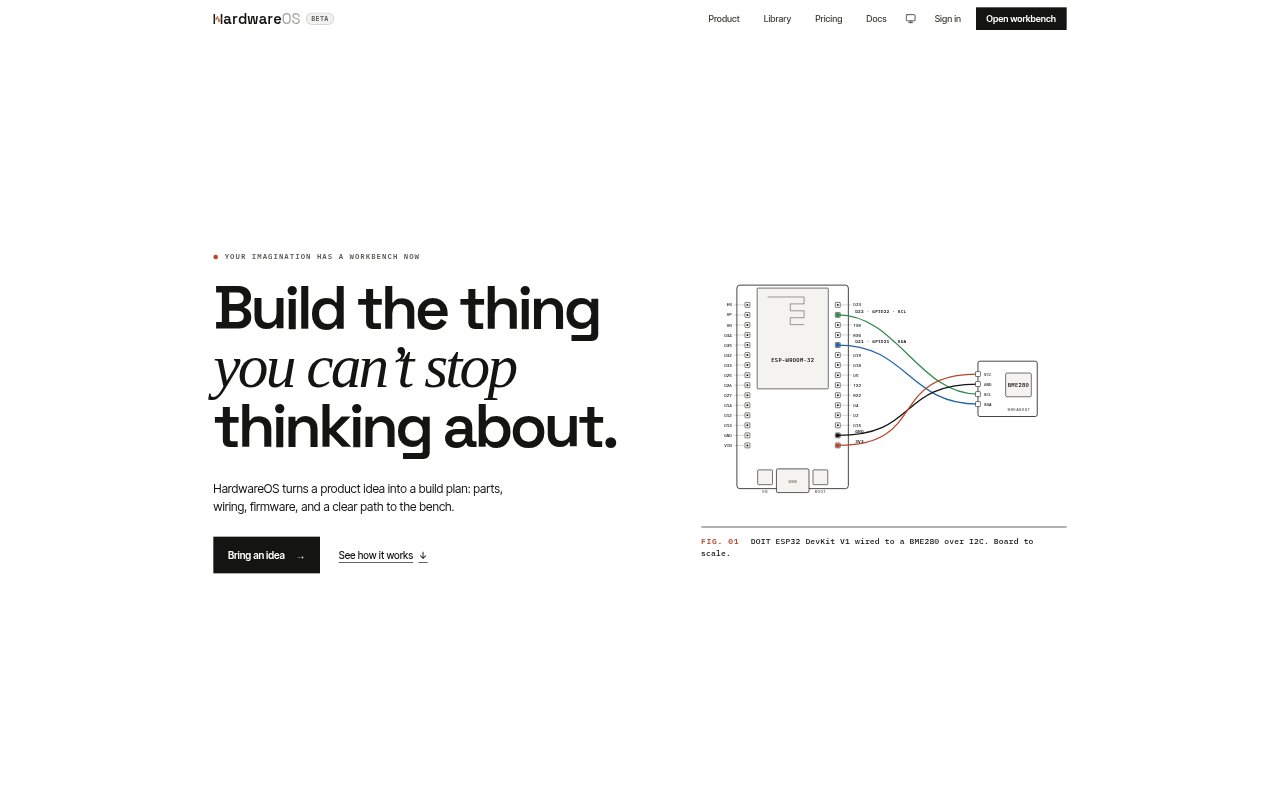
Board Wiring: The workbench maps connections between selected parts and shows wiring, power, pins, and assumptions as part of the design.
Firmware Builds: HardwareOS writes firmware for the project and compiles it into a build that can be moved onto real hardware.
Design Checks: Users can run checks and receive a build result that distinguishes what was verified from assumptions that remain.
Project Records: A versioned design keeps requirements, parts, nets, power plans, checks, source, and build files together.
Browser and Desktop: Projects can be worked on in the browser, uploaded through the browser, or handed off to HardwareOS Desktop.
HardwareOS Benefits:
Fewer Search Tabs: Starting with a build plan brings key hardware decisions into one workspace instead of scattering them across separate searches.
Clearer Assumptions: Seeing uncertain board labels, voltages, or part variants makes it easier to spot questions before they affect a build.
Earlier Feedback: Build checks give users a way to assess what works before committing to the next round of physical testing.
Easier Revisions: Keeping project decisions and files together gives the next design iteration a useful record to work from.
A More Concrete Start: A half-formed idea can become a sequence of hardware decisions, helping users spend less time wondering how to begin.
Use Cases:
Product Prototypes: A founder can outline the physical part of a product idea and use the resulting plan to begin testing a prototype.
Weekend Builds: A maker can turn a useful personal idea into a project plan with selected parts, wiring, and firmware.
Classroom Projects: A teacher can prepare a repeatable hardware build for students to assemble while demonstrating specific concepts.
Research Instruments: A research lab can translate instrument requirements into a parts and wiring plan as a starting point for development.
Device Connections: A software engineer can plan a device that connects an application to physical hardware, starting from the intended API use.
Learning by Building: A curious student or child can begin with a guided project brief and learn hardware concepts through a concrete build.