

What is Jetwriter?
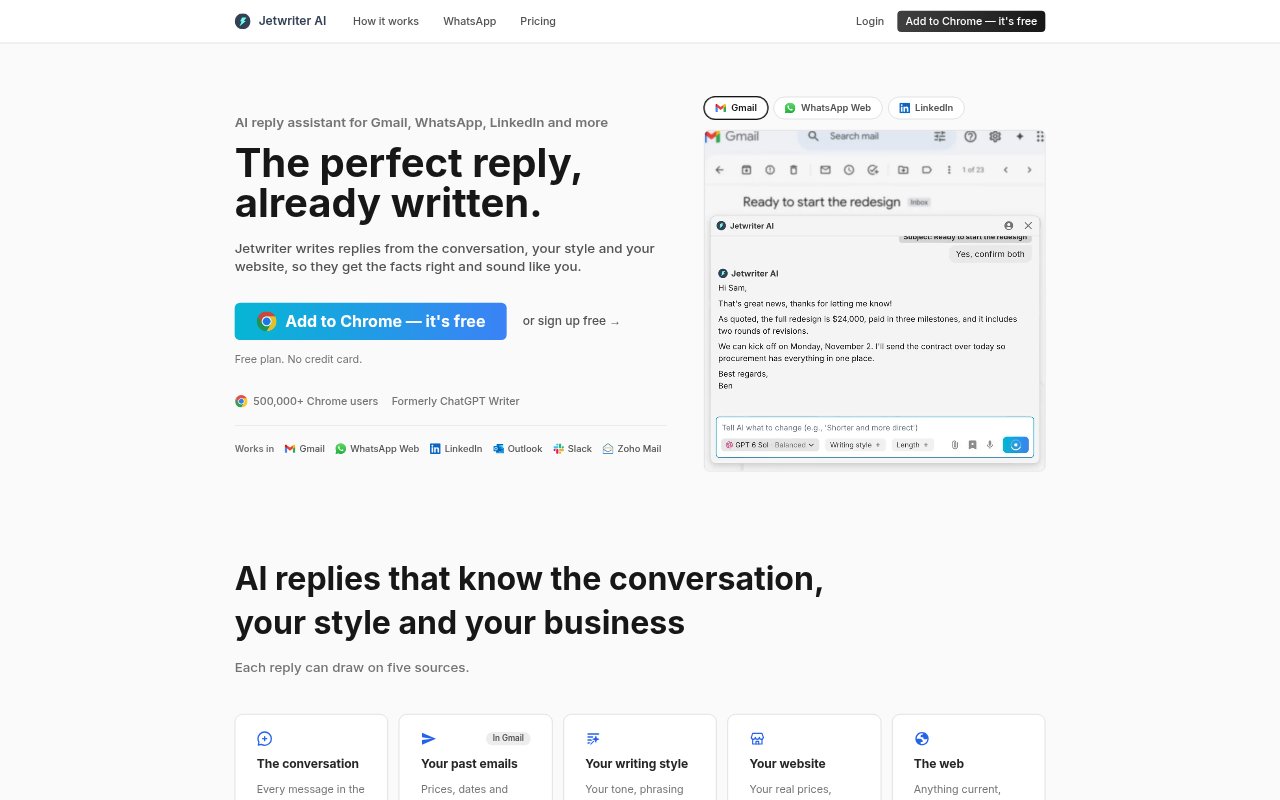
Jetwriter is an AI writing assistant for people and businesses handling email, customer messages, and professional conversations. It drafts replies using the conversation, a user’s writing style, business information, and—in some cases—live web lookups. The browser extension works in Gmail, WhatsApp Web, LinkedIn, and other text boxes, while a web app provides AI tools across devices. Users review and send every reply themselves.
Jetwriter Features:
Conversation Context: Jetwriter reads the email thread or chat you are responding to and uses its contents to shape a draft.
Writing Style: It can draw on past emails to match your phrasing, tone, and sign-off.
Business Details: Replies can use information from your website, help center, and previous emails, including prices, policies, and links.
Gmail Auto-Drafts: On paid plans, Jetwriter prepares Gmail replies as new emails arrive, with drafts also available in the Gmail mobile app.
Inline Reply Tools: The browser extension adds AI Reply to supported email and chat sites, and can generate a full response from a few words of guidance.
Page and Text Help: Users can ask questions about a page, summarize or translate selected text, fix grammar, and dictate in any language.
Jetwriter Benefits:
Less Repetitive Writing: Frequently answered messages take less effort because Jetwriter can turn brief instructions into a complete response.
More Consistent Replies: Using your past writing and business details can help keep responses aligned with your usual voice and information.
Fewer Context Switches: Drafting replies inside the email or chat interface reduces the need to move text between a separate AI tool and the reply box.
Earlier Email Preparation: Gmail Auto-Drafts give frequent email responders a chance to review a prepared reply instead of starting from a blank message.
Human Review: Because Jetwriter does not send replies, users stay in control of the final wording and whether a message goes out.
Use Cases:
Customer Questions: Draft replies to shoppers asking about product availability, delivery dates, prices, or business policies.
Client Email: Prepare responses to project updates, proposal questions, or requests for information while keeping your usual tone.
WhatsApp Support: Write customer-service replies from the chat context, including responses in the customer’s language when needed.
Recruiter Messages: Compose a response to a recruiter or professional contact directly in a supported messaging or email interface.
Daily Gmail: Review prepared drafts for incoming email and edit or send them from Gmail, including on the Gmail mobile app.