

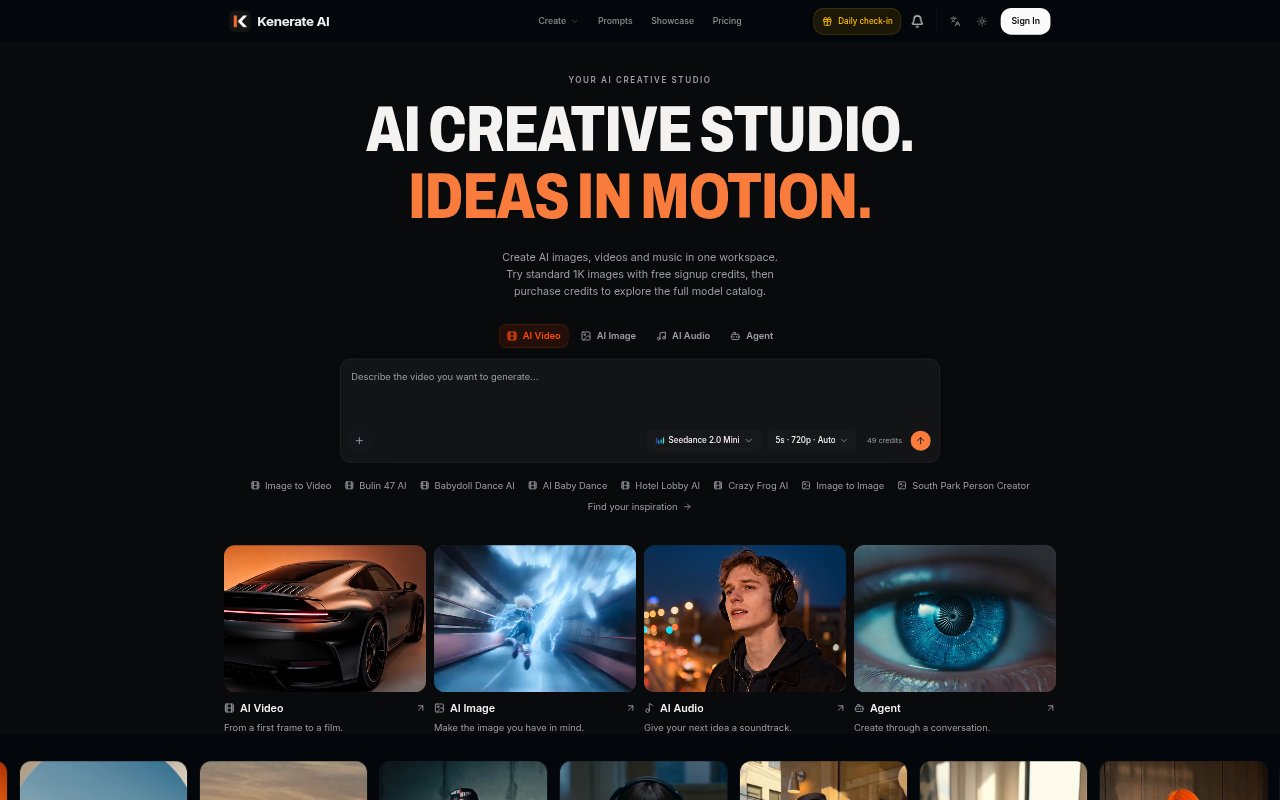
What is Kenerate?
Kenerate is an online creative workspace for generating AI images, videos, music and voiceovers. It brings multiple models and creative workflows together, with an AI agent that can take a described idea, plan the work and select models for the output. The tool is aimed at creators, marketers, e-commerce teams and agencies producing content for campaigns, product listings and social channels. Plans include monthly credits, and free signup credits are available to try standard 1K image generation.
Kenerate Features:
Image and Video: Generate images and videos from written prompts, or use an existing image as the starting point for a new visual direction or moving scene.
Music and Voice: Create original music, natural voiceovers and sound effects alongside visual content in the same workspace.
AI Agent: Describe a project in a conversation and the agent plans the work, chooses suitable models and produces video, image or audio outputs.
Model Catalog: Choose from video, image and audio models including Seedance, Kling, Wan, MiniMax, Nano Banana, GPT Image and Suno.
Visual Consistency: Use consistent references to keep a product, character and style aligned across multiple shots.
Video Direction: Guide motion, atmosphere and story when turning a still image into video, with cinematic movement and camera flow.
Creative Tools: Start from purpose-built options for jobs such as product videos, UGC ads, tutorials, virtual try-ons and unboxing clips.
Kenerate Benefits:
Fewer Tool Switches: Working with images, video and audio in one place can make a mixed-media project easier to manage from early idea to finished assets.
Faster First Drafts: An agent that plans the work and selects models helps turn a project brief into an initial creative output without choosing every step manually.
More Consistent Campaigns: Keeping references aligned across shots helps teams build related campaign assets without losing the look of a product or character.
Room to Iterate: A shared credit balance across tools lets creators try different visual and audio directions within the same production workflow.
Commercial Projects: Commercial use rights are included in the listed plans, making the workspace suitable for creating assets intended for business use.
Use Cases:
Product Listing Media: Turn product photos into listing images and short videos for an e-commerce catalog or online store.
Campaign Variations: Develop alternative hooks, campaign cuts and visual directions for a marketing team preparing creative for a media plan.
Creator-Style Ads: Make UGC-style advertisements, product unboxing clips or selling-point videos without organizing a filmed shoot.
Brand Film Concepts: Create cinematic brand stories, product-launch films or commercial concepts to share with a client or campaign team.
Tutorial Content: Build how-to videos for a product or service when a team needs clear instructional content without filming.
Social Soundtracks: Generate music to match the mood of a short social video, product film or other visual project.