

What is KeyContain?
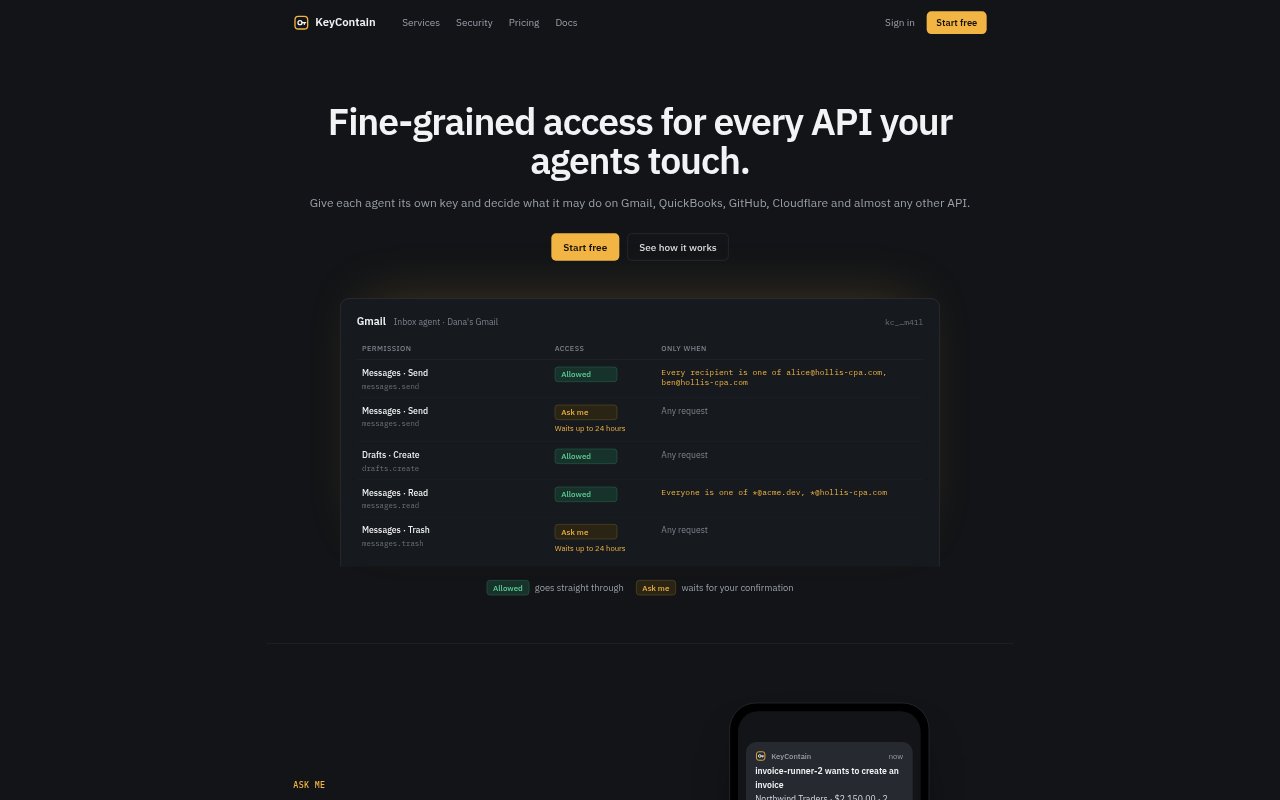
KeyContain controls what AI agents can do through APIs by giving each agent its own key and applying rules to the requests it makes. It works with services such as Gmail, QuickBooks Online, GitHub, and Cloudflare, as well as almost any other API. Teams can allow routine actions, hold selected requests for human approval, and refuse requests that do not match their rules. Service keys are stored encrypted.
KeyContain Features:
Agent-Specific Keys: Create a separate KeyContain key for each agent, then define the actions that key can take on connected services.
Conditional Access: Set rules that allow actions only when conditions are met, such as limiting email recipients or restricting who an agent may read messages from.
Human Approval: Hold selected requests for approval and receive a notification in the KeyContain app or browser with a summary of the requested action.
Request Denials: Requests that do not match an allowed rule or an approval rule are refused with a message the agent can understand.
Service Permissions: Limit QuickBooks access to selected records and actions, restrict GitHub pushes to chosen repositories and agent-prefixed branches, or require approval for Cloudflare DNS changes.
Encrypted Key Storage: Service keys provided to KeyContain are stored encrypted so they cannot be used even if someone has a copy of the database or backups.
KeyContain Benefits:
Reduced Exposure: Giving agents narrower permissions limits the potential impact of a mistake or misuse compared with granting access to a full service account.
Human Oversight: You can keep higher-risk actions under your control while allowing routine, permitted work to proceed without waiting for you.
Clear Boundaries: Specific rules make it easier to define what an agent is trusted to do, and to keep activity outside those limits from proceeding.
Safer Credentials: Encrypted storage reduces the risk that service credentials can be used if a copy of KeyContain’s database or backups is exposed.
Flexible Capacity: The free allowance is shared across unlimited keys and services, so teams can start without buying a separate allowance for each connection.
Use Cases:
Email Assistance: Let an agent draft messages freely, restrict sending to approved recipients, and require your approval before it sends or deletes messages.
Invoice Creation: Allow an accounting agent to read QuickBooks invoices, customers, and reports while pausing newly created invoices for review.
Pull Request Work: Let a coding agent push changes to agent-prefixed branches in selected GitHub repositories and open pull requests while you handle merges.
DNS Management: Route Cloudflare DNS edits through an approval step so you can review each proposed change before it reaches a zone.
API Agent Setup: When connecting an agent to a service API, define permitted actions and approval conditions instead of giving it unrestricted access.