

What is Marginalia?
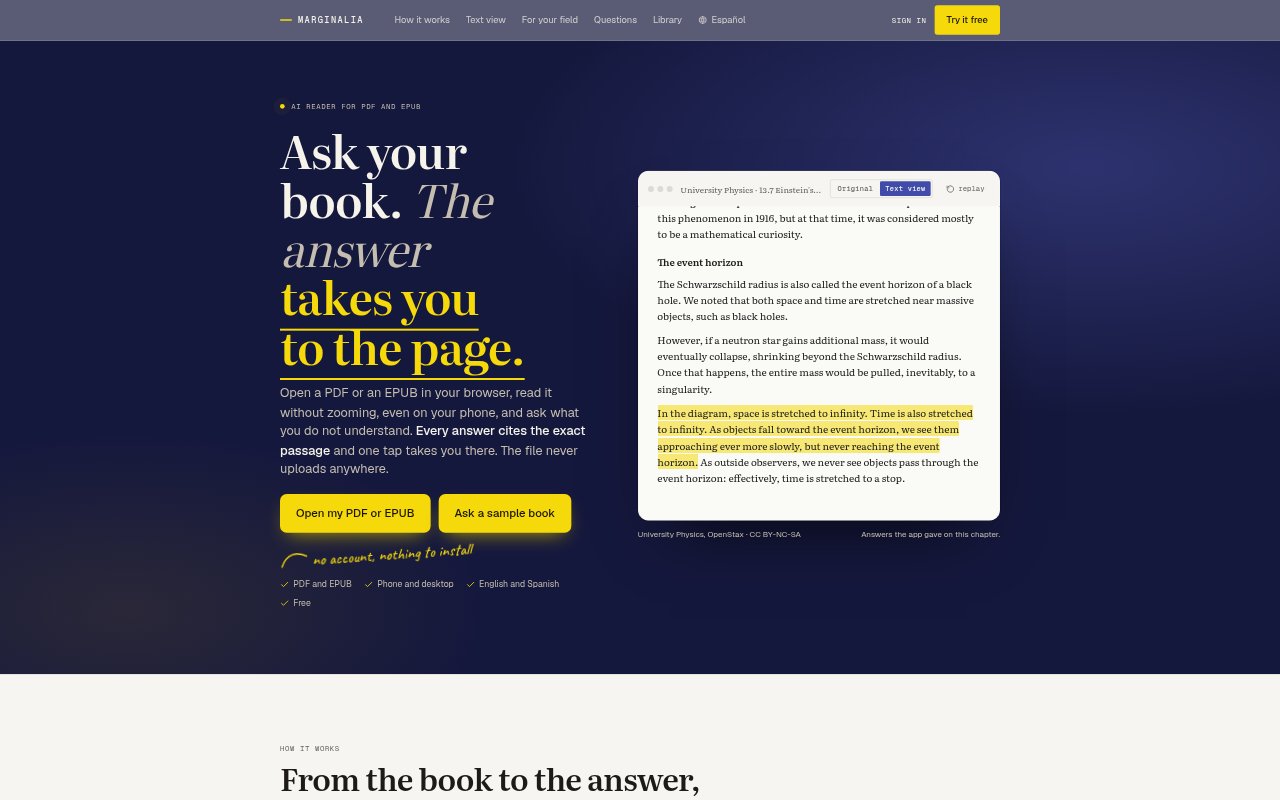
Marginalia is a browser-based PDF and EPUB reader with an AI that answers questions about the book and cites the passages it uses. Readers can open a file without an account or installation, read it in a phone-friendly text view, and ask about a selected paragraph or another part of the document. The reader is suited to people working through textbooks, papers, statutes, technical manuals, and other documents who want to check answers against the original text.
Marginalia Features:
Cited Answers: Ask about the book or a selected passage, then open a citation to jump to the highlighted source text.
PDF and EPUB: Open PDF or EPUB files in the browser, with the original page available while you read.
Reflowed Text: Text view adapts PDF text to the screen and chosen font size, with the original page one tap away.
Document Layout: The reader preserves two-column layouts, tables, figures, formulas, and code blocks, and can show a table of contents.
Reading Notes: Highlight in four colors, add notes, and ask questions from a highlight while keeping the conversation linked to its passage.
Local File Handling: Without an account, the file and its search index stay in the browser; with an account, book text is processed to build the index and is not stored.
Marginalia Benefits:
Check Answers: Passage citations and highlighted source text make it easier to verify an answer against the book instead of relying on chat alone.
Read on Phones: Reflowed text and adjustable font size reduce the need to zoom or pan across a PDF on a small screen.
Stay in Context: Questions, notes, and highlights remain tied to the relevant passage, helping readers keep their place as they study.
Work Without Uploading: Readers can use the no-account option while keeping their document and search index in the browser.
Handle Dense Pages: Preserved layouts and formulas help readers follow technical material without losing the structure of the source.
Use Cases:
Medical Study: Read a medical textbook or two-column paper on a phone, then ask about a clinical picture and inspect the cited passage.
Law Exam Prep: Open a statute or syllabus, ask about an article, and jump to the cited text to check its wording.
Programming Manuals: Select code in a technical book or specification and ask what the block does while keeping the source nearby.
Math and Physics: Read material with formulas preserved in text view, then tap a formula to ask about it.
Research Papers: Work through a two-column paper and ask questions about its contents without repeatedly zooming or shifting across the page.