

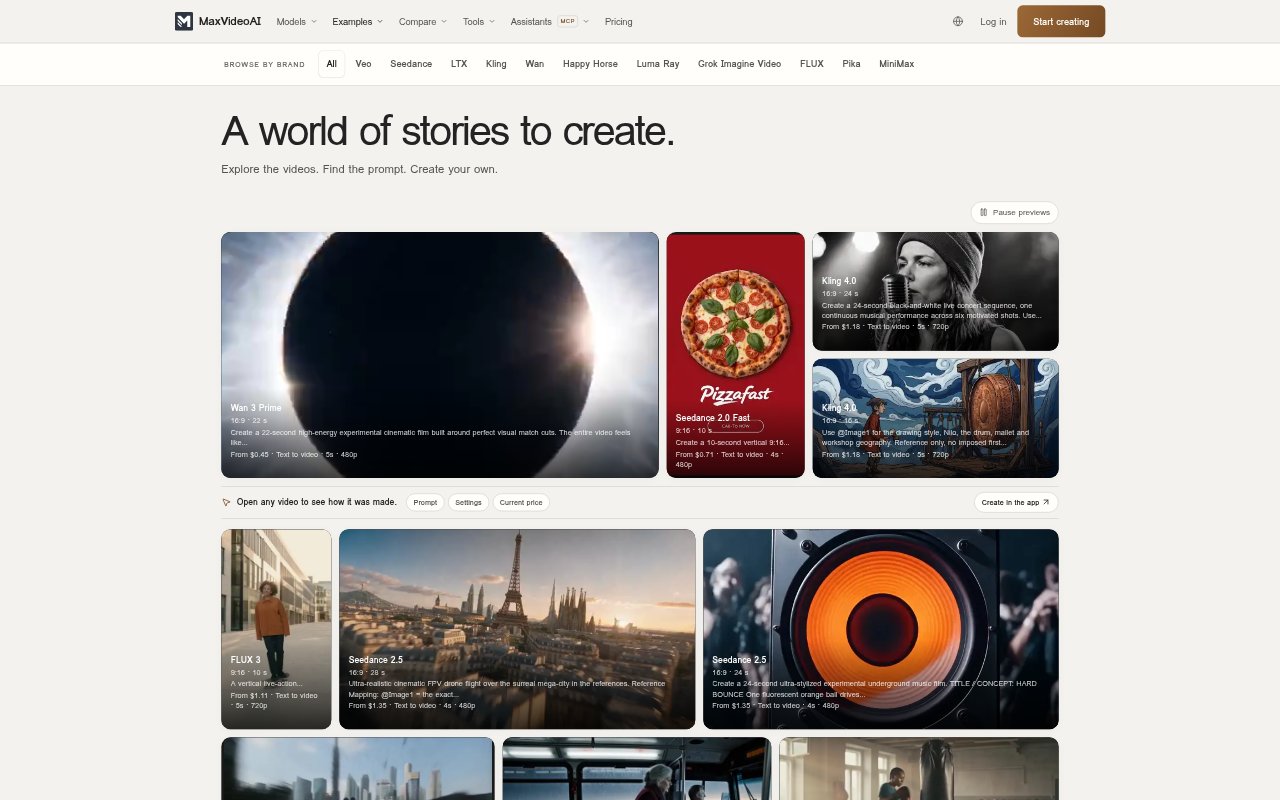
What is MaxVideoAI?
MaxVideoAI is a workspace for creating AI-generated video with a choice of models, alongside tools for images, audio and character creation. It is aimed at creators and businesses who want to make clips from a written prompt, a still image or an existing video when a model supports that input. Users can explore examples and compare models before creating, then review the price for their chosen settings. The workspace also supports creating through connected AI assistants.
MaxVideoAI Features:
Video Model Comparison: Compare available video models, example outputs, capabilities and preset pricing to help select an engine for a project.
Flexible Video Inputs: Start with text, an image or a video clip, depending on the input types supported by the selected model.
Example Gallery: Inspect examples alongside their prompts, settings, durations and recorded render costs, then reuse available prompts and settings as a starting point.
Milo Prompt Help: Describe an idea and add references in Studio; Milo can prepare prompts and tools for image, video and audio creation.
Character Creation: Create and save a character identity, explore different looks and use a motion reference to generate a Recast performance.
Assistant Connections: Connect MaxVideoAI with Claude, ChatGPT, Codex or OpenClaw, or build video workflows in n8n through MCP.
Pay-As-You-Go Pricing: Choose settings such as model, duration and resolution, review the live generation quote before launch and use credits without a required subscription.
MaxVideoAI Benefits:
More Informed Selection: Seeing examples and model details before generating makes it easier to weigh visual results and costs against the needs of a particular clip.
Clearer Cost Control: A quote before generation helps users decide whether to proceed with their chosen settings instead of discovering the job cost afterward.
Fewer Repeated Setups: Saved character identity and reusable example prompts provide a starting point for related creative work, rather than requiring every project to begin from scratch.
Easier Experimentation: Pay-as-you-go credits and the option to review a quote before each generation let users test an idea without committing to a subscription.
Work Where Ideas Start: Assistant connections let users bring a brief into a supported conversation or workflow and retrieve the resulting video through MaxVideoAI.
Use Cases:
Model Evaluation: Review sample clips and compare model capabilities before choosing an engine for a campaign concept or other planned video.
Product Story Clips: Turn a product image or description into a short visual sequence, then compare models and settings before generating the final version.
Social Character Videos: Create a recurring character, explore its appearance and use a motion reference for dance content or character-led comedy.
Visual Direction Tests: Generate a short scene to explore atmosphere, camera movement or a visual style before refining the direction for a larger project.
Brief-To-Video Workflow: Bring a project brief into a connected assistant, review the proposed generation details and retrieve the finished clip in MaxVideoAI.