
What is mcp-router?
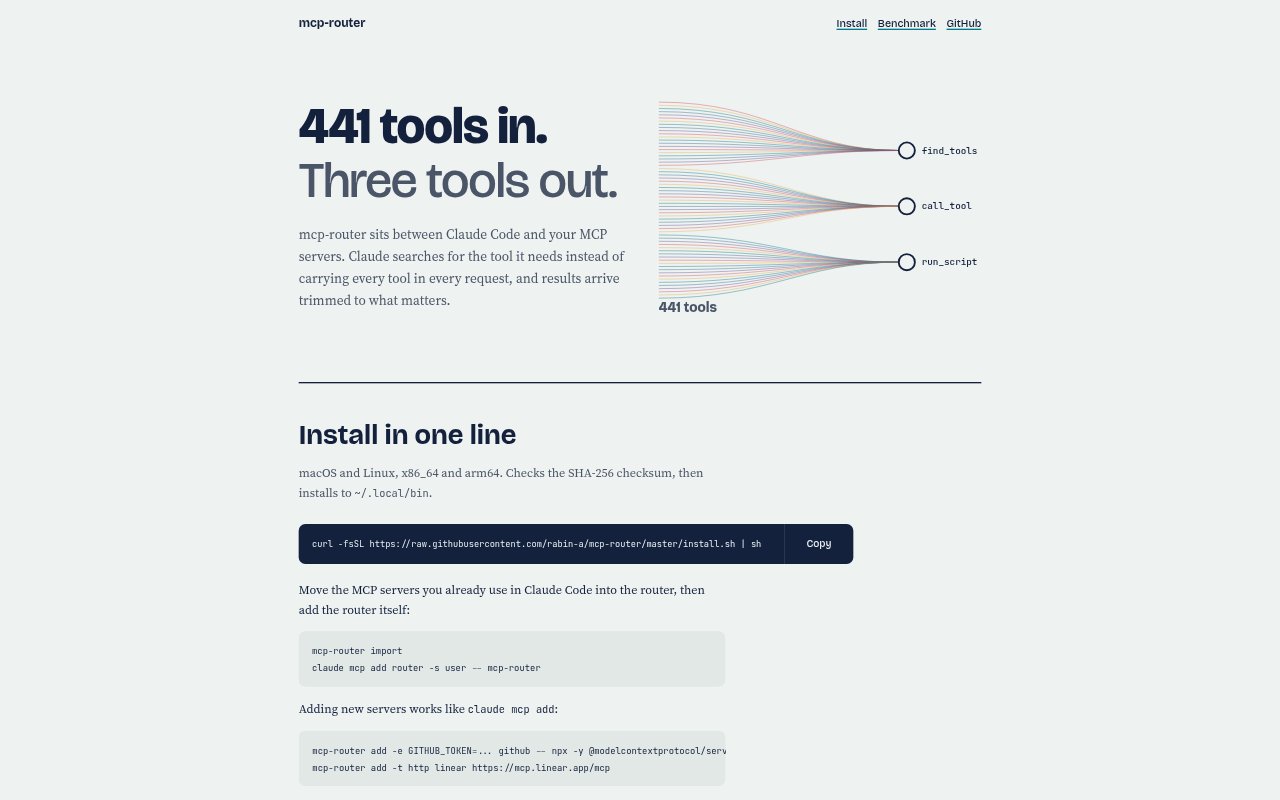
mcp-router is an intermediary for using multiple MCP servers from Claude Code. It presents the servers through one router and lets Claude search for tools instead of including every tool in each request. The router starts a server when one of its tools is first used, and it can shape JSON results to reduce their size. It is aimed at people who use several MCP servers in Claude Code and want tool discovery and access handled through a single layer.
mcp-router Features:
Unified Router: The router sits between Claude Code and your MCP servers, presenting many servers through one connection with three tools.
Tool Search: Claude can search for the tool it needs rather than carrying every available tool in each request.
Lazy Server Start: A server starts when one of its tools is first used, while cached tool lists let search run without starting servers.
JSON Shaping: The router shapes JSON results to keep relevant output concise, with the aim of keeping results inline instead of saving oversized results to a file.
Code Mode: Code mode is available as one of the router’s approaches to working with tools.
One-Line Install: A one-line installer supports macOS and Linux on x86_64 and arm64, checks the SHA-256 checksum, and installs to ~/.local/bin.
mcp-router Benefits:
Lower Tool Overhead: Searching for tools instead of loading every tool into each request can reduce the context spent on tool definitions.
Less Startup Work: Starting servers only when their tools are needed avoids launching the full set of MCP servers at the outset.
Fewer Lookup Steps: Cached tool lists make search available without starting servers, helping users find a tool without first bringing its server online.
More Useful Results: Shaping JSON can make tool output easier to keep in the conversation, reducing the need to retrieve a saved result file.
Simpler Access Point: Putting multiple MCP servers behind one router gives Claude Code a single layer for finding and using their tools.
Use Cases:
Multi-Server Claude Code: Use the router when Claude Code needs to work with tools spread across several MCP servers.
Finding a Tool: Search a large collection of available tools when you know the task but do not want every tool listed in each request.
On-Demand Servers: Configure access to MCP servers that should start only when Claude Code first uses one of their tools.
Large JSON Results: Shape JSON output when a tool returns more data than is useful to keep in the conversation.
Shared Tool Access: Put a set of existing Claude Code MCP servers behind one router when you want to use them through a common entry point.