
What is MeetCap?
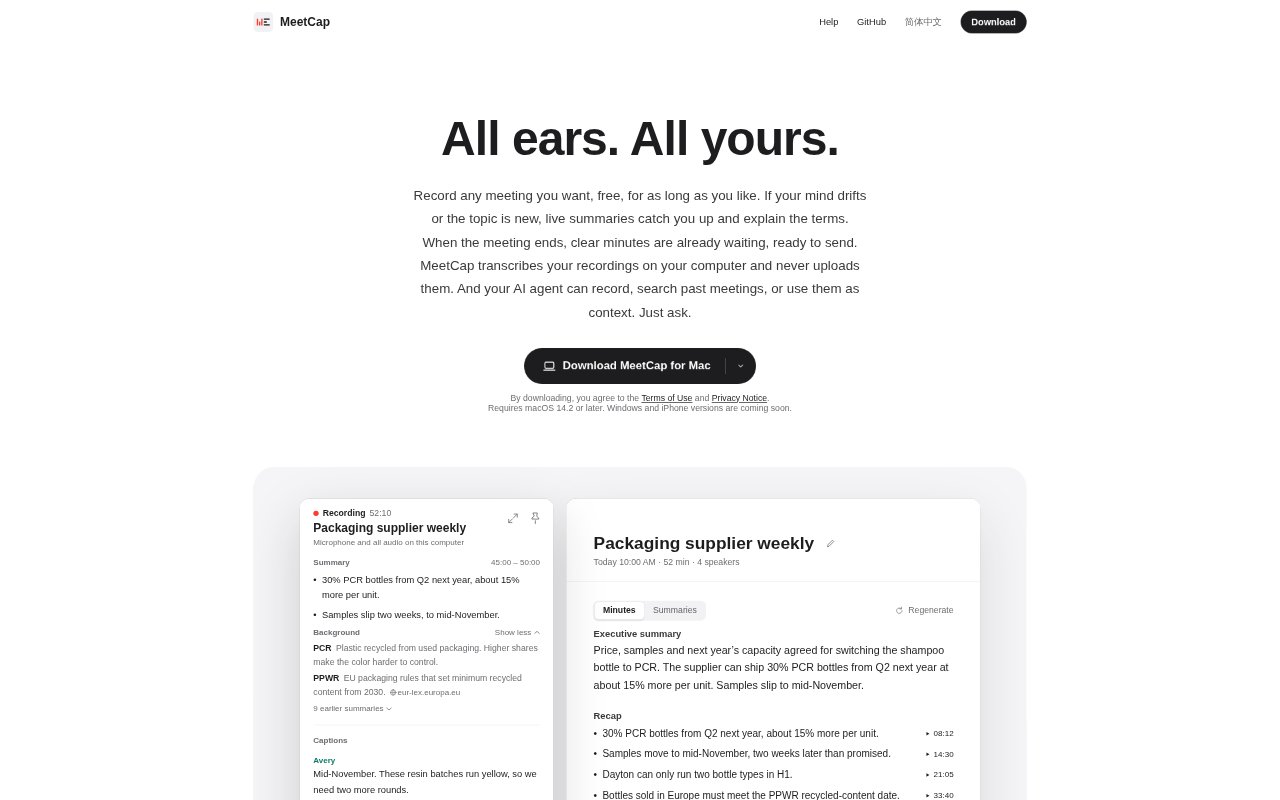
MeetCap is a macOS meeting assistant for people who want recordings, searchable transcripts, and finished minutes without sending meeting audio to a cloud service. It captures meetings from apps, browser tabs, meeting rooms, or existing recordings, then transcribes them on the computer that made the recording. Live captions, summaries, and explanations help users follow along, while post-meeting notes can be written by an AI agent, an API-backed service, or a local model. Recording has no time limit and is free.
MeetCap Features:
Recording Sources: MeetCap can record from an app, browser tab, meeting room, or existing recording, with starts from the menu bar, a hotkey, an agent, or a schedule.
On-Device Transcription: Audio is transcribed speaker by speaker on the recording computer, with live captions during the meeting and a second transcription pass afterward.
Live Meeting Context: Live summaries recap the recent discussion every few minutes, while Background explains unfamiliar terms, products, or events and can provide a source when it looks something up.
Minutes and Sources: Minutes organize the purpose, topics, outcomes, and tasks, and each point links to the transcript line it came from with an option to play it back.
Speaker and Language Support: MeetCap distinguishes speakers and suggests their identities for confirmation, learns confirmed names, and handles English, Chinese, or meetings that mix both languages.
AI and File Choices: Users can choose an agent, an API key, or a local model for summaries and minutes, then keep Markdown records in a chosen folder, iCloud Drive, or OneDrive.
MeetCap Benefits:
Easier Catch-Up: Participants who lose focus or encounter unfamiliar topics can regain the thread without stopping the conversation to ask for a recap.
Less Note-Taking: Ready minutes covering discussion points and follow-up tasks reduce the effort of turning a recording into notes to send after the meeting.
Verifiable Details: Links from minute points to transcript lines make it easier to check names, figures, and decisions before sharing or acting on them.
Private Workflows: Keeping audio on the recording computer, with an option to keep the text there too, suits conversations that should not leave the device.
Records That Travel: Markdown files can be read outside MeetCap, so users can keep working with their meeting history even if they later stop using the app.
Use Cases:
Back-to-Back Meetings: Schedule recordings across a full day of calls and use the minutes ready after each one to prepare for the next discussion.
Supplier Reviews: Track product terms, delivery dates, and decisions across supplier calls, then search past records when a price or commitment needs checking.
Mixed-Language Calls: Capture conversations where participants switch between English and Chinese, and choose minutes in English, Chinese, or both.
Sensitive Discussions: Record meetings whose audio should stay on the computer, and use a local model when meeting text should remain there as well.
Action Follow-Up: Review linked transcript passages to confirm who agreed to do what, then export the minutes as a Word or PDF file.