

What is Model Salt?
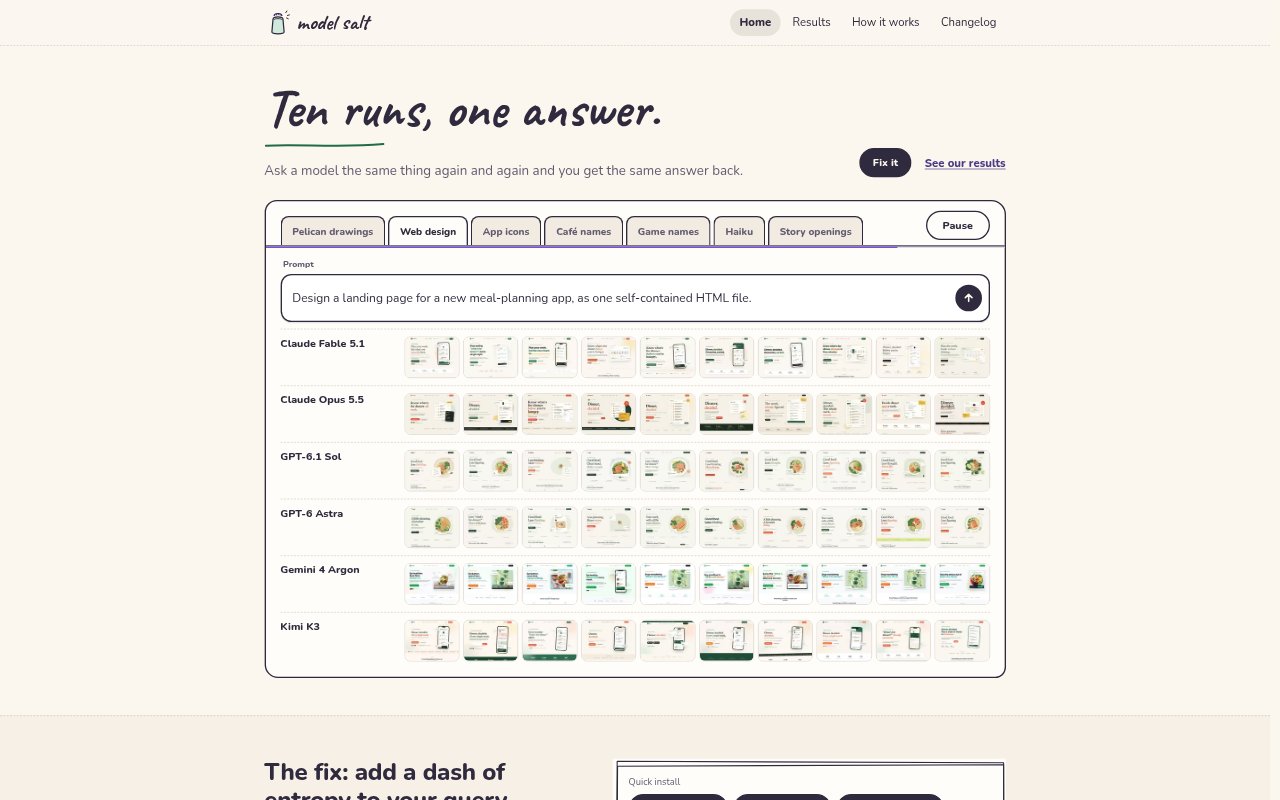
Model Salt is an MCP tool that adds outside randomness to open-ended tasks handled by AI models. Before answering, a connected model uses it to settle choices left open by the request, then completes the work using those choices. The randomness setting runs from 0 to 2, with 1 as the default. It is designed for people using AI assistants and coding tools, and can also be used through a copy-and-paste workflow for asset generation.
Model Salt Features:
Randomized Choices: Before an open task, the model sends the request and its name to Model Salt, which settles the task's open choices using randomness from outside the model.
Randomness Setting: A setting from 0 to 2 controls how widely choices vary, from always keeping the usual answer at 0 to making answers equally likely at 2.
Model Tuning: The method is adapted for Claude and GPT model families, while Gemini 4 Argon and Kimi K3 currently use the Claude approach.
MCP Connections: The tool can connect to Claude, Cursor, VS Code, Claude Desktop, Codex, Gemini CLI, Kimi Code, Windsurf, Cline, Zed, and other local MCP clients.
Copy And Paste: For image or other asset generation in ChatGPT or Gemini, a prepared message returns five choices, their odds, and the picks before asking whether to generate.
Local Setup: Local installation uses the Model Salt package through npx and requires Node 18 or later, while the Claude web connector runs without software on the user's computer.
Model Salt Benefits:
More Varied Results: Users can get different directions from the same open-ended request instead of repeatedly receiving the model's usual answer.
Controlled Exploration: The adjustable setting lets users keep results close to the familiar choice or explore a wider range, according to the task.
Clearer Choices: Showing asset picks and their odds before generation gives users a chance to review the direction before asking the model to create anything.
Less Prompt Rework: A connected assistant settles open choices as part of its workflow, so users can request a fresh direction without repeatedly rewriting the prompt.
No Separate Account: Local use requires no Model Salt sign-in or API key, reducing the setup information users need to provide.
Use Cases:
Business Naming: Ask an assistant for a café name or another business name when you want it to explore different directions from the same brief.
Creative Brainstorming: Use Model Salt before an open-ended ideation task when a model's familiar response is too predictable for the work.
Asset Generation: Prepare an image or other asset in ChatGPT or Gemini by reviewing the randomized choices first and confirming before generation.
Coding Assistant Setup: Add the MCP tool to a coding assistant such as Claude Code, Cursor, or VS Code so it can settle open choices before responding.
Testing Variations: Run the same open task with different randomness settings to compare the usual answer with options that spread further from it.