
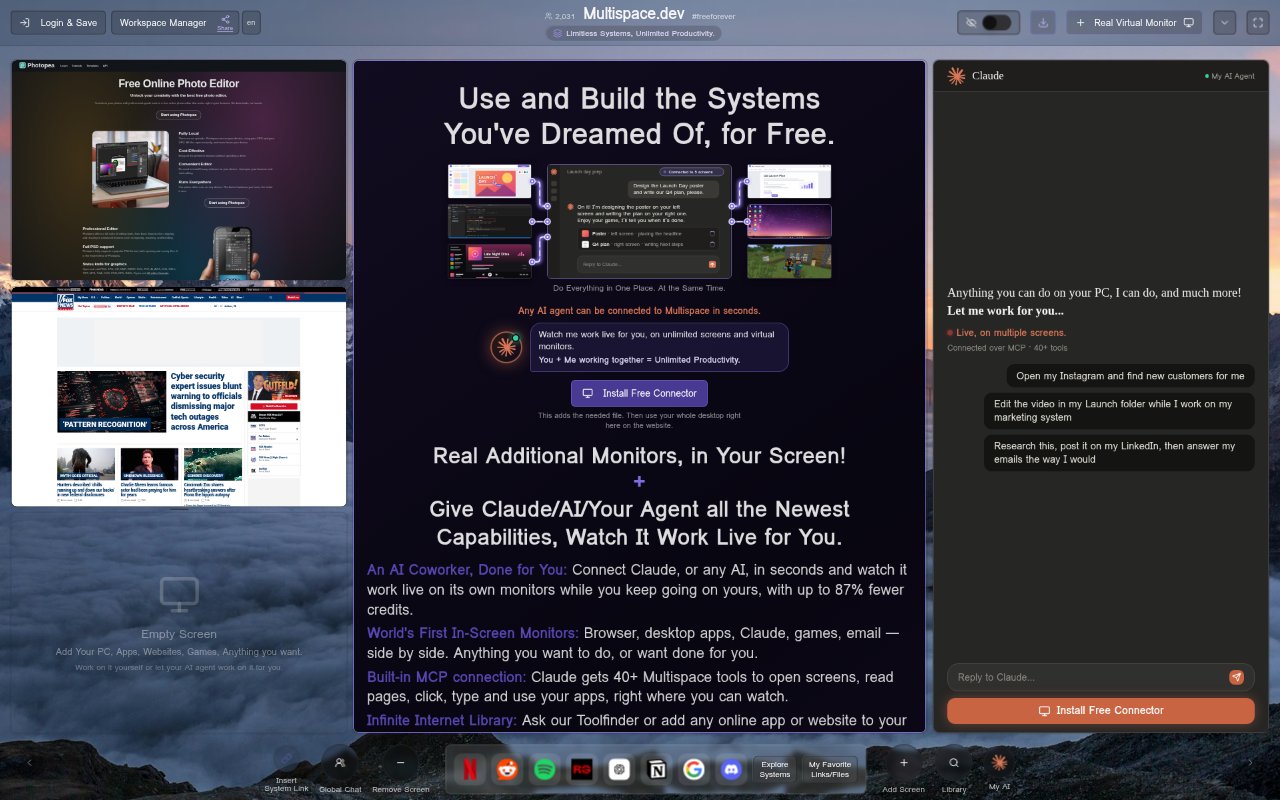
What is Multispace?
Multispace gives Claude or another AI agent a separate, live monitor inside a single window, alongside the screens you use yourself. It brings apps, websites and games into that workspace, and its built-in MCP connection gives Claude more than 40 tools to work in your screens. Ready-made systems open with one click, and the product is free.
Multispace Features:
Live AI Monitor: An AI agent can work live on its own monitor while you continue using the screens beside it, all within one window.
App and Web Screens: The workspace can show apps and websites alongside your other screens, giving the AI and your own work distinct places.
Game Displays: Games can also run in the workspace, alongside apps and websites, as part of the set of screens available in one window.
Built-In MCP Tools: A built-in MCP connection lets Claude work in your screens through a set of more than 40 available tools.
Ready-Made Systems: You can open a ready-made system with one click rather than starting from an empty workspace.
Agent Connection: The product supports connecting Claude or another AI agent, with the connection described as taking seconds.
Multispace Benefits:
Parallel Work: You can keep an AI agent working in view while carrying on with your own screen activity, rather than pausing one task to check another.
Fewer Interruptions: Seeing your work and the agent's screen together can reduce the need to move between separate windows just to keep track of both.
Visible Activity: The live monitor lets you observe the AI's work while remaining engaged with your own tasks, instead of relying only on a later result.
Quicker Setup: A one-click ready-made system and a connection that takes seconds can reduce the effort needed to get an AI workspace started.
Use Cases:
Work Alongside Claude: Keep Claude working on its own monitor while you continue using the screens next to it for your other work.
AI With Websites: Place websites in the workspace when you want an AI agent to work in your screens while you keep your own screen activity going.
App-Based Work: Use a separate monitor for an AI agent alongside apps you need open, keeping both the agent and your own work in one window.
Games and AI: Include a game among the workspace screens while an AI agent works on its own monitor and you continue on adjacent screens.
Starting a System: Open a ready-made system when you want to begin with a prepared workspace instead of arranging screens from scratch.