

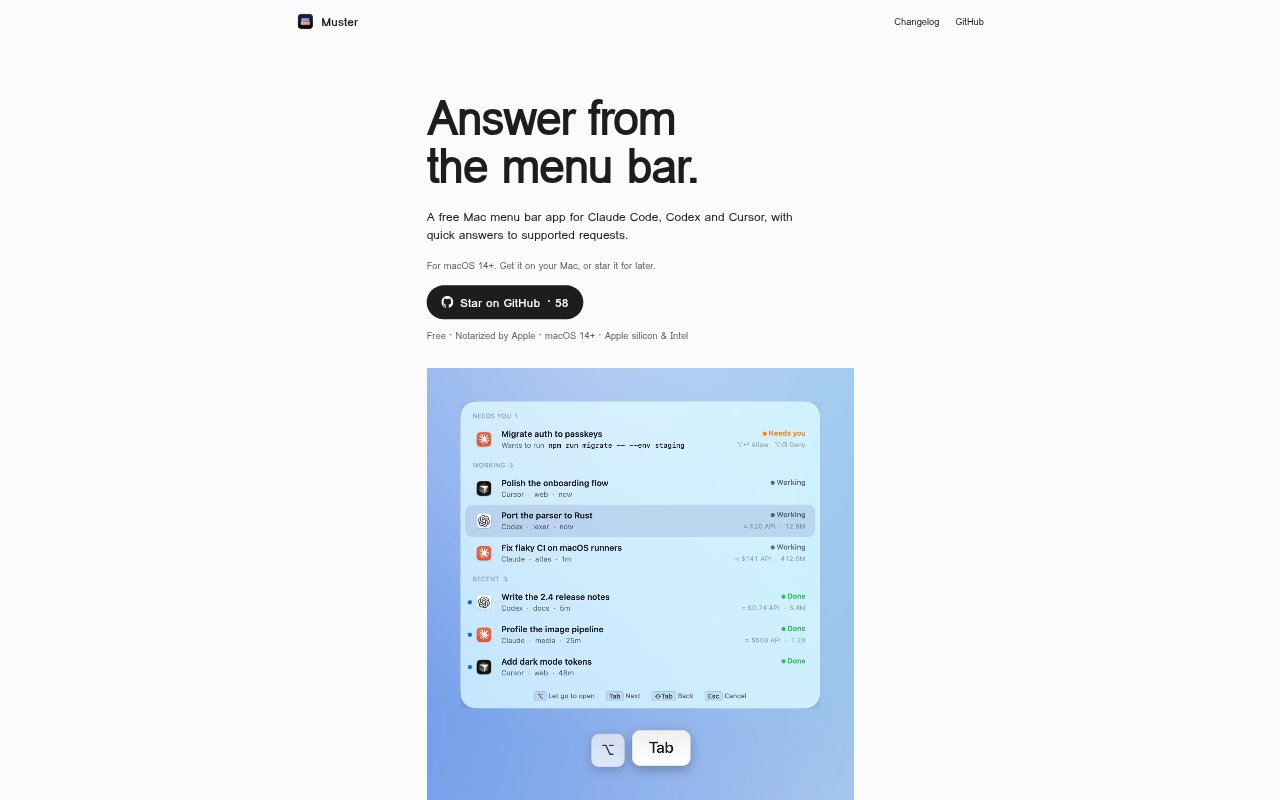
What is Muster?
Muster is a free, open-source Mac menu bar app that monitors Claude Code, Codex and Cursor sessions and brings waiting requests to your attention. It lets you inspect and respond to supported Claude Code and Codex prompts, switch to a session’s app or terminal, and search recent sessions. It runs on macOS 14 or later on Apple silicon and Intel Macs, with no account required.
Muster Features:
Waiting Alerts: Muster counts sessions that need attention in the menu bar and displays an alert when an agent is waiting.
Prompt Details: Expand an alert to inspect an agent’s reason for asking, the full command, edit file and size, or question options and notes.
Quick Responses: Allow or deny supported Claude Code and Codex requests from the alert, or choose an answer option using keyboard shortcuts.
Session Switching: Use Option-Tab to bring up sessions with the one awaiting input first, then open its app window or terminal.
Session Search: Search a single list of sessions from the last three hours, with token counts and estimated API list-price costs.
App Shortcuts: Customize the session-switching and search shortcuts, and use muster://next or muster://search to open those views from Raycast or Alfred.
Muster Benefits:
Fewer Interruptions: Responding to supported requests from the alert means you can approve or deny work without leaving the app you are using.
Clearer Decisions: Seeing the request details before answering helps you judge what an agent is asking rather than approving an unseen prompt.
Less Session Hunting: A prioritized switcher and searchable recent-session list make it easier to return to the agent that needs attention.
Cost Awareness: Session token counts and API list-price estimates help you spot which sessions use more tokens, even when a plan does not charge those rates.
Local Control: With no account or app analytics and local questions and answers sent over localhost, the app keeps its monitoring workflow on your Mac.
Use Cases:
Parallel Coding: Monitor several Claude Code, Codex or Cursor sessions while switching between coding tasks, and surface whichever one is waiting first.
Command Approval: Review a supported Claude Code or Codex command request from the alert before allowing or denying it.
Agent Questions: Inspect the available answers and notes for a supported agent question, then select an option without opening the session first.
Remote Claude Work: Keep track of Claude Code sessions run over SSH by the desktop app alongside sessions running locally.
Session Review: Search recent agent sessions and compare their token counts when deciding which coding run to revisit or investigate.