
Overview Is it worth it? FAQ
What Nanonets is and What it Does?
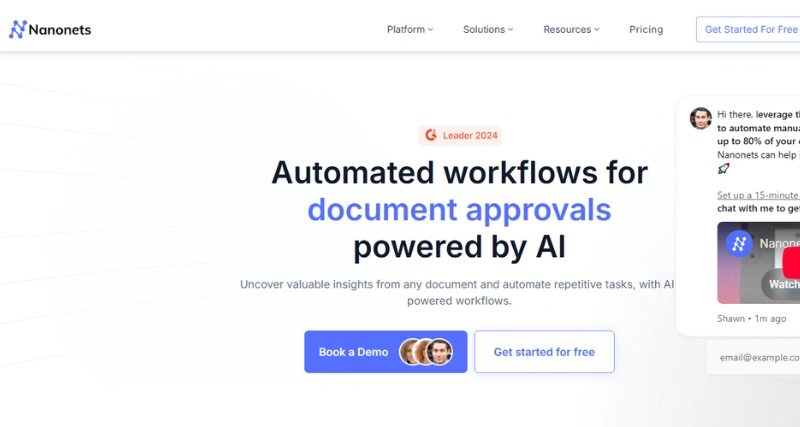
Nanonets provides an AI-driven platform designed to make handling documents easier. Using machine learning and OCR tools, Nanonets helps businesses pull, organize, and process information from documents like invoices, receipts, contracts, and financial reports. Its flexible and adaptable workflows give companies a way to cut down on manual work, improve accuracy, and save time.
Standout Features/Capabilities
Tailored Workflows: Adapt workflows to match unique business needs and reduce repetitive tasks with automation.
Smart OCR Technology: Pulls information from messy documents with precision and removes the hassle of typing .
Automatic Data Sorting: Sorts and organizes information following preset guidelines without user intervention.
Tool Integration: Works with used platforms including Zapier, QuickBooks, Salesforce, and Google Sheets.
Strong Security Measures: Uses strict practices like encrypting data to keep sensitive details protected.
Language Options: Handles documents in various languages to support businesses around the world.
How It Works
Nanonets works through a simple online interface. Users add their documents to the platform where the AI-powered OCR processes them and picks out important data fields. People can check, confirm, and export this data into the formats they need or link it to other systems to use further. The platform gets more accurate over time by using machine learning.
Use Case
Nanonets suits many industries and tasks, including:
Accounts Payable Automation: Handle receipts and invoices without hassle.
Human Resource Management: Keep track of payroll, contracts, and employee records .
Legal Document Analysis: Pull important details from long legal documents.
Healthcare Administration: Manage patient data and insurance claims .
Best For
Nanonets works well for businesses needing to process many documents often. Companies of all sizes in fields like finance, logistics, healthcare, and legal services can make good use of it. Startups aiming to improve operations might also find it useful.
Versions/Models
Nanonets provides an adaptable platform that works on the web. They include a Chrome extension to make it easier for users who need fast browser integrations. Users who need access while moving around can rely on their iOS app, which ensures smooth performance and usability.
Pros
Makes document tasks faster and improves overall efficiency at work.
Cuts down mistakes that happen with manual data entry.
Works well for all types of businesses and can easily grow with them.
Easy-to-use interface lets people start without much training.
Cons
Getting the hang of advanced tools might take some time.
Customizing features can need some technical know-how.
Costs might feel high for smaller companies based on the chosen plan.
Benefits
Saves time by taking care of repetitive work so teams can focus on bigger goals.
Quickly organizes data to give useful insights that can be acted on right away.
Keeps documentation neat and consistent to improve compliance.
Browser/Platform Compatibility
Web Access: Works on popular browsers such as Chrome, Safari, and Firefox.
Chrome Add-on: Helps users handle tasks through their browser.
iOS App: Can be downloaded from the App Store for mobile convenience.
Available Pricing (Free Vs Paid)
Nanonets provides free and paid plans. The Free Plan includes some restrictions with limited features and document processing, which helps smaller users get to know the tool better. To unlock advanced tools, the Paid Plans are designed to meet varying business needs. Pricing scales with the number of documents handled. Businesses can also request custom enterprise packages.
Is It Worth It?
To streamline workflows with lots of documents, businesses use Nanonets to save time and reduce errors. It cuts down on manual work and increases accuracy offering a good return on investment. Smaller businesses might see cost as a factor, but the time saved and ability to grow make it valuable in many cases.
1. Can Nanonets handle handwriting?
Yes, it uses AI OCR to process some handwritten text. Accuracy depends on how clear the handwriting is.
Yes, your data stays secure. Nanonets uses strong protection measures like encryption and GDPR rules.
3. Do you need coding skills to use Nanonets?
No, you don't need coding knowledge to use Nanonets for basic tasks. Those who want more control can shape workflows using API connections.
4. Can I try Nanonets for free?
Yes, there’s a Free Plan available with some limitations. It allows users to test the tool and decide if upgrading makes sense.