

What is omux?
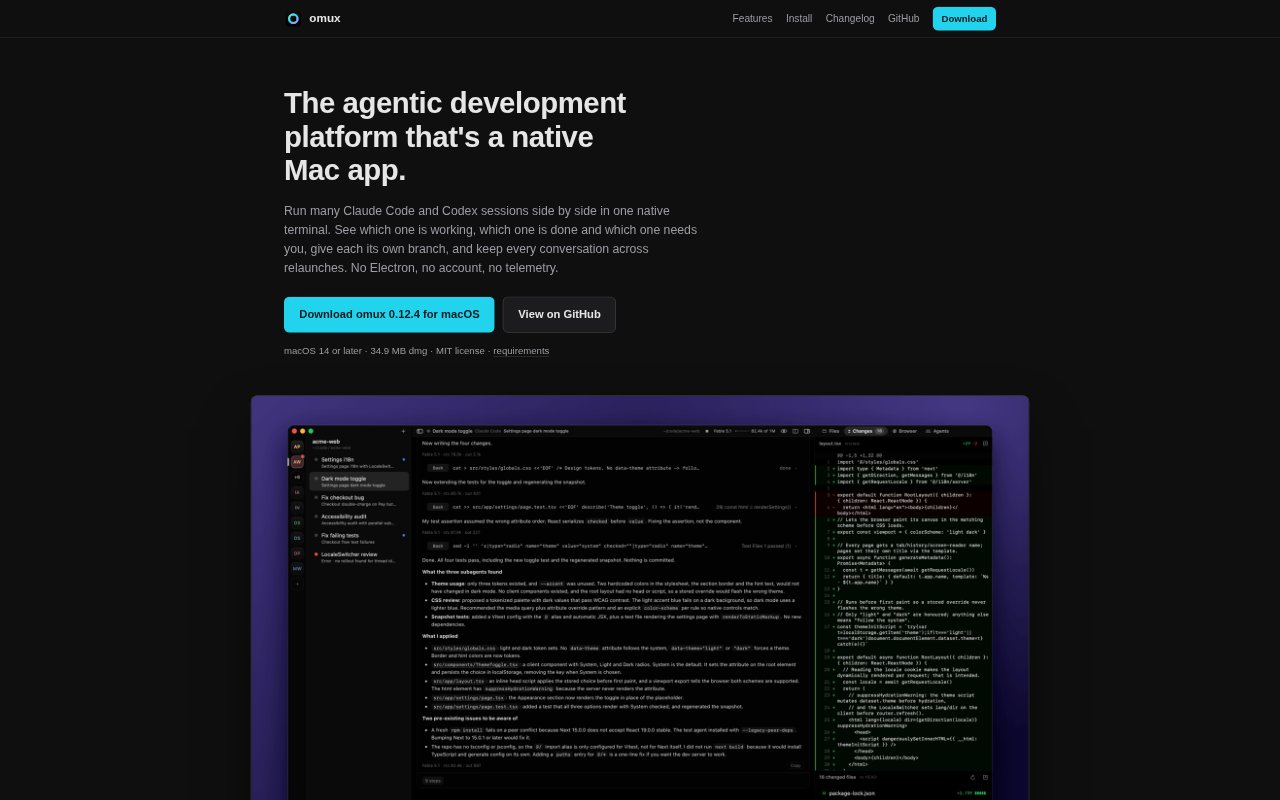
omux is a native Mac terminal for running multiple Claude Code and Codex sessions in one window. It organizes sessions by project and adds agent-aware status, Git worktrees, pull-request controls, and panels for files, changes, and local browser previews. It is for developers coordinating coding agents on a Mac; the app is free and MIT-licensed, requires macOS 14 or later and Apple Silicon, and uses the agents’ existing CLI setups.
omux Features:
Project Sessions: Group terminal sessions by project, switch between them in tabs, and jump to a session with a keyboard shortcut.
Live Agent Status: See whether Claude Code or Codex is working, finished, or waiting for you, with a Dock badge for sessions that need attention.
Permission Controls: Allow or deny an agent’s command or file-change request from the session header or sidebar without switching to its terminal.
Worktree Sessions: Give each session a separate Git branch and folder, and run a setup command to prepare each worktree before the agent starts.
Pull Request Tools: With GitHub CLI installed, view checks, reviews, and merge status for a worktree’s pull request, create or merge the PR, and clean up afterward.
Review Panels: Inspect touched files and diffs, send review notes to the agent in one message, or select an element in a local browser preview to include in a prompt.
Remote Sessions: Run project sessions on a machine reachable over SSH, where they continue running if the Mac sleeps or omux quits.
omux Benefits:
Less Status Checking: Agent-reported states and notifications make it easier to spot which sessions need a decision without opening each terminal in turn.
Fewer File Conflicts: Separate branches and folders help parallel agents work on the same repository without editing the same working files.
Preserved Context: Resumable conversations let developers quit and reopen the app without having to reconstruct where an agent left off.
Focused Reviews: Diffs, browser previews, and agent-directed notes keep feedback tied to the files or interface under review.
Existing Agent Setup: Using installed Claude Code or Codex and their existing logins means there is no separate omux account or credit balance to manage.
Use Cases:
Parallel Development: Run agents on separate tasks in one repository, such as implementing different parts of a feature in independent worktrees.
Approval Monitoring: Keep several coding sessions moving while watching for command or file-change requests that need a developer’s approval.
Pull Request Handling: Track an agent’s pull-request checks and reviews, then create, merge, or clean up the PR from its worktree session.
Local UI Review: Ask an agent to change a local web app, inspect the running page, and point to a specific element when describing a follow-up.
Remote Agent Work: Use a Mac to manage coding sessions running on an SSH-accessible Linux machine when those sessions should continue during sleep or app closure.