

What is Opik?
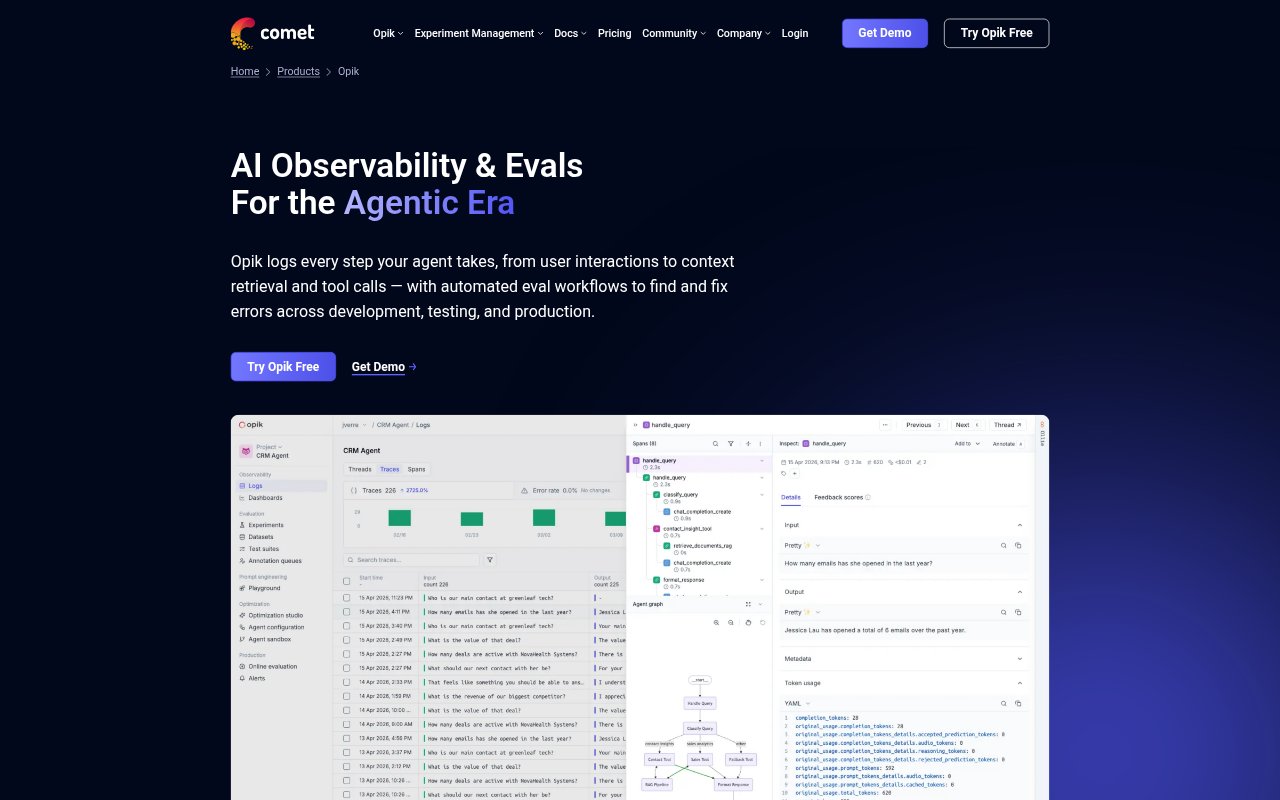
Opik is an open-source AI observability and evaluation platform for developers building LLM applications and agents. It records agent activity across development, testing, and production, then provides tools to inspect traces, evaluate results, improve prompts, and monitor live systems. Teams can run the open-source version themselves or use Comet’s hosted cloud, with coding-agent cost intelligence for reviewing usage across engineering teams.
Opik Features:
LLM Trace Capture: Record agent steps such as user interactions, context retrieval, model responses, and tool calls, then inspect traces to understand system behavior.
Automated Evaluations: Score traces against datasets or plain-text assertions using evaluation metrics for areas such as answer relevance, task completion, and hallucination.
Test Suites: Create item-level and suite-wide pass-or-fail assertions to test agent behavior across scenarios and check whether changes introduce regressions.
Production Monitoring: Evaluate production traces, track token usage and model costs, and receive alerts when user interactions fail defined test criteria.
Prompt Optimization: Use prompt optimization algorithms to tune prompts, agent orchestration, tool-calling steps, and model parameters.
Coding Agent Costs: Review Claude Code and Codex usage across engineering teams, including spend associated with MCPs, skills, model choices, and configurations.
Opik Benefits:
Faster Debugging: Seeing the steps behind an agent response helps developers locate the source of a failure instead of relying on manual review alone.
More Repeatable Testing: Reusable assertions and evaluation runs give teams a consistent way to check agent behavior as they make changes.
Earlier Issue Detection: Monitoring production interactions against defined criteria can help teams catch problems before they affect more users.
Shared Review Process: Annotation tools let subject matter experts review outputs and provide structured feedback without requiring them to debug the system.
Informed Cost Decisions: Connecting coding-agent spend to tools and configurations helps engineering leads spot where usage may be optimized.
Use Cases:
Agent Debugging: Trace a multi-step agent’s tool calls and context retrieval to investigate why it returned an incorrect or incomplete response.
Release Regression Checks: Run a suite of scenarios after changing an agent’s prompts or configuration to check that expected behavior still passes.
Production Quality Review: Evaluate live agent interactions against team-defined criteria and investigate alerts when a response falls short.
Expert Output Review: Ask subject matter experts to annotate individual responses or conversations when assessing quality across an AI application.
Engineering Spend Review: Compare coding-agent usage across teams and investigate whether MCPs, skills, or model selections are contributing to token costs.