

What is Optio?
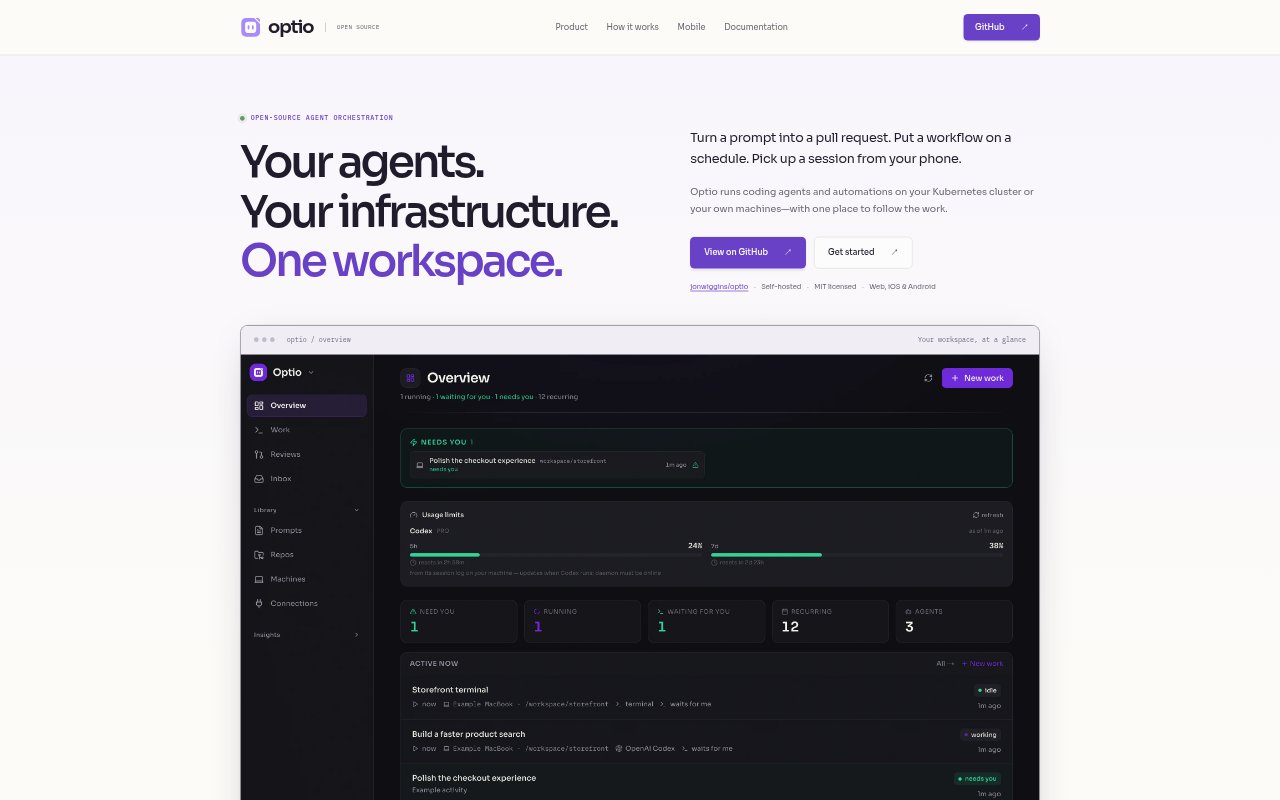
Optio is an open-source, self-hosted workspace for running coding agents and automations on a Kubernetes cluster or paired machines. It brings one-off tasks, scheduled workflows, interactive sessions, and persistent agents into one place, with web and native iOS and Android apps. Teams choose the trigger, execution location, agent or command, instructions, and what should happen when the work is done.
Optio Features:
Workflow Triggers: Start work manually, on a schedule, or in response to tickets, webhooks, and events from services including GitHub, GitLab, Slack, Linear, Jira, PagerDuty, and Sentry.
Execution Locations: Run repository work in Kubernetes pods with separate git worktrees, or pair a machine and use an allowed directory with its existing agent CLI and login.
Agent Runtimes: Choose supported runtimes such as Claude Code, Codex, Copilot, Gemini, Cursor, OpenCode, and OpenClaw, or use a terminal for shell commands and interactive work.
Pull Request Flow: Give an agent a repository and bounded change so it can work in a git worktree, open a pull request, and resume with review feedback while Optio tracks CI and merge status.
Persistent Agents: Create named agents with their own instructions and inboxes that can wake for messages or triggers, work in turns, and coordinate with other agents.
Run History: Follow conversations, logs, and outcomes in a shared feed, with pull requests, review feedback, and costs tracked where available.
Optio Benefits:
Unified Oversight: A shared feed makes it easier to see which tasks are running, finished, or waiting for your attention without switching between separate work views.
Fewer Repeated Steps: Recurring workflows can handle routine work such as dependency updates or daily briefings without requiring someone to start each run by hand.
Review Continuity: Keeping CI status and review feedback connected to repository work helps teams follow a change from the initial request through its next steps.
Flexible Control: Self-hosting and per-work access settings let teams decide where agent work runs and which connections, tools, and skills it can use.
Mobile Follow-Up: Native apps let users check the queue, reply to an agent, open a terminal, or start work when they are away from a desktop.
Use Cases:
Ticket to Code: Assign a GitHub, GitLab, Linear, or Jira issue to an agent and have it work on a bounded repository change that can become a pull request.
Scheduled Maintenance: Set up recurring dependency updates so an agent can handle routine repository work on a schedule and leave a run history to review.
Daily Briefings: Schedule an agent to prepare a daily briefing, with each run’s logs and outcome available in the workspace.
Incident Investigation: Use an incident event, such as a PagerDuty trigger, to start a workflow with instructions and a recorded run history.
Phone Check-Ins: Use the iOS or Android app to review the queue, respond to an agent, or return to a conversation while away from a computer.